Freedom251 › AI Video Stabilization Software

UniFab Video Stabilizer AI
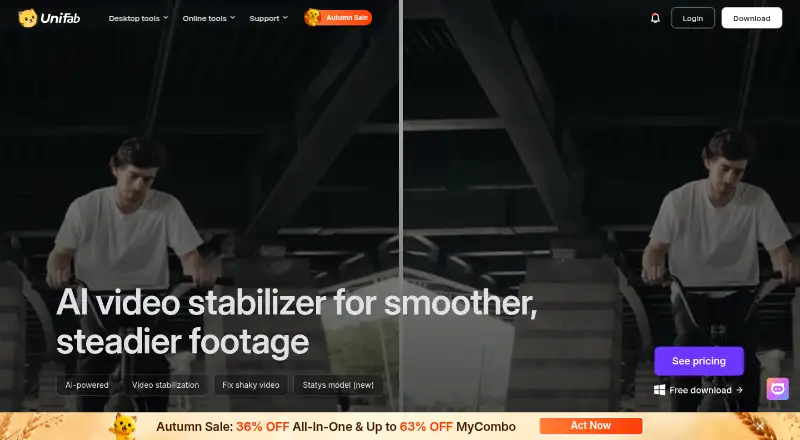
What UniFab Video Stabilizer AI is
UniFab Video Stabilizer AI uses AI to detect and correct unwanted camera shake in video. Mild, Moderate, and Strong modes let you choose the correction level. The maker describes Motis for everyday shake and Statys for more precise stabilization of dynamic footage. Suggested uses include handheld phone recordings, action-camera and drone clips, and telephoto or zoom shots. Batch processing and output up to 4K are supported on Windows and macOS. Local mode processes tasks on the computer and requires no credits; the maker says uploaded media is not used to train AI models and is not stored, viewed, or accessed. A 30-day trial includes all features without a watermark, with three trial uses per module. Plans cost $89.99 a year or $109.99, paid once for a lifetime license. Recommended Windows hardware includes 16 GB memory, an NVIDIA RTX 30 Series-or-newer GPU with 8 GB VRAM, and a recent Intel or AMD processor.
Who it suits
UniFab suits video creators working with handheld, action-camera, drone, telephoto, or zoom footage. It is intended for Windows and macOS users who need selectable stabilization strengths and local processing.
What it does well
- Three stabilization strength modes
- Separate AI models for different footage
- Batch processing supported
- Output resolution up to 4K
- Trial has no watermark
What to know first
- No free plan
- Trial allows three uses per module
- Recommended Windows setup requires 16 GB memory
- Paid plans start at $89.99 a year
Plans
| Plan | Billed and limits | Price |
|---|---|---|
| UniFab Video Stabilizer AI — Lifetime | $109.99 · Video stabilization software | $109.99, paid once |
| UniFab Video Stabilizer AI — 1-Year | $89.99 · Video stabilization software | $89.99 a year |
As unifab.ai lists them, read 4 Oct 2026. The maker's own page has the final word.
Verdict
UniFab Video Stabilizer AI offers selectable AI correction, batch work, 4K output, and local processing. Its trial-use limit and recommended hardware requirements are important before purchase.
Facts from UniFab Video Stabilizer AI's own pages
- AI models
- The product page describes Motis for everyday shake and Statys for more precise stabilization of dynamic footage. · unifab.ai, 4 Oct 2026
- Company and launch
- UniFab says it launched in 2022 and lists the Stabilizer AI milestone in December 2024. · unifab.ai, 4 Oct 2026
- Personal data
- The privacy policy says UniFab collects account, order, device, product-use, and support communication data, among other listed personal information. · unifab.ai, 4 Oct 2026
- Processing and privacy
- The maker says local mode processes tasks entirely on the computer and requires no credits; its cloud FAQ says uploaded media is not used to train AI models and that it does not store, view, or access users’ videos. · unifab.ai, 4 Oct 2026
- Purpose
- UniFab Video Stabilizer AI uses AI to detect and correct unwanted camera shake in video footage. · unifab.ai, 4 Oct 2026
- Stabilization modes
- It offers Mild, Moderate, and Strong modes for different levels of camera shake. · unifab.ai, 4 Oct 2026
- Support
- The maker provides a support center with product resources, a changelog, a user community, and YouTube tutorials. · unifab.ai, 4 Oct 2026
- System requirements
- The maker recommends 64-bit Windows 10 or 11, at least 16 GB of memory, an NVIDIA RTX 30 Series or newer GPU with 8 GB VRAM, and an Intel Core i7 8th Generation or AMD Ryzen 3000 Series or newer CPU. · unifab.ai, 4 Oct 2026
- Trial limits
- The maker says the 30-day trial includes all features without a watermark and allows three trial uses per module. · unifab.ai, 4 Oct 2026
- Use cases
- The maker describes use with handheld phone footage, action camera and drone footage, and telephoto or zoom shots. · unifab.ai, 4 Oct 2026
Where UniFab Video Stabilizer AI stands on Freedom251
- AI Video Stabilization Software#26 of 33