Freedom251 › Version Control Software
Ungit
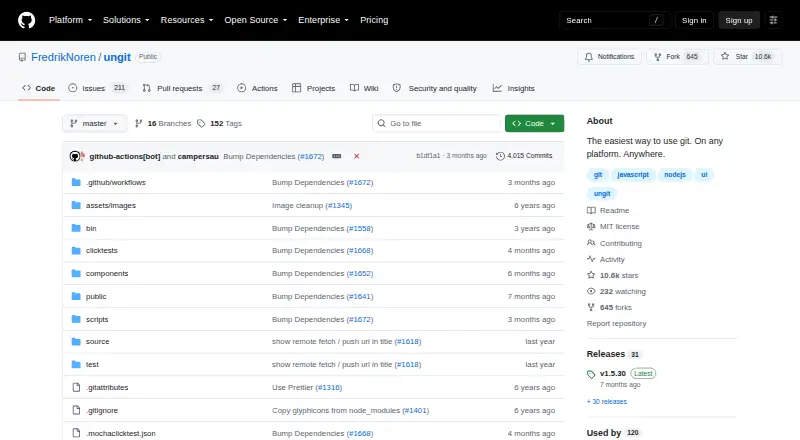
What Ungit is
Ungit is a free, MIT-licensed graphical interface intended to make Git easier to use. It starts a server and opens its interface in a browser, so it can run on a desktop, cloud machine, or pure-shell system accessed remotely. The project says it works well with GitHub, while Gerrit integration is available through a plugin. Ungit supports plugins and provides guidance for creating them and using its plugin API. Its listed editor integrations include Atom, Brackets, and Visual Studio Code. While a page is open, Ungit watches the Git directory and refreshes after Git operations or changes to files not ignored by .gitignore. Installation requires Node.js 20.19.0 or later, npm 10.8.2 or later, and Git 2.34.x or later. Prebuilt Electron packages are available, but Git remains required. Users can configure external merge tools, and Git submodules and conflict editing are supported.
Who it suits
Ungit suits Git users who prefer a browser interface, including people working on Windows, macOS, Linux, cloud, or shell-only machines. It also fits users needing plugins, editor integrations, or configurable merge tools.
What it does well
- Free and MIT licensed
- Browser interface works on cloud machines
- Supports plugins and plugin API
- Refreshes after Git changes
- External merge tools can be configured
What to know first
- Requires Node.js, npm, and Git versions
- No GPG authentication support
- Non-English Git may cause unexpected behavior
Verdict
Ungit provides a browser-based Git interface with plugins, integrations, automatic refresh, and configurable merge tools. Its required runtime versions and GPG limitation are important setup considerations.
Facts from Ungit's own pages
- Auto refresh
- Ungit watches the Git directory while a page is open and refreshes after Git operations or changes to files not ignored by .gitignore. · github.com, 7 Oct 2026
- Cloud use
- The README says Ungit can run on a cloud or pure-shell machine and be accessed from a browser. · github.com, 7 Oct 2026
- Desktop packages
- The README says prebuilt Electron packages are available and Git is still required. · github.com, 7 Oct 2026
- Editor integrations
- The README lists integrations for Atom, Brackets, and Visual Studio Code. · github.com, 7 Oct 2026
- Free plan
- Yes · github.com, 20 Sept 2026
- Gerrit integration
- The README identifies Gerrit integration as available through a plugin. · github.com, 7 Oct 2026
- Git hosting
- The README says Ungit works well with GitHub. · github.com, 7 Oct 2026
- GitHub integration
- The README says Ungit works well with GitHub. · github.com, 7 Oct 2026
- GPG limitation
- Ungit supports Git commit signing configuration but says it does not support GPG authentication, so passwordless GPG authentication or a third-party GPG password must be configured for signed commits. · github.com, 7 Oct 2026
- Installation
- Installation requires Node.js 20.19.0 or later, npm 10.8.2 or later, and Git 2.34.x or later. · github.com, 7 Oct 2026
- Installation requirements
- The README requires Node.js 20.19.0 or later, npm 10.8.2 or later, and Git 2.34.x or later. · github.com, 7 Oct 2026
- Interface
- Its web interface can run on a cloud or pure shell machine and be opened in a browser. · github.com, 7 Oct 2026
- Known limitation
- The README says running Git in a non-English language can cause unexpected behavior because Ungit parses Git command results in English. · github.com, 7 Oct 2026
- License
- The repository states that Ungit is once again MIT licensed. · github.com, 7 Oct 2026
- Maintainers
- The repository lists FredrikNoren, Jung-Kim, and campersau as maintainers. · github.com, 7 Oct 2026
- Merge tools
- Users can configure an external merge tool, with Kaleidoscope and p4merge given as examples. · github.com, 7 Oct 2026
- Platforms
- The README says Ungit runs on any platform supported by Node.js and Git. · github.com, 7 Oct 2026
- Platform support
- The README says Ungit runs on platforms supported by Node.js and Git. · github.com, 7 Oct 2026
- Plugins
- Ungit supports plugins, and its plugin guide explains how to create one and describes its plugin API. · github.com, 7 Oct 2026
- Purpose
- Ungit provides a graphical interface intended to make Git easier to use. · github.com, 7 Oct 2026
- Security limitation
- The README says Ungit does not support GPG authentication and advises configuring passwordless GPG authentication or a third-party GPG password to commit with GPG. · github.com, 7 Oct 2026
- Web interface
- Ungit launches a server and opens its user interface in a browser. · github.com, 7 Oct 2026
Where Ungit stands on Freedom251
- Version Control Software#46 of 62
- Git GUI Clients#24 of 32
- Git clients#20 of 24