Freedom251 › Photo Watermarking Software
uMark
What uMark is
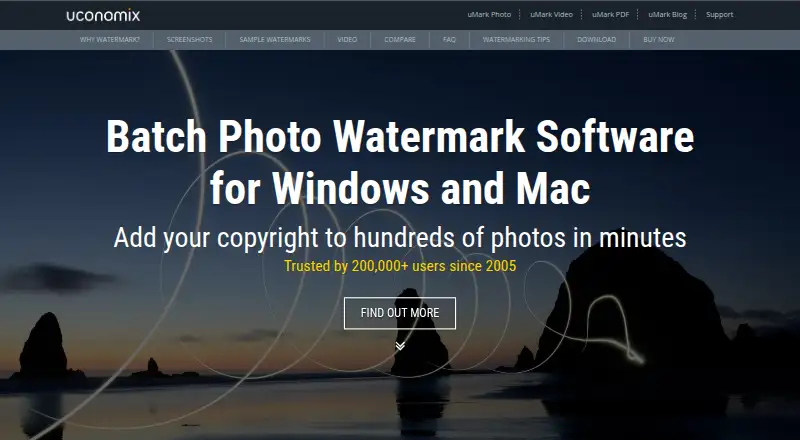
uMark is photo watermarking software for Windows and macOS that can process hundreds of photos in one operation. It supports text, image, shape, and QR code watermarks, with controls for font, size, style, color, transparency, shadow, and rotation. A mark can use one of nine preset positions or a location set by coordinates or drag and drop. EXIF details such as image name, capture time, aperture, and shutter speed can be inserted as watermark content. Saved presets make repeated batches easier. uMark offers Free and Pro modes, with Free mode described as free forever. Paid licenses are one-time payments: Personal costs $29, paid once for one computer, Professional costs $39, paid once for up to three computers, and Team costs $99, paid once for up to ten computers. Listed languages include Dutch, English, French, German, Italian, Portuguese, Spanish, and Turkish.
Who it suits
uMark suits photographers and others who need to watermark large batches on Windows or macOS. Its license tiers also serve individual users, small groups, and teams.
What it does well
- Processes hundreds of photos at once
- Supports text, image, shape, and QR marks
- Detailed watermark customization controls
- EXIF details can become watermark text
- Free mode available forever
What to know first
- Each license applies to one platform
- Personal license covers one computer
- Paid features start at $29, paid once
- Refunds deduct payment gateway fees
Limits
Free mode is available free forever. Paid license scope is limited to one, up to three, or up to ten computers depending on the Personal, Professional, or Team license.
Plans
| Plan | Billed and limits | Price |
|---|---|---|
| uMark Photo Watermarker for Mac — Personal License (1 Computer) | One-time payment · 1 computer | $29, paid once |
| uMark Photo Watermarker for Windows — Personal License (1 Computer) | One-time payment · 1 computer | $29, paid once |
| uMark Photo Watermarker for Windows — Professional License (3 Computers) | One-time payment · Up to 3 computers | $39, paid once |
| uMark Photo Watermarker for Mac — Professional License (3 Computers) | One-time payment · Up to 3 computers | $39, paid once |
| uMark Photo Watermarker for Mac — Team License (10 Computers) | One-time payment · Up to 10 computers | $99, paid once |
| uMark Photo Watermarker for Windows — Team License (10 Computers) | One-time payment · Up to 10 computers | $99, paid once |
As uconomix.com lists them, read 7 Oct 2026. The maker's own page has the final word.
Getting started
- Open the uMark product website
- Choose Windows or macOS
- Start with Free mode or select a paid license
- Install uMark on the covered computer
- Create a watermark and choose its position
- Process a batch of photos or save a preset for later
Verdict
uMark provides batch watermarking with varied mark types, positioning, customization, and EXIF support. The free mode and computer-based license tiers let users choose according to their needs.
Questions
Does uMark have a free plan?
Yes. uMark includes Free mode, which the FAQ describes as free forever.
How much do paid uMark licenses cost?
Personal licenses cost $29.00 per once for one computer, Professional licenses cost $39.00 per once for up to three computers, and Team licenses cost $99.00 per once for up to ten computers.
Which platforms does uMark support?
uMark supports Windows and macOS, with licenses offered separately for each platform.
What kinds of watermarks can uMark add?
It can add text, image, shape, and QR code watermarks, and can use EXIF details such as image name or capture time.
Does uMark offer refunds and support?
Uconomix states that it provides a 30-day money-back guarantee, deducting payment-gateway fees from refunds. Support is available by email and contact form.
Who makes uMark?
Umark is made by Uconomix, founded in 2005 by Yash Gadhiya and headquartered in Mumbai, India.
Facts from uMark's own pages
- Batch processing
- The product page says uMark can watermark hundreds of photos in one go. · uconomix.com, 7 Oct 2026
- Customization
- Watermarks can be customized with font, size, style, color, transparency, shadow, and rotation. · uconomix.com, 7 Oct 2026
- Data protection
- The privacy policy says private information such as credit card details is not stored on Uconomix servers after a transaction. · uconomix.com, 7 Oct 2026
- Founded
- 2005 · uconomix.com, 28 Sept 2026
- Free mode
- The FAQ says uMark has Free and Pro modes and describes Free mode as free forever. · uconomix.com, 7 Oct 2026
- Headquarters
- Mumbai, India · uconomix.com, 28 Sept 2026
- Language support
- The product page lists Dutch, English, French, German, Italian, Portuguese, Spanish, and Turkish. · uconomix.com, 7 Oct 2026
- License scope
- A license is per computer, with Personal, Professional, and Team licenses covering one, up to three, and up to ten computers respectively. · uconomix.com, 7 Oct 2026
- Maker
- Uconomix says it was founded in 2005 by Yash Gadhiya and is headquartered in Mumbai, India. · uconomix.com, 7 Oct 2026
- Metadata
- uMark can use EXIF details including image name, capture time, aperture, and shutter speed as watermarks. · uconomix.com, 7 Oct 2026
- Positioning
- Watermarks can use one of nine predefined positions or a location set with coordinates or drag and drop. · uconomix.com, 7 Oct 2026
- Purpose
- uMark is photo watermarking software designed to watermark many photos at a time. · uconomix.com, 7 Oct 2026
- Refunds
- Uconomix states it provides a 30-day money-back guarantee and deducts payment gateway processing fees from refunds. · uconomix.com, 7 Oct 2026
- Saved presets
- Users can save a watermark for repeated use on later batches. · uconomix.com, 7 Oct 2026
- Support
- Uconomix provides customer support by email and through a contact form. · uconomix.com, 7 Oct 2026
- Watermark types
- Users can add text, image, shapes, and QR code watermarks to photos. · uconomix.com, 7 Oct 2026
Where uMark stands on Freedom251
- Photo Watermarking Software#18 of 33