Freedom251 › Online Whiteboard Tools
Twiddla
What Twiddla is
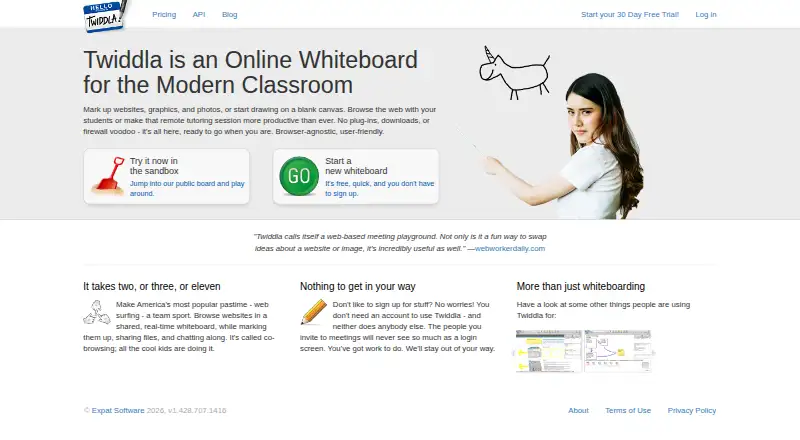
Twiddla is an online whiteboard for collaborating on web pages, uploaded images, documents or a blank canvas in real time. Participants can browse a website together, mark it up, share files, and discuss the session through chat or voice. A whiteboard can be started for free without signing up, and invitees do not need accounts. Sessions can be captured as images, embedded as widgets or reopened in Twiddla for more editing. Its API can create meetings and embed them in another website with an iframe; client libraries are documented for .NET, PHP, Python and Java. Paid subscriptions list SSL security and password-protected private meetings. The free Guest option allows up to 10 participants for 20 minutes and has no voice conferencing. The Pro plan costs $14 a month. Twiddla is not a screen-sharing or video-chat service, does not work with Flash websites and is not intended for editing documents or spreadsheets. Expat Software maintains the service.
Who it suits
Twiddla may suit groups, educators and tutors who need a shared board for browsing and annotating material together. Its API and embedding options may also suit teams adding meetings to another website.
What it does well
- Start a whiteboard without signing up.
- Invitees do not need accounts.
- Includes chat and voice for session discussion.
- Sessions can be saved, embedded or reopened for editing.
What to know first
- Guest meetings are limited to 20 minutes.
- Guest meetings allow up to 10 participants.
- Guest voice conferencing is disabled.
- Not a screen-sharing or video-chat service.
Limits
Guest meetings allow up to 10 participants and last 20 minutes, with voice conferencing disabled. The free API Sandbox provides 10 named user accounts, one simultaneous meeting and 120 voice minutes; the free Guest plan has the 10-person, 20-minute limit.
Plans
| Plan | Billed and limits | Price |
|---|---|---|
| API Sandbox | Free · 10 named user accounts · 1 simultaneous meeting · 120 voice minutes | Free |
| Guest | 10 participants · 20-minute meeting limit | Free |
| Pro | $ 14 /month · 1 named user account · 1 simultaneous meeting · unlimited participants · 600 voice minutes/month | $14 a month |
| Teacher 3-Pack | $19.95/month total; $4.99/month per user; 25% off for Annual Billing · 3 Pro plans · educators only · accounts may be added, removed, and swapped | $19.95 a month |
| API Medium Business | $349/month · Unlimited named user accounts · 50 simultaneous meetings · 12,000 voice minutes · co-branded meetings | $349 a month |
| Business | $ 349 /month · 50 named user accounts · 50 simultaneous meetings · unlimited participants · 12,000 voice minutes/month | $349 a month |
| API Large Business | $749/month · Unlimited named user accounts · 200 simultaneous meetings · 60,000 voice minutes · co-branded meetings · email and phone support | $749 a month |
| Team | $ 99 /month · 10 named user accounts · 10 simultaneous meetings · unlimited participants · 2,400 voice minutes/month | $99 a month |
The first 8 of 10 plans, as twiddla.com lists them, read 11 Oct 2026. The maker's own page has the final word. Every plan
Getting started
- Open Twiddla on the web
- Start a free whiteboard without signing up or choose a plan
- Invite participants to the meeting
- Share a website, file or blank canvas
- Annotate together and use chat or voice
- Export a snapshot, embed the session or reload it for editing
Verdict
Twiddla supports real-time annotation and discussion, with free no-account access and paid plans for larger or more capable use. Check its Guest limits and note that it is not built for screen sharing, video chat or document editing.
Questions
Can I use Twiddla without an account?
Yes. You can start a new whiteboard for free without signing up, and invitees do not need accounts.
What does the Pro plan cost?
Pro costs $14 a month and includes one named user account, one simultaneous meeting, unlimited participants and 600 voice minutes per month.
What platforms does Twiddla support?
Twiddla is available on the web and provides an API for integration.
Can Twiddla share screens or video?
No. Twiddla says it is not a screen-sharing or video-chat service.
What are guest meeting limits?
Guest meetings allow up to 10 participants and are limited to 20 minutes. Guest voice conferencing is disabled.
Which company maintains Twiddla?
Expat Software is identified as the company maintaining Twiddla.
Facts from Twiddla's own pages
- API and embedding
- The API can create meetings and embed them in another website using an iframe; it also supports hiding interface components and, on eligible plans, custom branding. · twiddla.com, 11 Oct 2026
- API transport
- The API documentation says voice chat in an embed requires both the embed and its containing page to use HTTPS. · twiddla.com, 11 Oct 2026
- Chat and voice
- Twiddla incorporates chat and voice, and the FAQ describes both as ways to discuss a shared session. · twiddla.com, 11 Oct 2026
- Co-browsing
- Participants can browse a website together in a shared real-time whiteboard while marking it up, sharing files, and chatting. · twiddla.com, 11 Oct 2026
- Guest limits
- Guest meetings allow up to 10 participants and are limited to 20 minutes; guest voice conferencing is disabled. · twiddla.com, 11 Oct 2026
- Integrations
- The maker documents API client libraries for .NET, PHP, Python, and Java. · twiddla.com, 11 Oct 2026
- Maker
- The site identifies Expat Software as the company maintaining Twiddla. · twiddla.com, 11 Oct 2026
- No account required
- The site says users can start a new whiteboard for free without signing up, and invitees do not need an account. · twiddla.com, 11 Oct 2026
- Not designed for
- The FAQ says Twiddla is not a screen-sharing or video-chat service, does not work with Flash websites, and is not intended for editing documents or spreadsheets. · twiddla.com, 11 Oct 2026
- Product
- Twiddla is an online collaboration whiteboard for marking up web pages, uploaded images, documents, or a blank canvas in real time. · twiddla.com, 11 Oct 2026
- Security
- The pricing page lists SSL security and password-protected private meetings as features of paid subscriptions. · twiddla.com, 11 Oct 2026
- Snapshots
- Users can take a session snapshot, export it as an image, embed it as a widget, or reload it in Twiddla for further editing. · twiddla.com, 11 Oct 2026
- Support
- The pricing page lists email support for Pro and Team, priority email for Business, and email and phone support for Enterprise. · twiddla.com, 11 Oct 2026
- Teaching and tutoring
- Twiddla describes use for browsing with students and making remote tutoring sessions more productive. · twiddla.com, 11 Oct 2026
Where Twiddla stands on Freedom251
- Online Whiteboard Tools#42 of 56
- Collaborative Whiteboard Software#22 of 29
- Online whiteboards#46 of 58