Freedom251 › Desktop Organization Software
TuckPane
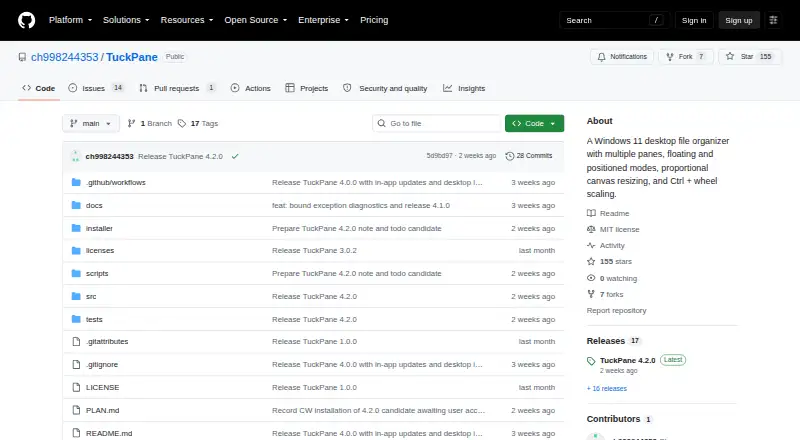
What TuckPane is
TuckPane is a free Windows desktop organizer that places real files and folders in compact panes that expand when needed. Ordinary panes can float or sit on the desktop, while edge-docked Station panes can appear without taking keyboard focus. Ordinary panes have no creation-count cap, although Station limits and some mode-conversion restrictions remain. Files, folders, application shortcuts, Steam .url shortcuts, and portable notes can move between panes or standard Windows targets using Copy, Move, or Link behavior. The app supports rich .tucknote files with pasted images and portable .tucktodo lists with editing, drag reordering, and completion undo. Themes, English, Simplified Chinese, and Japanese interfaces, pane resizing, content scaling, and multi-monitor support are included. TuckPane requires Windows 10 22H2 x64 or Windows 11 x64 and is distributed from GitHub as a per-user offline installer or portable ZIP. New installations store data under the user profile and local application-data folders. Uninstalling leaves organizer files and settings.
Who it suits
It suits Windows users who want pane-based file organization, portable notes, and to-do lists. Multi-monitor users and people managing files locally may benefit from its layout options.
What it does well
- Free and MIT-licensed
- No cap on ordinary pane creation
- Copy, Move, or Link file handling
- Rich notes and portable to-do lists
- Multi-monitor support
What to know first
- Windows only
- Installer is unsigned
- Station panes have limits
- Requires Windows 10 22H2 x64 or Windows 11 x64
Verdict
TuckPane offers a local, pane-oriented way to arrange Windows files while adding notes and to-dos. Its unsigned installer and Windows-only requirements are important considerations before installation.
Facts from TuckPane's own pages
- Customization
- The app offers multiple themes, English, Simplified Chinese, and Japanese interfaces, plus pane resizing and content scaling. · github.com, 9 Oct 2026
- Data storage
- New installations store organizer data under %USERPROFILE%\TuckPane and settings/cache under %LOCALAPPDATA%\TuckPane. · github.com, 9 Oct 2026
- Download formats
- The maker provides a per-user offline Windows installer and a portable ZIP archive. · github.com, 9 Oct 2026
- File handling
- Users can drag files, folders, application shortcuts, Steam .url shortcuts, and portable notes between panes or standard Windows targets with Copy, Move, or Link behavior. · github.com, 9 Oct 2026
- Integrations
- The release page describes Windows desktop and folder context-menu actions for creating organizers, and no third-party service integrations. · github.com, 9 Oct 2026
- License
- TuckPane is licensed under the MIT License. · github.com, 9 Oct 2026
- Maker
- The GitHub repository is owned by ch998244353, whose profile display name is Ch. · github.com, 9 Oct 2026
- Notes and tasks
- TuckPane supports rich .tucknote files with pasted images and portable .tucktodo lists with editing, drag reordering, and completion undo. · github.com, 9 Oct 2026
- Notes and to-dos
- TuckPane supports rich .tucknote files with images and portable .tucktodo lists. · github.com, 9 Oct 2026
- Pane limits
- Ordinary panes have no creation count cap, while Station limits and some mode-conversion restrictions remain. · github.com, 9 Oct 2026
- Pane modes
- Ordinary organizer panes support floating and desktop-positioned modes, and edge-docked Station panes can reveal without taking keyboard focus. · github.com, 9 Oct 2026
- Platforms
- The README specifies Windows 10 22H2 x64, build 19045 or later, and Windows 11 x64; it offers installer and portable Windows downloads. · github.com, 9 Oct 2026
- Purpose
- TuckPane is a desktop file organizer that keeps real files and folders in compact panes that expand when needed. · github.com, 9 Oct 2026
- Safety limit
- TuckPane rejects broad or overlapping storage locations that could risk unrelated data, and restricts organizers for overlapping parent and child folders. · github.com, 9 Oct 2026
- Security
- The README says the installer is unsigned and may trigger a Windows SmartScreen “Unknown publisher” warning; SHA-256 checksums are provided for downloads. · github.com, 9 Oct 2026
- Storage behavior
- Uninstalling TuckPane does not delete organizer files or settings. · github.com, 9 Oct 2026
- Supported systems
- TuckPane requires Windows 10 22H2 x64 or Windows 11 x64. · github.com, 9 Oct 2026
- Updates
- Installed and portable editions can check GitHub stable releases, verify downloaded packages with SHA-256, and update from the app. · github.com, 9 Oct 2026
Where TuckPane stands on Freedom251
- Desktop Organization Software#30 of 48