Freedom251 › Desktop Organization Software
SimpleDesktopFence
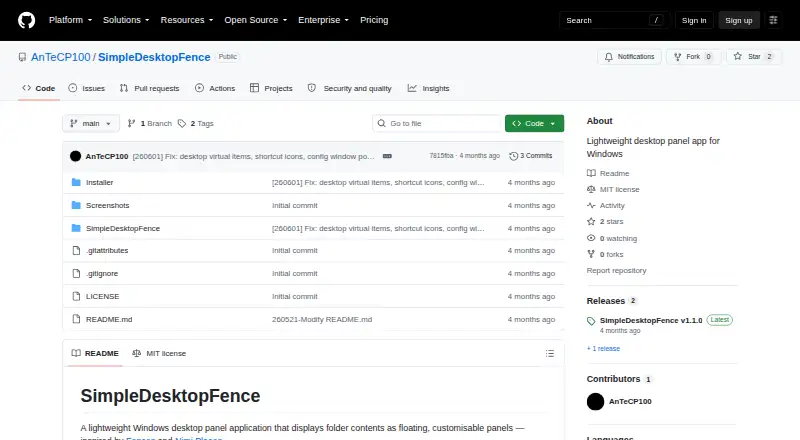
What SimpleDesktopFence is
SimpleDesktopFence is a free Windows app that keeps folder contents visible in floating, customizable panels. Each panel presents a detailed file list with sortable columns, options to open files and folders, and the native Windows context menu. Panels refresh automatically when files are added, removed, or renamed. Per-panel controls cover background color, opacity from 25% to 100%, font size from 8 pt to 22 pt, visible columns, and file-extension display. An auto-hiding toolbar has three modes and can be moved or locked. The app also shows session CPU and RAM graphs, uptime, and active panels. Panel settings, toolbar settings, panel order, column widths, and window positions and sizes persist across restarts. It supports up to 10 open panels and requires 64-bit Windows 10 or 11. The latest release is self-contained and needs no additional runtime. The project uses the MIT License; installation begins with a setup executable from GitHub Releases.
Who it suits
It suits Windows users who want folder listings kept in desktop panels, with controls for appearance and file columns. It is limited to Windows 10 or 11, 64-bit, and up to 10 simultaneous panels.
What it does well
- Panels refresh as folder contents change.
- Sortable file lists include the Windows context menu.
- Per-panel appearance and column settings are available.
- Settings and window layouts persist across restarts.
- MIT License permits use, modification, and distribution subject to its conditions.
What to know first
- Windows 10 or 11, 64-bit, is required.
- Only Windows is listed as supported.
- Multi-monitor support is a roadmap item.
- Up to 10 panels can be open simultaneously.
Limits
The free SimpleDesktopFence plan allows up to 10 panels open simultaneously. Multi-monitor support, custom panels, and network-folder disconnect handling are listed as roadmap items.
Plans
| Plan | Billed and limits | Price |
|---|---|---|
| SimpleDesktopFence | Windows 10/11 (64-bit) · Up to 10 panels open simultaneously | Free |
As github.com lists them, read 8 Oct 2026. The maker's own page has the final word.
Getting started
- Open the project’s GitHub Releases page
- Download the setup executable
- Install it on 64-bit Windows 10 or 11
- Create and configure folder panels
Verdict
SimpleDesktopFence combines current folder listings with adjustable desktop panels and a resource monitor. It is a focused option for eligible Windows users, with a 10-panel limit and multi-monitor support still listed on the roadmap.
Questions
How much does SimpleDesktopFence cost?
The SimpleDesktopFence plan is free and listed as free.
Which platforms are supported?
It requires Windows 10 or 11 in 64-bit form.
How many panels can I open?
The plan allows up to 10 panels open at the same time.
Is SimpleDesktopFence open source?
The project is released under the MIT License, which permits use, modification, and distribution subject to its conditions.
Does installation require another runtime?
The latest release is self-contained and states that no additional runtime is required.
Facts from SimpleDesktopFence's own pages
- Customization
- Per-panel settings include background color, opacity from 25% to 100%, font size from 8 pt to 22 pt, column visibility, and file extension display. · github.com, 8 Oct 2026
- File browsing
- Panels provide a detailed file list with sortable columns, file and folder opening, and the native Windows context menu. · github.com, 8 Oct 2026
- Installation
- The README directs users to download the setup executable from the GitHub Releases page. · github.com, 8 Oct 2026
- Open source license
- The project is released under the MIT License, which permits use, modification, and distribution subject to its conditions. · github.com, 8 Oct 2026
- Persistence
- Panel and toolbar settings, panel order, column widths, and window positions and sizes are saved across restarts. · github.com, 8 Oct 2026
- Platform requirement
- The project requires Windows 10 or 11, 64-bit; its latest release states that no additional runtime is required because it is self-contained. · github.com, 8 Oct 2026
- Purpose
- SimpleDesktopFence is a lightweight Windows desktop app that displays folder contents in floating, customizable panels. · github.com, 8 Oct 2026
- Refresh
- Panels automatically refresh when files are added, removed, or renamed. · github.com, 8 Oct 2026
- Resource monitor
- The app includes session CPU and RAM usage graphs, an uptime counter, and a list of active panels. · github.com, 8 Oct 2026
- Roadmap limits
- The README lists multi-monitor support, custom panels, and network-folder disconnect handling as roadmap items. · github.com, 8 Oct 2026
- Support and security
- The opened project pages do not state a support policy or security/compliance certifications. · github.com, 8 Oct 2026
- Toolbar
- An auto-hiding toolbar has three modes and can be repositioned and locked. · github.com, 8 Oct 2026
Where SimpleDesktopFence stands on Freedom251
- Desktop Organization Software#25 of 47