Freedom251 › Desktop Organization Software
Desktop Groups
What Desktop Groups is
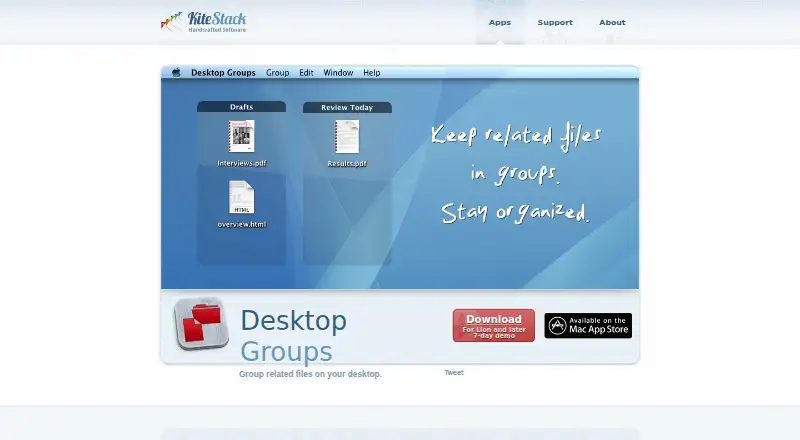
Desktop Groups is a macOS application from KiteStack for arranging related files into movable groups on the desktop. Groups can represent a project, task, or files to handle today. Files are added or removed by drag and drop, while groups can be repositioned and resized from their edges or corners. Double-clicking a title renames a group. Quick Look previews a selected file with Space or Command-Y. Preferences let users choose a Dock icon or menu bar icon for access. Display settings include a list view with file names, title and background opacity, background color, reflections, and grid size. The app requires macOS 10.9.5 or later, and its App Store listing identifies English as the language. KiteStack offers a 7-day demo. The listed Desktop Groups plan costs $19.99, paid once. KiteStack describes itself as a small company based in Lübeck, Germany, focused on Mac applications.
Who it suits
Desktop Groups suits Mac users who want to keep desktop files separated by project, task, or immediate priority. It is designed for people who prefer drag-and-drop file organization directly on the desktop.
What it does well
- Groups files by project, task, or daily priority
- Supports drag-and-drop file management
- Groups can move, resize, and rename
- Quick Look previews selected files
- Offers Dock or menu bar access
What to know first
- Available only for macOS
- Requires macOS 10.9.5 or later
- No free plan is listed
- Developer has not provided privacy details
Plans
| Plan | Billed and limits | Price |
|---|---|---|
| Desktop Groups | Only for Mac · macOS 10.9.5 or later | $19.99, paid once |
As kitestack.com lists them, read 11 Oct 2026. The maker's own page has the final word.
Verdict
Desktop Groups focuses on visual file organization through movable, customizable desktop groups. Its one-time price and Mac-only support are the main purchasing considerations.
Facts from Desktop Groups's own pages
- Access
- Users can choose a Dock icon or menu bar icon in Preferences. · apps.apple.com, 11 Oct 2026
- Demo
- The maker's product page offers a 7-day demo. · kitestack.com, 11 Oct 2026
- Display options
- The app offers a list view with file names and options for title and background opacity, background color, reflections, and grid size. · apps.apple.com, 11 Oct 2026
- File handling
- Users can add or remove files by drag and drop and move groups around the desktop. · apps.apple.com, 11 Oct 2026
- Founder
- KiteStack says Rico Gundermann founded the company after working as a software engineer at HP in the San Francisco Bay Area. · kitestack.com, 11 Oct 2026
- Group controls
- Groups can be resized from their edges or corners, and their titles can be renamed by double-clicking. · kitestack.com, 11 Oct 2026
- Headquarters
- Luebeck, Germany · kitestack.com, 28 Sept 2026
- Language
- The App Store listing identifies English as the app's language. · apps.apple.com, 11 Oct 2026
- Maker
- KiteStack describes itself as a small company based in Lübeck, Germany, focused on Mac applications. · kitestack.com, 11 Oct 2026
- Platform requirement
- The Mac app requires macOS 10.9.5 or later. · apps.apple.com, 11 Oct 2026
- Privacy disclosure
- The developer has not provided Apple details about the app's privacy practices or data handling. · apps.apple.com, 11 Oct 2026
- Purpose
- Desktop Groups groups related files on the desktop, for example by project, task, or files to handle today. · kitestack.com, 11 Oct 2026
- Quick Look
- Quick Look opens with Space or Command-Y to preview a selected file. · kitestack.com, 11 Oct 2026
- Support
- KiteStack directs users with app suggestions or questions to its support email address. · kitestack.com, 11 Oct 2026
Where Desktop Groups stands on Freedom251
- Desktop Organization Software#30 of 47