Freedom251 › SQL Linters and Formatters
TSQLLint
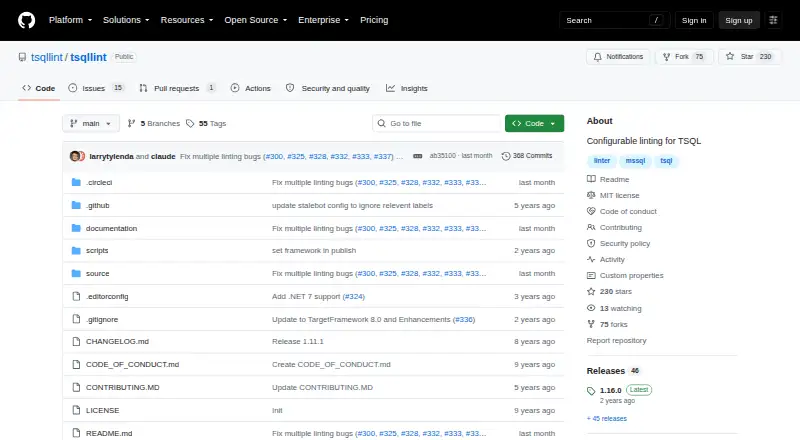
What TSQLLint is
TSQLLint identifies and reports anti-patterns in T-SQL scripts. Its rules can be set to off, warning, or error; an error-level violation returns a non-zero exit code. The command-line tool can fix issues it identifies as auto-fixable with the --fix or -x option. Users can store settings in a .tsqllintrc file or rely on the in-memory defaults when no file is present. Listed SQL Server compatibility levels are 80, 90, 100, 110, 120, 130, 140, and 150. Custom .NET plugins are supported when they implement TSQLLint's IPlugin interface and target net6.0. Before applying lint rules, the tool replaces SQL file placeholders with values from environment variables. Official installation methods include dotnet-tool, Homebrew, and NPM. The VS Code extension activates when a .sql file is opened and underlines potential issues for inspection on hover. SQL Server Management Studio can use TSQLLint through External Tools. The software is free under the MIT License, which permits use, copying, modification, distribution, sublicensing, and sale subject to its conditions.
Who it suits
TSQLLint suits people working with T-SQL scripts who want configurable checks and reports on undesirable patterns. It can fit workflows using the command line, VS Code, or SQL Server Management Studio.
What it does well
- Rules can be set to off, warning, or error.
- Auto-fixes are available for identified issues.
- Custom .NET plugins can extend the tool.
- Official installation options include Homebrew and NPM.
- Distributed under the MIT License.
What to know first
- It supports T-SQL only.
- Custom plugins must target net6.0.
- Project pages do not state a formal support offering.
Limits
The software is free under the MIT License. The listed compatibility levels are 80, 90, 100, 110, 120, 130, 140, and 150; its supported SQL dialect is T-SQL.
Plans
| Plan | Billed and limits | Price |
|---|---|---|
| TSQLLint | MIT-licensed software · installable with dotnet-tool, Homebrew, or NPM | Free |
As github.com lists them, read 30 Sept 2026. The maker's own page has the final word.
Getting started
- Choose an installation route: dotnet-tool, Homebrew, or NPM.
- Install the tool on Linux, macOS, or Windows, or use the VS Code extension.
- Open a .sql file to activate the VS Code extension and inspect underlined potential issues on hover.
- Create a .tsqllintrc file to configure rules, or use the in-memory defaults.
- Optionally configure SQL Server compatibility levels and custom .NET plugins.
Verdict
TSQLLint offers configurable checks, some automatic fixes, and integrations for common SQL authoring workflows. It is focused on T-SQL rather than a broader set of SQL dialects.
Questions
How much does TSQLLint cost?
The listed plan is free. TSQLLint is distributed under the MIT License.
Which platforms and editors does it support?
The listed platforms are extension, Linux, macOS, and Windows. Its VS Code extension activates when a .sql file is opened, and SQL Server Management Studio can use it through External Tools.
Can I configure or extend its rules?
Yes. Rules can be set to off, warning, or error, with settings in a .tsqllintrc file or in-memory defaults. Custom .NET plugins can implement the IPlugin interface and target net6.0.
Can TSQLLint fix script issues automatically?
The command-line tool can fix issues it identifies as auto-fixable with the --fix or -x option.
What SQL dialect does it support?
TSQLLint supports T-SQL (Transact-SQL). Listed SQL Server compatibility levels are 80, 90, 100, 110, 120, 130, 140, and 150.
How can I install it?
The project lists dotnet-tool, Homebrew, and NPM as supported installation methods.
Facts from TSQLLint's own pages
- Auto-fix
- The command-line tool can fix problems it identifies as auto-fixable using the --fix or -x option. · github.com, 30 Sept 2026
- Configuration
- Users can create a .tsqllintrc configuration file, and the tool uses an in-memory default configuration when none is found. · github.com, 30 Sept 2026
- Install methods
- The project lists dotnet-tool, Homebrew, and NPM as officially supported installation methods. · github.com, 30 Sept 2026
- Intended users
- The documented use is for people working with TSQL scripts who want to configure and report on undesirable patterns. · github.com, 30 Sept 2026
- License
- The software is distributed under the MIT License, which grants permission to use, copy, modify, distribute, sublicense, and sell copies subject to its conditions. · github.com, 30 Sept 2026
- Plugins
- Users can extend the tool with custom .NET plugins that implement TSQLLint's IPlugin interface and target net6.0. · github.com, 30 Sept 2026
- Purpose
- TSQLLint describes, identifies, and reports anti-patterns in TSQL scripts. · github.com, 30 Sept 2026
- Rule controls
- Rules can be configured as off, warning, or error; violations configured as errors return a non-zero exit code. · github.com, 30 Sept 2026
- Security
- The repository lists a security policy, but its security-policy page could not be opened during this research. · github.com, 30 Sept 2026
- SQL compatibility
- The configurable SQL Server compatibility levels listed are 80, 90, 100, 110, 120, 130, 140, and 150. · github.com, 30 Sept 2026
- SQL placeholders
- Before applying lint rules, TSQLLint replaces SQL file placeholders with values supplied through environment variables. · github.com, 30 Sept 2026
- SSMS integration
- The project says SQL Server Management Studio can use TSQLLint through its External Tools feature. · github.com, 30 Sept 2026
- Support
- The repository provides issue and discussion navigation, but the opened project pages do not state a formal support offering. · github.com, 30 Sept 2026
- VS Code integration
- The VS Code extension activates when a .sql file is opened and underlines potential problems for inspection by hovering. · marketplace.visualstudio.com, 30 Sept 2026
Where TSQLLint stands on Freedom251
- SQL Linters and Formatters#17 of 26