Freedom251 › File encryption tools
Trustifi Outbound Shield
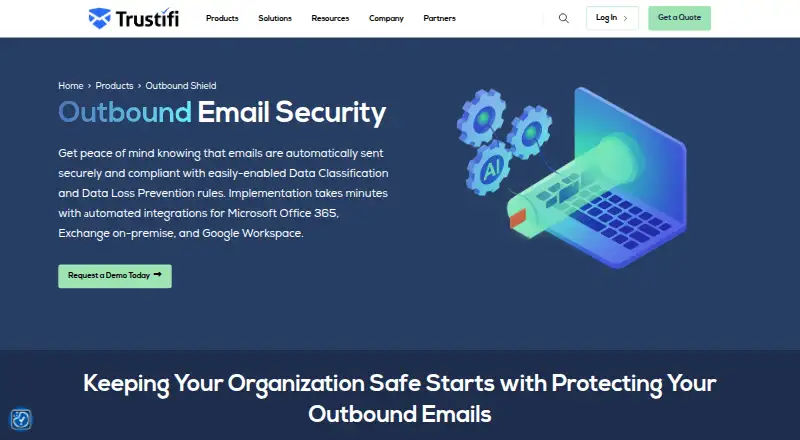
What Trustifi Outbound Shield is
Trustifi Outbound Shield protects sensitive information sent by email. It checks outgoing messages against administrator rules and can encrypt them automatically when it finds sensitive content, even if the sender has not chosen encryption. Trustifi says the messages receive AES-256-bit end-to-end encryption. Recipients can open an encrypted message with one click, without a portal login or password.
Administrators can set policies for outbound scanning, while senders can recall messages, block forwarding, and revoke access to attachments. Tokenization replaces sensitive details with random characters while leaving other email content readable. One-Click Compliance checks messages against more than 10 regulatory guidelines, including HIPAA, GDPR, CCPA, and PII. Senders can track opens, downloads, and link clicks. Postmark adds a digital signature that Trustifi describes as proof of delivery and reading.
The product also includes a backup system for reviewing sent email and sending new messages if an email service is down. Listed integrations include Microsoft Office 365, Exchange on-premise, and Google Workspace; documentation also names Microsoft 365/Exchange Cloud, Redtail/Zimbra, and secure SMTP relay. It is offered for web, Windows, macOS, API, and extension environments. Pricing is available by request, and there is no free plan.
Who it suits
Trustifi describes Outbound Shield for small and mid-size businesses, managed service providers, and regulated organizations in legal, healthcare, and financial fields. It suits teams that need administrator policies to identify and encrypt sensitive outbound email.
What it does well
- Automatically encrypts messages flagged by real-time policies.
- Uses AES-256-bit end-to-end email encryption.
- Recipients can open messages without a portal login or password.
- Senders can recall messages and revoke attachment access.
- Tracks opens, downloads, and link clicks.
What to know first
- There is no free plan.
- Pricing is available only on request.
- Deployment review is required with certain third-party systems.
Getting started
- Visit the Trustifi Outbound Shield website.
- Request pricing from Trustifi.
- Check whether your email environment is among the listed integrations.
- Review deployment requirements if you use archiving, journaling, reporting, or security tools.
- Use the available web, Windows, macOS, API, or extension platform.
Verdict
Choose Trustifi Outbound Shield if your organization needs policy-driven encryption and controls for outgoing email. Its automated scanning, recipient access, and message tracking are useful for teams handling sensitive information. Look elsewhere if you need a free plan or published pricing.
Questions
Is there a free plan?
No. Trustifi lists the product as paid and says pricing is available on request.
What platforms does it support?
The listed platforms are API, extension, macOS, web, and Windows.
Which email integrations are listed?
Automated integrations include Microsoft Office 365, Exchange on-premise, and Google Workspace. Documentation also names Microsoft 365/Exchange Cloud, Redtail/Zimbra, and secure SMTP relay for other environments.
Do recipients need a password to open encrypted email?
Trustifi says recipients can open encrypted messages with one click without a portal login or password. The facts also list recipient verification by password.
Can senders control messages after sending?
Yes. Senders can recall messages, revoke attachment access, and prevent forwarding.
What does One-Click Compliance do?
It screens email against more than 10 regulatory guidelines, with HIPAA, GDPR, CCPA, and PII among the examples.
Facts from Trustifi Outbound Shield's own pages
- Additional email environments
- Trustifi's outbound integration documentation lists Microsoft 365/Exchange Cloud, Google Workspace, Redtail/Zimbra, and secure SMTP relay for other environments. · docs.trustifi.com, 5 Oct 2026
- Admin access controls
- Yes · trustifi.com, 20 Sept 2026
- Backup
- Trustifi says users can review sent emails and send new ones through its backup system if their email service is down. · trustifi.com, 5 Oct 2026
- Company location
- Trustifi lists its office address as 5725 S Valley View Blvd Ste 5, PMB 266614, Las Vegas, NV 89118-3122. · trustifi.com, 5 Oct 2026
- Compliance
- The One-Click Compliance tool screens email against more than 10 regulatory compliance guidelines; examples listed include HIPAA, GDPR, CCPA, and PII. · trustifi.com, 5 Oct 2026
- Data loss prevention
- Its rules and policies scan outbound email content in real time for sensitive information and encrypt it, including when the sender does not apply encryption manually. · trustifi.com, 5 Oct 2026
- Deployment limitation
- Trustifi's implementation checker says a review is required when other third-party systems such as archiving, journaling, reporting, or security tools are in use; it marks Exchange Server on-premises as having no limited deployment option. · trustifi.com, 5 Oct 2026
- Email controls
- Senders can recall messages, revoke access to attachments, and prevent forwarding. · trustifi.com, 5 Oct 2026
- Encryption
- It provides AES-256-bit end-to-end encryption for email messages. · trustifi.com, 5 Oct 2026
- Free plan
- No · trustifi.com, 20 Sept 2026
- Gmail integration
- Yes · trustifi.com, 20 Sept 2026
- Headquarters
- Las Vegas, Nevada, United States · trustifi.com, 28 Sept 2026
- Integrations
- The product page lists automated integrations for Microsoft Office 365, Exchange on-premise, and Google Workspace. · trustifi.com, 5 Oct 2026
- Intended users
- Trustifi describes Outbound Shield as suited to small and mid-size businesses and managed service providers. · trustifi.com, 5 Oct 2026
- Message expiry
- Yes · trustifi.com, 20 Sept 2026
- Outbound protection
- Outbound Shield scans and encrypts outgoing email according to administrator policies to secure messages containing sensitive information. · trustifi.com, 5 Oct 2026
- Outlook integration
- Yes · trustifi.com, 20 Sept 2026
- Pricing
- The product page invites visitors to request pricing and does not state a price. · trustifi.com, 5 Oct 2026
- Purpose
- Outbound Shield scans outgoing email against administrator policies and automatically encrypts messages that contain sensitive information. · trustifi.com, 5 Oct 2026
- Recipient access
- Recipients can open encrypted emails with one click without logging into a portal or using a password. · trustifi.com, 5 Oct 2026
- Recipient verification
- password · trustifi.com, 20 Sept 2026
- Secure delivery
- link · trustifi.com, 20 Sept 2026
- Security practices
- Trustifi says it conducts regular external penetration testing through certified third-party firms. · trust.trustifi.com, 5 Oct 2026
- Support
- Trustifi says its support manager oversees global support operations, escalations, and customer onboarding. · trustifi.com, 5 Oct 2026
Where Trustifi Outbound Shield stands on Freedom251
- File encryption tools#19 of 28
- Email Encryption Software#28 of 31