Freedom251 › AI Travel Planners

TripBuddy
by TripBuddy
What TripBuddy is
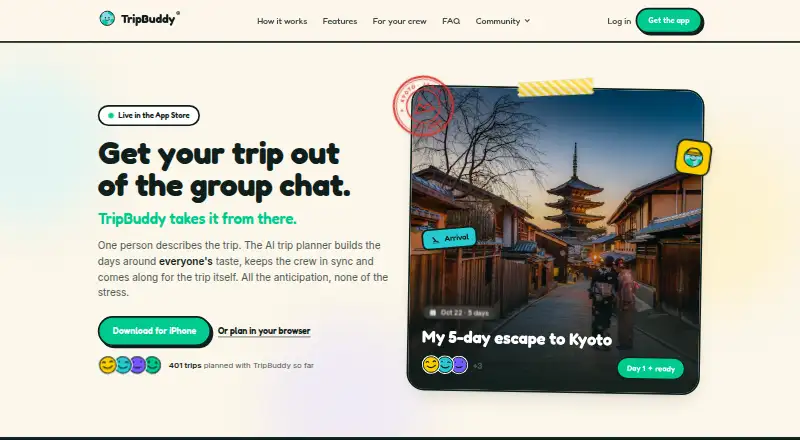
TripBuddy turns a sentence about a destination into a day-by-day itinerary for a group trip. It checks stops, addresses, opening hours, and travel times against map data. People can share a plan, swap stops, shift days, and comment; viewers can open the shared plan without an account. If rain, closures, or late trains disrupt the schedule, users can ask Buddy to rebuild the day. TripBuddy also provides map views, booking links, calendar export, and on-trip tools such as lock-screen updates, Live Activities, widgets, spoken daily summaries, a phrasebook, and currency tools. The service is available on Android, iOS, and web, and its listed Free plan costs 0.00 USD. Planning, place details, photos, and the read-aloud guide require an internet connection. Email support responses are promised within two business days. TripBuddy names Booking.com and GetYourGuide as linked booking partners and says it currently earns no commission on them. It is based in Sheridan, Wyoming.
Who it suits
TripBuddy is presented for couples, friend groups, families, and solo travelers planning trips. Its shared itinerary and collaborative editing may suit groups coordinating a changing day-by-day plan.
What it does well
- Free plan listed at 0.00 USD
- Shared trip plans can be viewed without an account
- Checks itinerary details against map data
- Android, iOS, and web versions
What to know first
- Planning and place details require an internet connection
- Photos and read-aloud guide require a connection
- Email support responses may take up to two business days
- No SOC 2 or ISO 27001 certification
Limits
The Free plan is listed as free and covers every trip, every day and any crew size. Planning, place details, photos and the read-aloud guide require an internet connection.
Plans
| Plan | Billed and limits | Price |
|---|---|---|
| Free | Free — all of it. · every trip · every day · any crew size | Free |
As tripbuddyai.com lists them, read 30 Sept 2026. The maker's own page has the final word.
Getting started
- Open the TripBuddy website or use its Android or iOS app.
- Enter a sentence about the destination to create a day-by-day itinerary.
- Share the plan with your group so members can swap stops, shift days and comment.
- Use map views, booking links or calendar export while planning.
- Ask Buddy to rebuild a day's itinerary if rain, closures or late trains change plans.
TripBuddy builds day-by-day group itineraries from a one-sentence destination prompt. It is a strong fit for travelers who want to plan together and adapt as a trip unfolds. Its broad free plan is appealing, but the connection requirement rules it out as a dependable offline guide.
Overview
TripBuddy turns a short prompt into a shared itinerary and checks stops, addresses, opening hours and travel times against map data. That gives groups a more practical starting point than an unstructured list of ideas, though travelers still need to decide whether the proposed schedule suits their priorities. Collaborators can swap stops, move days and comment on one shared plan; people can view it without creating an account.
When rain, closures or delayed trains disrupt the schedule, users can ask Buddy to rebuild the day. That flexibility is useful for trips likely to change, but it does not make TripBuddy a reliable offline reference: planning, place details, photos and the read-aloud guide all need a connection.
Key features
Planning as a group
A one-sentence prompt reduces the effort of creating a first itinerary, while checks against map data give proposed stops and timing a grounding in real places. Shared editing helps keep a group aligned rather than splitting decisions across separate plans. Map view, booking links and calendar export add practical ways to review, act on and carry the itinerary.
Tools during the trip
Lock-screen updates, Live Activities and widgets put trip information within reach; spoken daily summaries, a phrasebook and currency tools extend the service beyond scheduling. These are useful additions for travelers who want one service for planning and reference, but the connection requirement for the read-aloud guide and place details limits their usefulness when service is poor.
Privacy and support
TripBuddy uses HTTPS and Cloudflare, stores data in encrypted PostgreSQL in Frankfurt, and restricts trip access with database row-level security. Those are concrete safeguards, but they are not a substitute for the assurance some organizations require: TripBuddy has no SOC 2 or ISO 27001 certification, external penetration test, SLA, self-hosting, customer-managed keys or automated database backups on its current plan. Support is by email, with responses promised within two business days.
The service relies on OpenRouter and Anthropic Claude for AI, Google for sign-in and place data, Unsplash for photography, OpenStreetMap for web maps, and Apple for iOS maps and speech recognition. Its privacy policy names Booking.com and GetYourGuide as linked booking partners and says it earns no commission on them today.
Pricing
Free costs nothing, billed “Free — all of it.” It covers every trip, every day and any crew size, with no stated trip or group-size cap. That makes it unusually straightforward for couples, families and larger friend groups to use without managing seats or trip quotas. There is no paid tier to compare; the important trade-off is the connection requirement and the security limitations of the current plan.
Platforms
TripBuddy is available on Android, iOS and the web, with a mobile app. Apple provides its iOS maps and speech recognition. The connection requirement for planning, place details, photos and the read-aloud guide means platform availability should not be confused with offline access.
Who it's for
Couples, friend groups and families who want a shared itinerary they can revise together are the clearest fit. Solo travelers can also use the planning and on-trip tools, although the collaborative workflow is less central for them. Travelers who regularly lose connectivity, or organizations that require formal security certifications, an SLA or customer-managed keys, should look elsewhere.
Pros and cons
Pros
- Free with no stated trip or crew-size cap: useful for groups that do not want to budget by trip or collaborator.
- Shared editing and account-free viewing: lets collaborators revise one plan while making it easier for others to consult it.
- Day-of replanning: rebuilding around weather, closures or late trains supports trips that cannot follow a fixed schedule.
- Map-data checks: stops, addresses, opening hours and travel times give the itinerary a practical basis.
Cons
- Several core functions require a connection: travelers cannot rely on TripBuddy for offline planning, place details, photos or read-aloud guidance.
- Limited assurance for organizational use: no SOC 2 or ISO 27001 certification, external penetration test, SLA, self-hosting or customer-managed keys.
- No automated database backups on the current plan: a meaningful limitation for users seeking stronger operational guarantees.
Alternatives
AI Travel Planners is the broader category to explore if TripBuddy’s group-first approach or connection requirement is not the right fit.
- TREK is the alternative to consider if self-hosting matters: its personal and internal company use plan is free under AGPL-3.0, and it supports Android, iOS, Linux and the web.
- Stippl is a fit for travelers who want free unlimited trips, destinations, activities, co-planners, expenses and journal entries, plus AI generation, PDF export and calendar sync.
- Pilot is worth considering for a flexible itinerary builder with route and map tools, file and reservation import, and real-time collaboration.
- NxVoy Trips may suit someone who prefers a free plan capped at 5 chats and 50 messages per session, with a premium tier for full access to Shasa features.
- Navly is an iOS and macOS option with AI planning, map and location context, and itinerary building; its 2.99 USD one-time Day Pass lasts 24 hours and does not renew automatically.
- Itinica offers broad platform coverage and unlimited trips, decks, cards and collaborators on its free plan, with one AI trip generation and five AI chat messages per month.
- Waiz is a free option for unlimited trips and itineraries, with a Pro plan for AI trip tools, email booking auto-import and live weather.
- Travee is another free option, with its Beta plan priced at 0.00 EUR while in beta and unlimited destinations.
Verdict
Choose TripBuddy if your priority is a free, shared itinerary that a group can revise when plans change. Its map-grounded planning, account-free viewing and day-of replanning make a compelling combination for connected trips. Look elsewhere if you need offline access or stronger formal security and continuity guarantees.
Verdict
TripBuddy combines shared itinerary planning with tools for adapting plans during a trip, and its listed plan is free. It depends on a connection for planning and several trip details, so consider that limitation before relying on it while traveling.
Questions
Is TripBuddy free?
Yes. Its Free plan is listed as free and includes every trip, every day and any crew size.
Which platforms does TripBuddy support?
TripBuddy is available on Android, iOS and the web.
Can people view a shared plan without an account?
Yes. Viewers can open a shared itinerary without an account.
Does TripBuddy include booking links and calendar export?
Yes. It provides booking links and calendar export, as well as map views.
Who makes TripBuddy, and where is it based?
The maker is TripBuddy, headquartered in Sheridan, Wyoming, United States.
Which external services does TripBuddy say it uses?
It names OpenRouter and Anthropic Claude for AI; Google for sign-in and place data; Unsplash for trip photography; OpenStreetMap for web maps; and Apple for iOS maps and speech recognition.
Facts from TripBuddy's own pages
- Booking links
- Place pages can include links for stays, tables and tickets where a place accepts bookings. · tripbuddyai.com, 30 Sept 2026
- Booking partners
- The privacy policy names Booking.com and GetYourGuide as linked booking partners and says TripBuddy earns no commission on them today. · tripbuddyai.com, 30 Sept 2026
- Calendar export
- Yes · tripbuddyai.com, 21 Sept 2026
- Collaborative planning
- Yes · tripbuddyai.com, 21 Sept 2026
- External services
- TripBuddy says it uses OpenRouter and Anthropic Claude for AI, Google for sign-in and place data, Unsplash for trip photography, OpenStreetMap for web maps, and Apple for iOS maps and speech recognition. · tripbuddyai.com, 30 Sept 2026
- Free plan
- Yes · tripbuddyai.com, 21 Sept 2026
- Group collaboration
- Everyone can open the same shared plan, swap stops, shift days and comment, without an account to view it. · tripbuddyai.com, 30 Sept 2026
- Headquarters
- Sheridan, Wyoming, United States · tripbuddyai.com, 28 Sept 2026
- Intended users
- The product is presented for couples, friend groups, families and solo travelers. · tripbuddyai, 30 Sept 2026
- Map view
- Yes · tripbuddyai.com, 21 Sept 2026
- Mid-trip replanning
- Users can ask Buddy to rebuild the day when rain, closures or late trains change plans. · tripbuddyai.com, 30 Sept 2026
- Mobile app
- Yes · tripbuddyai.com, 21 Sept 2026
- Offline limitation
- Planning, place details, photos and the read-aloud guide require a connection. · tripbuddyai.com, 30 Sept 2026
- On-trip tools
- The service provides lock-screen updates, Live Activities, widgets, spoken daily summaries, phrasebook and currency tools. · tripbuddyai.com, 30 Sept 2026
- Security controls
- Traffic uses HTTPS and Cloudflare, data is stored in encrypted PostgreSQL in Frankfurt, and database row-level security restricts trip access. · tripbuddyai.com, 30 Sept 2026
- Security limits
- TripBuddy says it has no SOC 2 or ISO 27001 certification, no external penetration test, no SLA, no self-hosting, no customer-managed keys and no automated database backups on its current plan. · tripbuddyai.com, 30 Sept 2026
- Support
- Support is provided by email, with responses promised within two business days. · tripbuddyai.com, 30 Sept 2026
- Verified itineraries
- It checks stops, addresses, opening hours and travel time against real map data. · tripbuddyai.com, 30 Sept 2026
- What it does
- TripBuddy turns one sentence about a destination into a day-by-day group-trip itinerary. · tripbuddyai.com, 30 Sept 2026
Where TripBuddy stands on Freedom251
- AI Travel Planners#6 of 161