Freedom251 › AI transcription tools
Trint
by Trint
What Trint is
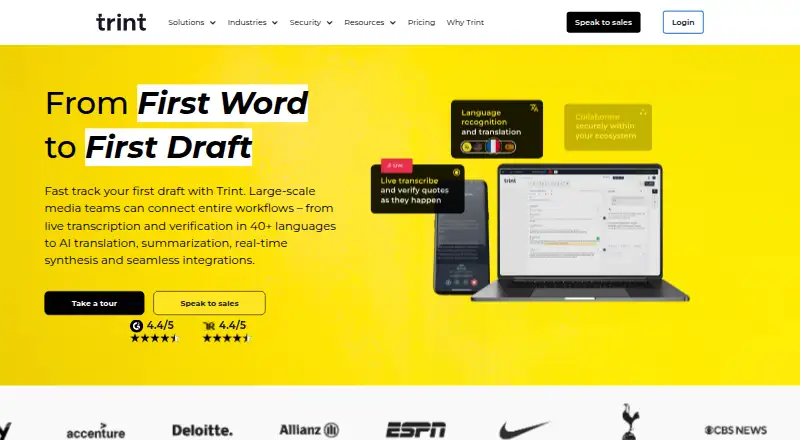
Trint is a paid transcription and editorial platform for turning audio and video into searchable text. Its editor lets users search, verify, correct, and edit transcripts, with speaker identification and timestamps. Exports include DOCX, TXT, HTML, JSON, XML, and CSV. Trint supports live transcription in more than 50 languages, while desktop and mobile live features are described for more than 40. Transcripts can be translated into more than 70 languages. AI tools can surface key moments, summarize transcripts, and generate captions. Real-time collaboration is supported, and desktop and mobile apps sync with the web experience. Platforms include Android, iOS, macOS, web, and Windows, with API access. Integrations include Zoom, Google Drive, Dropbox, Box, OneDrive, Zapier, AP ENPS, LiveU, Mimir, Octopus Newsroom, Saga, and Sony Cameras. Trint says data is encrypted in transit and at rest, certifications include ISO 27001 and Cyber Essentials, and recordings are not used to train algorithms. A seven-day trial covers up to three files, with only five minutes transcribed per file.
Who it suits
Trint is presented for newsrooms, podcasters, local businesses, global organizations, and teams in production, education, legal, and financial services. It suits users needing transcription, editing, collaboration, and publishing tools.
What it does well
- Speaker labels and timestamps
- Translation into more than 70 languages
- Real-time collaboration
- Multiple export formats
- EU or US data storage
What to know first
- No free plan
- Trial limited to three files
- Trial transcribes five minutes per file
- Some live features are Enterprise-only
Limits
The seven-day Advanced trial allows up to three files, with only the first five minutes of each file transcribed. Trint has no free plan, and some desktop live capture and multilingual live transcription features are Enterprise-only.
Getting started
- Open the Trint website
- Start the seven-day free trial
- Use the web experience or install an Android, iOS, macOS, or Windows app
- Upload audio or video, or use live transcription
- Review and edit the transcript in Trint Editor
- Export the transcript or connect an integration or API
Verdict
Trint combines transcription, editing, translation, collaboration, and publishing across desktop, mobile, and web. Its trial limits and enterprise-only live features matter when evaluating access.
Questions
Does Trint have a free plan?
No. Trint is a paid service with a seven-day free trial.
What does the trial include?
New users receive an Advanced plan trial for seven days, up to three files, and the first five minutes of each file.
Which platforms does Trint support?
Trint supports Android, iOS, macOS, web, and Windows, plus API access.
Can Trint identify speakers and add timestamps?
Yes. Speaker identification and timestamp support are available.
Where can Trint data be stored?
Customers can choose storage in the EU or the US.
Does Trint use recordings to train algorithms?
Trint says customer recordings are not used to train its algorithms.
Facts from Trint's own pages
- AI tools
- Trint describes AI tools for surfacing key moments, summarizing transcripts, and generating captions. · trint.com, 9 Oct 2026
- API
- Trint offers APIs for integrating its services into a proprietary platform. · trint.com, 9 Oct 2026
- API access
- Yes · trint.com, 20 Sept 2026
- Audio and video
- Trint transcribes uploaded audio and video into searchable text that users can verify and edit. · trint.com, 9 Oct 2026
- Collaboration
- Trint supports real-time collaboration, and its desktop and mobile apps can sync with the web experience. · trint.com, 9 Oct 2026
- Data handling
- Trint says it does not use customer recordings to train its algorithms and offers EU or US data storage options. · trint.com, 9 Oct 2026
- Data residency
- Trint says customers can store data in the EU or US. · trint.com, 9 Oct 2026
- Desktop live feature limit
- The apps page marks some live capture and multilingual live transcription features as Enterprise-only. · trint.com, 9 Oct 2026
- Editing and search
- The Trint Editor lets users search, verify, correct, and edit transcripts. · trint.com, 9 Oct 2026
- Export formats
- DOCX,TXT,HTML,JSON,XML,CSV · trint.com, 20 Sept 2026
- Founded
- 2014 · trint.com, 28 Sept 2026
- Free plan
- No · trint.com, 20 Sept 2026
- Free trial limit
- New users receive a 7-day Advanced plan trial with up to three files, and only the first five minutes of each file are transcribed. · info.trint.com, 9 Oct 2026
- Headquarters
- London, United Kingdom · trint.com, 28 Sept 2026
- Integrations
- Listed integrations include AP ENPS, Box, Dropbox, Google Drive, LiveU, Mimir, Octopus Newsroom, OneDrive, Saga, Sony Cameras, Zapier, and Zoom. · trint.com, 9 Oct 2026
- Languages
- Trint says its apps transcribe in more than 50 languages and can translate transcripts into more than 70 languages. · trint.com, 9 Oct 2026
- Live transcription
- Trint supports live transcription in 50+ languages, with desktop and mobile live features described for 40+ languages. · trint.com, 9 Oct 2026
- Product
- Trint is an AI-powered SaaS platform for transcription, editorial tools, collaboration, and content publishing. · trint.com, 9 Oct 2026
- Retention
- By default, uploaded data and media are stored for the lifetime of the subscription; secure deletion can be requested at contract termination or once per month. · trint.com, 9 Oct 2026
- Security
- Trint states it is ISO 27001 and Cyber Essentials certified, encrypts data in transit and at rest, and does not use recordings to train its algorithms. · trint.com, 9 Oct 2026
- Speaker identification
- Yes · trint.com, 20 Sept 2026
- Support
- Trint provides a Support Hub with guides for product features, billing, integrations, security, apps, and FAQs. · info.trint.com, 9 Oct 2026
- Timestamp support
- Yes · trint.com, 20 Sept 2026
- Translation
- Trint says transcripts can be translated into 70+ languages. · trint.com, 9 Oct 2026
Where Trint stands on Freedom251
- AI transcription tools#35 of 46
- Transcription tools#22 of 28
- Speech Recognition Software#27 of 32
- Speech-to-Text Software#30 of 35
- Podcast Transcription Software#22 of 25
- Audio Transcription Software#31 of 35
- Transcription Software#42 of 46