Freedom251 › Transcription Software
pmTrans
What pmTrans is
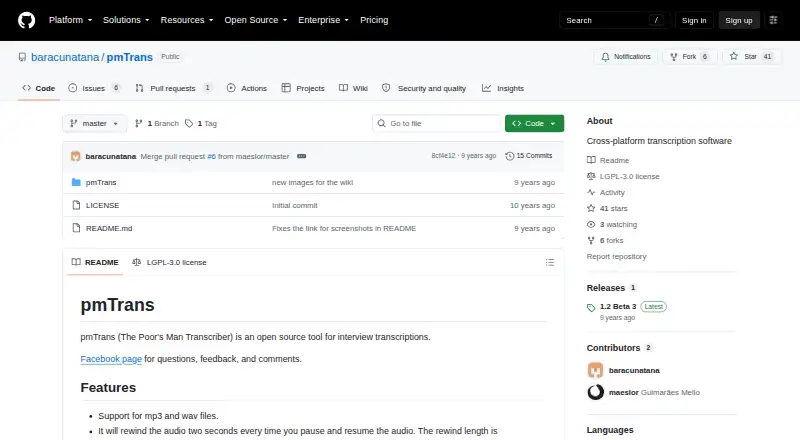
pmTrans is a free, open-source tool for transcribing interviews while working with audio and text. It supports MP3 and WAV files on Linux, macOS, and Windows. Playback can be sped up or slowed down, and resuming after a pause rewinds by a configurable amount. Users can create audio loops with adjustable intervals and rewind lengths, then insert timestamps anywhere in the transcription. Configurable keyboard shortcuts cover playback, rewinds, loops, timestamps, and speed changes. Mini-mode lets users control audio while writing in another text editor, including MS Word and LibreOffice Writer. The app does not identify speakers and has no API access. Its README says users can download and use it without installing it. The project lists an LGPL-3.0 license and directs users to a Facebook page for questions, feedback, and comments. pmTrans has a free plan, listed as free.
Who it suits
pmTrans suits people transcribing interviews who want audio controls alongside a separate text editor. It supports common audio files and desktop platforms, with no speaker identification or API access.
What it does well
- Supports MP3 and WAV audio.
- Runs on Linux, macOS, and Windows.
- Configurable rewind, loop, timestamp, and playback controls.
- Mini-mode works alongside other text editors.
- Download and use without installation.
What to know first
- Does not identify speakers.
- No API access.
- Questions and feedback are directed to a Facebook page.
Verdict
pmTrans focuses on playback controls and timestamps for interview transcription, including use alongside an external editor. Its lack of speaker identification and API access may matter for workflows requiring those capabilities.
Facts from pmTrans's own pages
- API access
- No · github.com, 23 Sept 2026
- Audio formats
- It supports MP3 and WAV files. · github.com, 11 Oct 2026
- Audio loops
- Audio loops rewind playback at configurable intervals and lengths. · github.com, 11 Oct 2026
- Free plan
- Yes · github.com, 23 Sept 2026
- Installation
- The README says no installation is required; users can download and use the app. · github.com, 11 Oct 2026
- Keyboard shortcuts
- Shortcuts can be configured for playback, rewinds, audio loops, timestamps, and playback speed. · github.com, 11 Oct 2026
- License
- The repository lists an LGPL-3.0 license. · github.com, 11 Oct 2026
- Pause and resume
- It rewinds audio when playback resumes after a pause, and the rewind length is configurable. · github.com, 11 Oct 2026
- Platforms
- The README says pmTrans works on Linux, Mac, and Windows. · github.com, 11 Oct 2026
- Playback control
- Playback speed can be increased or decreased. · github.com, 11 Oct 2026
- Playback shortcuts
- Configurable shortcuts control playback, rewinds, audio loops, timestamps, and playback speed. · github.com, 11 Oct 2026
- Playback speed
- Users can speed up or slow down audio playback. · github.com, 11 Oct 2026
- Purpose
- pmTrans describes itself as an open-source tool for interview transcriptions. · github.com, 11 Oct 2026
- Rewind
- The app rewinds audio when playback resumes after a pause, and the rewind length is configurable. · github.com, 11 Oct 2026
- Speaker identification
- No · github.com, 23 Sept 2026
- Support
- The README points users to a Facebook page for questions, feedback, and comments. · github.com, 11 Oct 2026
- Text editor integration
- Mini-mode lets users control audio playback from other text editors, including MS Word and LibreOffice Writer. · github.com, 11 Oct 2026
- Text editor use
- Mini-mode lets users control audio playback from other text editors, including MS Word and LibreOffice Writer. · github.com, 11 Oct 2026
- Timestamps
- Users can insert timestamps anywhere in the transcription text. · github.com, 11 Oct 2026
Where pmTrans stands on Freedom251
- Transcription Software#29 of 46
- AI transcription tools#32 of 46