Freedom251 › PDF Flipbook Software
Toombler
What Toombler is
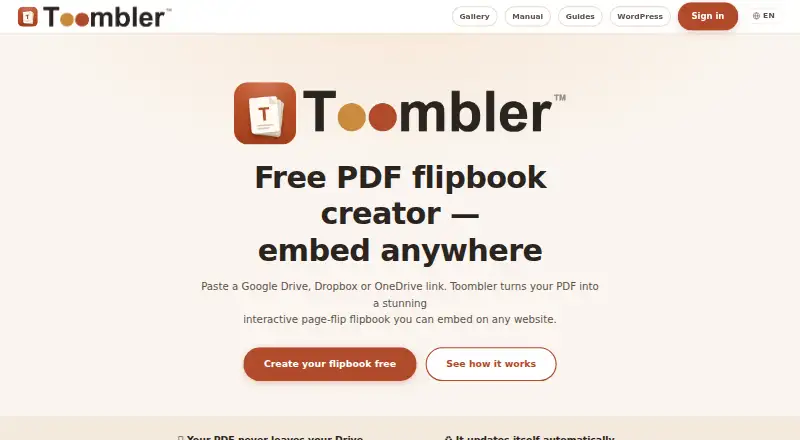
Toombler turns PDFs, Google Docs, and Google Slides in Google Drive, Dropbox, or OneDrive into interactive flipbooks for sharing or website embedding. A source file must be accessible to anyone with its link. Readers can turn pages with an animation, zoom, view fullscreen, start autoplay, follow clickable links, and navigate a table of contents generated from PDF bookmarks. Owners can share a direct viewer link or embed a flipbook through an iframe, JavaScript snippet, Web Component, or oEmbed. The maker lists WordPress, Squarespace, Wix, Webflow, Shopify, and Ghost as embedding destinations. A free, open-source WordPress plugin adds a Gutenberg block, shortcode, and native oEmbed. The service is free, with unlimited flipbooks and no page limit; each flipbook includes a “Made with Toombler” inside cover page. Flipbooks are unlisted by default, and owners can set a PIN or expiry date. The PIN protects the viewer, but not the source file’s public share link. Toombler says it stores flipbook links and settings, not PDF content, reader browsing histories, or passwords; it may cache a file at Cloudflare’s edge for up to a day. Sign-in uses Google or Microsoft. Older flipbooks that have not been opened for 12 months are automatically deleted. Toombler is built and maintained by independent maker Mark van Winsen, based in the Netherlands.
Who it suits
Toombler suits people who want to present cloud stored documents as page turning flipbooks and embed them on a website. It may work well for site owners using one of its listed embedding destinations, including WordPress, Squarespace, Wix, Webflow, Shopify, or Ghost.
What it does well
- Converts PDFs, Google Docs, and Google Slides into flipbooks.
- Offers unlimited flipbooks with no page limit.
- Supports four embedding methods and direct viewer links.
- The free WordPress plugin includes a Gutenberg block and shortcode.
- Flipbooks are unlisted by default, with PIN and expiry controls.
What to know first
- Source files must be accessible to anyone with the link.
- PIN protection covers the viewer, not the source file’s share link.
- Inactive flipbooks are automatically deleted after the stated retention conditions.
- Reader analytics and lead capture are not supported.
Limits
The free plan has unlimited flipbooks and no page limit, but includes a “Made with Toombler” inside cover page. Flipbooks older than 12 months that have not been opened for 12 months are automatically deleted.
Plans
| Plan | Billed and limits | Price |
|---|---|---|
| Free | No subscription or payment; no paid tier. · Unlimited flipbooks · no page limit · inside cover has a “Made with Toombler” page · inactive flipbooks may be deleted after 12 months | Free |
As toombler.com lists them, read 8 Oct 2026. The maker's own page has the final word.
Getting started
- Open the Toombler website.
- Sign in with Google or Microsoft.
- Choose a Google Drive, Dropbox, or OneDrive share link accessible to anyone with the link.
- Create the flipbook and set a PIN or expiry date if needed.
- Share its viewer link or embed it with an iframe, JavaScript snippet, Web Component, or oEmbed.
Verdict
Choose Toombler if you need a free way to turn cloud stored documents into embeddable, interactive flipbooks. Its unlimited flipbooks and multiple embed methods suit sites using the listed destinations. Look elsewhere if reader analytics or lead capture is required, or if the source file cannot be shared with anyone who has its link.
Questions
Is Toombler free?
Yes. Its Free plan costs nothing, with no subscription or payment and no paid tier.
Which files and cloud services does Toombler support?
Toombler supports PDFs, Google Docs, and Google Slides stored in Google Drive, Dropbox, or OneDrive. The file must be accessible to anyone with its link.
How can I put a flipbook on my website?
Toombler supports iframe, JavaScript snippet, Web Component, and oEmbed embedding, as well as a direct viewer link. The maker lists WordPress, Squarespace, Wix, Webflow, Shopify, and Ghost.
Does Toombler have a WordPress plugin?
Yes. Its free, open-source plugin provides a Gutenberg block, shortcode, and native oEmbed.
How does Toombler protect a flipbook?
Flipbooks are unlisted by default, and owners can set a PIN or expiry date. A PIN protects the viewer but does not protect the source file’s public share link.
Who makes Toombler?
Independent maker Mark van Winsen, based in the Netherlands, builds and maintains it.
Facts from Toombler's own pages
- Embedding
- Flipbooks can be embedded by iframe, JavaScript snippet, Web Component, or oEmbed, and shared as a direct viewer link. · toombler.com, 8 Oct 2026
- Maker
- Toombler is built and maintained by independent maker Mark van Winsen, who is based in the Netherlands. · toombler.com, 8 Oct 2026
- Privacy
- Toombler says it does not store PDF content, reader browsing histories, or passwords; it stores flipbook links and settings, and may cache a file at Cloudflare’s edge for up to a day. · toombler.com, 8 Oct 2026
- Privacy controls
- Flipbooks are unlisted by default, and owners can set a PIN or expiry date; a PIN protects the flipbook viewer but not the source file’s public share link. · toombler.com, 8 Oct 2026
- Product
- Toombler turns PDFs, Google Docs, and Google Slides stored in supported cloud services into interactive page-flip flipbooks that can be embedded on websites. · toombler.com, 8 Oct 2026
- Reader features
- The viewer supports page-turn animation, zoom, fullscreen, autoplay, clickable links, and a table of contents made from PDF bookmarks. · toombler.com, 8 Oct 2026
- Retention limit
- A flipbook older than 12 months that has not been opened for 12 months is automatically deleted. · toombler.com, 8 Oct 2026
- Security
- PINs are stored as salted PBKDF2-HMAC-SHA256 hashes, and the viewer locks for 15 minutes after 10 incorrect attempts from the same address. · toombler.com, 8 Oct 2026
- Sign-in
- Users sign in with Google or Microsoft; Toombler says it does not store passwords or request access to users’ storage accounts. · toombler.com, 8 Oct 2026
- Support
- The privacy policy lists [email protected] for questions and says the maker aims to respond within five business days. · toombler.com, 8 Oct 2026
- Supported storage
- It reads share links from Google Drive, Dropbox, and OneDrive; the file must be accessible to anyone with the link. · toombler.com, 8 Oct 2026
- Website integrations
- The maker lists WordPress, Squarespace, Wix, Webflow, Shopify, and Ghost as supported embedding destinations. · toombler.com, 8 Oct 2026
- WordPress plugin
- The free open-source WordPress plugin provides a Gutenberg block, shortcode, and native oEmbed. · toombler.com, 8 Oct 2026
Where Toombler stands on Freedom251
- PDF Flipbook Software#14 of 30