Freedom251 › PDF Flipbook Software
1stFlip
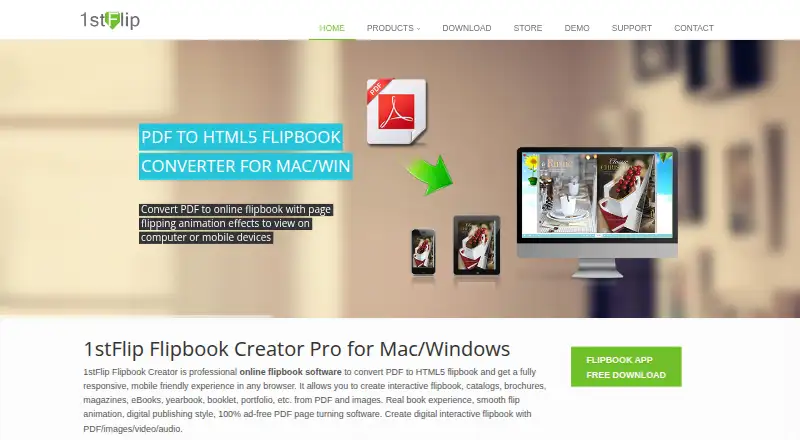
What 1stFlip is
1stFlip converts PDFs and images into HTML5 publications with page-turning layouts, including magazines, catalogs, brochures and eBooks. It accepts PDF, PNG, JPG, JPEG, GIF and BMP files. The Pro edition can add page elements such as links, text, images, GIFs, music, video, charts, buttons and icons. Readers can search and select text, use bookmarks and thumbnails, zoom, view full screen and enable auto-flip. Finished flipbooks can be exported locally as HTML, ZIP, APP or EXE files, uploaded to 1stFlip Cloud, or sent to a website through built-in FTP. Online publications support Google Analytics tracking, password protection and private reading settings. Custom branding, an embeddable player, viewer analytics and restricted access are supported. The product is listed for Android, iOS, macOS, web and Windows. A 30-day trial is available, but trial output has a watermark; registering a purchased license removes it. Plans include $69 a year for Standard, $99, paid once for Standard Lifetime, $189 a year for Pro and $299, paid once for Pro Lifetime.
Who it suits
1stFlip suits people creating digital brochures, catalogs, magazines, eBooks, yearbooks, booklets, portfolios or photo albums from PDFs or images. Pro is relevant when pages need added media and interactive elements.
What it does well
- Accepts PDFs and five listed image formats.
- Exports as HTML, ZIP, APP or EXE.
- Readers can search, zoom and use bookmarks.
- Online flipbooks can use password protection.
- Available on Android, iOS, macOS, web and Windows.
What to know first
- Trial flipbooks carry a watermark.
- The trial lasts 30 days.
- Pro features require a Pro plan.
Limits
The trial adds a watermark to output flipbooks. Each online flipbook upload costs one point; registration provides five points, with five included on Standard plans and ten on Pro plans.
Plans
| Plan | Billed and limits | Price |
|---|---|---|
| 1stFlip Pro — 1-Year Plan | $189/year · License for 4 computers (Windows or Mac) · 10 free points | $189 a year |
| 1stFlip Pro — Lifetime Plan | $299 · License for 4 computers (Windows or Mac) · 10 free points | $299, paid once |
| 1stFlip Standard — 1-Year Plan | $69/year · License for 2 computers (Windows or Mac) · 5 free points | $69 a year |
| 1stFlip Standard — Lifetime Plan | $99 · License for 2 computers (Windows or Mac) · 5 free points | $99, paid once |
As 1stflip.com lists them, read 8 Oct 2026. The maker's own page has the final word.
Getting started
- Visit the 1stFlip website.
- Choose a supported platform: Android, iOS, macOS, web, or Windows.
- Start the 30-day trial or select a Standard or Pro plan.
- Import a PDF or supported image file.
- Edit pages with Pro tools if needed, then export locally, upload to 1stFlip Cloud, or publish through FTP.
Verdict
1stFlip combines conversion, editing and several publishing routes for HTML5 flipbooks. Consider the trial watermark and the distinction between Standard and Pro when choosing a plan.
Questions
How much does 1stFlip cost?
The Standard 1-Year Plan is $69 a year, and the Standard Lifetime Plan is $99, paid once. Pro costs $189 a year or $299, paid once.
Is there a free plan or trial?
There is no free plan. A 30-day trial is available, and its output flipbooks carry a watermark.
Which platforms does 1stFlip support?
It supports Android, iOS, macOS, web, and Windows.
What file types can it import?
The creator accepts PDF, PNG, JPG, JPEG, GIF, and BMP files.
How can I publish a flipbook?
You can export it locally as HTML, ZIP, APP, or EXE, upload it to 1stFlip Cloud, or send it to a website using built-in FTP.
Can I control who reads an online flipbook?
Yes. 1stFlip supports password protection and private settings that designate who may read an online flipbook.
Facts from 1stFlip's own pages
- Input formats
- The creator supports PDF and images including PNG, JPG, JPEG, GIF, and BMP. · 1stflip.com, 8 Oct 2026
- Integrations
- The product supports Google Analytics tracking for online flipbooks. · 1stflip.com, 8 Oct 2026
- Intended uses
- The maker presents the software for creating digital brochures, catalogs, magazines, eBooks, yearbooks, booklets, portfolios, and photo albums. · 1stflip.com, 8 Oct 2026
- Online upload allowance
- The support FAQ says there is no limit on the number of flipbooks a user can create; a user manual says uploading one flipbook costs one point and registration provides five points. · 1stflip.com, 8 Oct 2026
- Privacy controls
- The creator supports password protection and private settings that designate who may read an online flipbook. · 1stflip.com, 8 Oct 2026
- Pro editing
- The Pro edition can add links, shapes, text, images, GIFs, music, local video, YouTube and Vimeo video, charts, buttons, and icons to pages. · 1stflip.com, 8 Oct 2026
- Publishing
- Flipbooks can be published locally as HTML, ZIP, APP, or EXE files, uploaded to 1stFlip Cloud, or sent to a website using built-in FTP. · 1stflip.com, 8 Oct 2026
- Purpose
- 1stFlip converts PDFs and images into HTML5 page-flipping publications such as magazines, catalogs, brochures, and eBooks. · 1stflip.com, 8 Oct 2026
- Reader features
- Readers can search and select flipbook text, use bookmarks and thumbnails, zoom, view full screen, and enable auto-flip. · 1stflip.com, 8 Oct 2026
- Security
- The privacy policy says sensitive or credit information submitted to the website is encrypted using SSL technology. · 1stflip.com, 8 Oct 2026
- Support
- The contact page lists support hours as Monday through Friday 9am to 8pm, Saturday 11am to 3pm, and Sunday closed. · 1stflip.com, 8 Oct 2026
- Trial limitation
- The trial version adds a watermark to output flipbooks; purchasing and registering a license removes that limitation. · 1stflip.com, 8 Oct 2026
Where 1stFlip stands on Freedom251
- PDF Flipbook Software#15 of 30
- Presentation Sharing Software#18 of 27