Tinkercad
by Tinkercad
What Tinkercad is
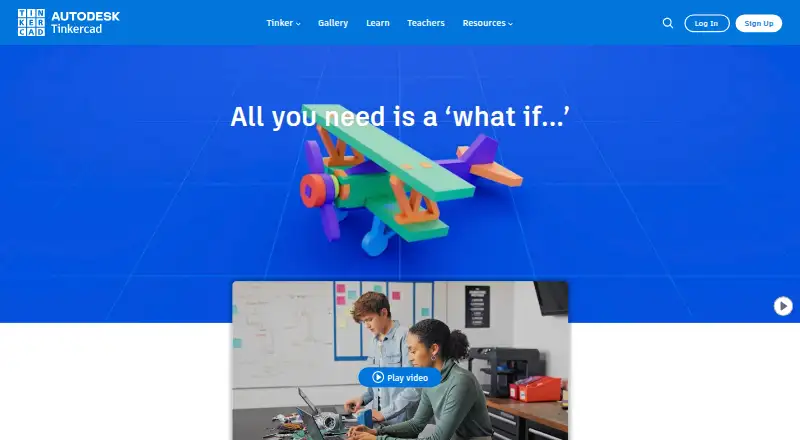
Tinkercad is a free app for 3D design, electronics, and coding, available on the web and iOS. Its tools include 3D Design, Circuits, Codeblocks, Sim Lab, and an iPad app. The 3D design and 3D printing app supports 3D print export. Learning resources cover circuits basics, micro:bit, Arduino, and Arduino Kit projects. Teachers can access resources for classrooms, curriculum, class activities, webinars, and videos. In Circuits, designs are private by default and do not appear in Gallery search unless made public; public designs include HTML code for embedding on a website. Autodesk lists Tinkercad among products available through its education access program for eligible students and educators. The site presents the app as an introduction to Autodesk and links to a Help Center, learning center, server status, and privacy information. The Free plan costs nothing and includes 3D design, electronics simulation, block-based coding, and Tinkercad Classrooms. Free use is subject to the service’s Terms of Service and other terms provided with the service. The listed maker details place its headquarters in San Francisco, California, and give a founding year of 1982.
Who it suits
Tinkercad may suit people beginning with 3D design, electronics, or coding, as well as teachers using its classroom resources. Eligible students and educators can also check Autodesk’s education access program.
What it does well
- Free plan includes design, simulation, coding, and classrooms.
- Supports 3D print export.
- Learning materials cover micro:bit and Arduino projects.
- Circuits designs are private by default.
- Public designs can be embedded on websites.
What to know first
- Free use is subject to the Terms of Service.
- Circuits designs appear in Gallery search when made public.
Limits
The Free plan is listed as free and includes 3D design, electronics simulation, block-based coding, and Tinkercad Classrooms. Use is subject to the service's Terms of Service and other terms provided with the service.
Plans
| Plan | Billed and limits | Price |
|---|---|---|
| Free | 3D design · Electronics simulation · Block-based coding · Tinkercad Classrooms | Free |
| Tinkercad | Free web app; use subject to Terms of Service | Free |
As tinkercad.com lists them, read 21 Sept 2026. The maker's own page has the final word.
Getting started
- Open the Tinkercad website or use the iOS app.
- Choose the Free plan at no cost.
- Accept and comply with the Terms of Service and other terms provided with the service.
- Explore 3D Design, Circuits, Codeblocks, or Sim Lab.
- Use the teacher resources or tutorials for classroom activities and projects.
Verdict
Tinkercad brings 3D design, electronics, coding, and classroom resources together in a free web and iOS app. Its default privacy setting for Circuits designs may be useful, while public sharing makes designs searchable and embeddable.
Questions
How much does Tinkercad cost?
The Free plan costs nothing. A second Tinkercad plan is also listed as free.
Which platforms can I use?
Tinkercad is available on web and iOS, and its listed tools include an iPad App.
Can I export designs for 3D printing?
Yes. Tinkercad lists 3D print export and describes its 3D design app as supporting 3D printing.
Are Circuits designs public?
They are private by default and do not appear in Gallery search unless made public. Public designs include HTML code for embedding on a website.
Is Tinkercad available for education?
Autodesk lists Tinkercad among products available through its education access program for eligible students and educators. Tinkercad also provides teacher resources including classrooms, curriculum, class activities, webinars, and videos.
Facts from Tinkercad's own pages
- 3D design
- Tinkercad offers a 3D design and 3D printing app. · autodesk.com, 11 Oct 2026
- Audience
- Tinkercad describes itself as an ideal introduction to Autodesk and presents teacher and classroom resources alongside its design tools. · tinkercad.com, 11 Oct 2026
- Circuits tutorials
- Tinkercad's learning pages include tutorials for circuits basics, micro:bit, Arduino, and Arduino Kit projects. · tinkercad.com, 11 Oct 2026
- Classroom use
- The site provides teacher resources including classrooms, curriculum, class activities, and webinars and videos. · tinkercad.com, 11 Oct 2026
- Education access
- Autodesk lists Tinkercad among products available through its education access program for eligible students and educators. · autodesk.com, 11 Oct 2026
- Embedding
- The Circuits guide says public designs include HTML code that can be used to embed designs on a website. · images.tinkercad.com, 11 Oct 2026
- Founded
- 1982 · tinkercad.com, 28 Sept 2026
- Free plan
- Yes · tinkercad.com, 21 Sept 2026
- Headquarters
- San Francisco, California · tinkercad.com, 28 Sept 2026
- Platform access
- both · tinkercad.com, 21 Sept 2026
- 3D print export
- Yes · tinkercad.com, 21 Sept 2026
- Privacy
- The site links to Tinkercad and Children's Privacy information and a Privacy & Security page. · tinkercad.com, 11 Oct 2026
- Sharing
- The Circuits guide states that designs are private by default and do not appear in Gallery search unless made public. · images.tinkercad.com, 11 Oct 2026
- Support
- The site links to a Help Center, learning center, and server status page. · tinkercad.com, 11 Oct 2026
- Terms
- The site says free use is subject to acceptance of and compliance with its Terms of Service and other terms provided with the service. · tinkercad.com, 11 Oct 2026
- Tools
- The site lists 3D Design, Circuits, Codeblocks, Sim Lab, and an iPad App. · tinkercad.com, 11 Oct 2026
- What it does
- Tinkercad is a free web app for 3D design, electronics, and coding. · tinkercad.com, 11 Oct 2026
Where Tinkercad stands on Freedom251
- Diy Makers#7 of 23
- CAD software#14 of 31
- 3D modeling software#74 of 147
- 3D Design Software#17 of 26