TimeIvy
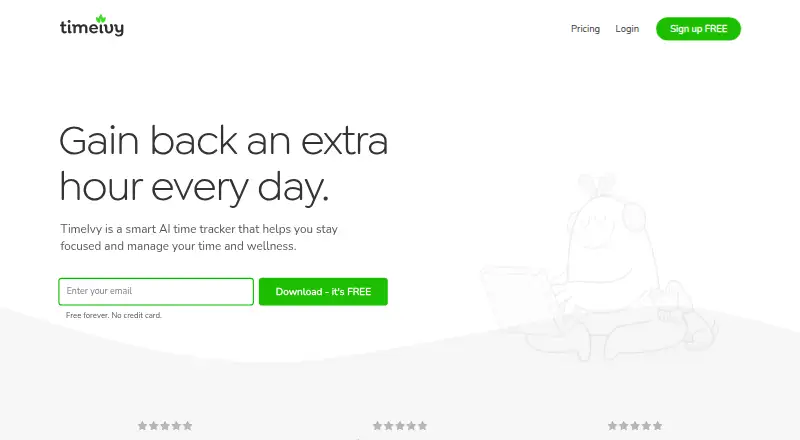
What TimeIvy is
TimeIvy is a macOS app for tracking computer activity while supporting focus, time management, and wellness. It checks the active computer window to record apps and websites in use and detects inactivity. Users can start focus sessions immediately or schedule recurring sessions, with configurable break reminders. During a session, a plant grows while focus continues and dies after a distracting app or website is opened. The app classifies activity by productivity level and provides insights, progress statistics, daily focus goals, and study goals. Projects, tasks, and labels organize tracked time. The Free plan includes unlimited focus sessions, Pomodoro mode, idle detection, a distraction nudge, three plants, and a seven-day Pro trial. Pro adds automatic tracking, scheduled sessions, insights, daily allowances, and unlimited plants. Pro is listed at $29.99 once, while pricing also says paid plans start from $69.
Who it suits
TimeIvy suits Mac users who want automatic activity tracking, focus sessions, break reminders, and goal-based time organization. It also fits users who prefer local storage for app and website activity.
What it does well
- Automatic app and website activity tracking
- Recurring focus sessions and break reminders
- Productivity insights and daily goals
- Projects and task labels organize time
- Free plan includes unlimited focus sessions
What to know first
- Currently available only for macOS
- No distraction blocking
- Community-related data may be sent to servers
- Pro pricing is listed inconsistently
Limits
The Free plan includes three plants and only a seven-day Pro trial. Automatic tracking, scheduled sessions, insights, daily allowances, and unlimited plants are listed under Pro.
Plans
| Plan | Billed and limits | Price |
|---|---|---|
| Free | Forever · Unlimited focus sessions · Pomodoro mode · Daily focus goals · Idle time detection · Distraction nudge · 3 free plants · Includes 7-day free trial of Pro | Free |
| Pro | Pay once, yours forever; page shows $29.99 and $69 · Everything in Free · Automatic time tracking · Scheduled focus sessions · Insights · Daily allowances · Unlimited plants | $29.99, paid once |
As timeivy.com lists them, read 7 Oct 2026. The maker's own page has the final word.
Getting started
- Open the TimeIvy website
- Install the available Mac app
- Create a Free account or choose Pro
- Start a focus session or schedule one
- Set break reminders and focus goals
- Add projects and task labels to organize time
Verdict
TimeIvy combines activity tracking, scheduled focus sessions, goals, and wellness prompts in a Mac app. Its free tier covers core focus tools, while automatic tracking and deeper insights are part of Pro.
Questions
What does TimeIvy cost?
The Free plan costs nothing, billed forever. Pro is listed at $29.99 once, and the pricing page also says paid plans start from $69.
Is there a free plan or trial?
Yes. Free includes unlimited focus sessions and a seven-day Pro trial.
Which platform is available?
The Mac app is currently available. A Windows version is described as in development, with a waitlist invitation on the homepage.
Does TimeIvy block distractions?
No. Distraction blocking is not supported, although the app provides a distraction nudge.
Where is activity data stored?
The maker says app and website activity is stored locally. Community-related data such as points, username, email, plants earned, focused time, projects, and tags may be sent to its servers.
Who makes TimeIvy?
The About page identifies Jimmy as the founder, engineer, designer, and customer support for TimeIvy.
Facts from TimeIvy's own pages
- Automatic tracking
- It records the apps and websites used by checking the currently active computer window and detects inactivity. · site.timeivy.com, 7 Oct 2026
- Break reminders
- The app offers configurable reminders to take breaks. · timeivy.com, 7 Oct 2026
- Cloud data
- The maker says community-related data such as points, username, email, plants earned, focused time, projects, and tags may be sent to its servers. · site.timeivy.com, 7 Oct 2026
- Focus motivation
- During a focus session, a plant grows while the user stays focused and dies when they open a distracting app or website. · timeivy.com, 7 Oct 2026
- Focus sessions
- Users can start focus sessions immediately or schedule them for later, with recurring sessions available. · timeivy.com, 7 Oct 2026
- Insights and goals
- TimeIvy classifies time by productivity level and provides activity insights and daily goals. · timeivy.com, 7 Oct 2026
- Integrations
- The maker pages opened do not list integrations with external products. · site.timeivy.com, 7 Oct 2026
- Payments and security
- Payments are processed by Paddle, and the maker says it does not store card or billing details and transactions use SSL. · site.timeivy.com, 7 Oct 2026
- Platform availability
- The pricing page says only the Mac app is currently available and describes a Windows version as in development; the homepage invites people to join its Windows waitlist. · site.timeivy.com, 7 Oct 2026
- Privacy
- The maker says app and website activity is stored locally and that it does not collect keystrokes, screenshots, or screen recordings. · site.timeivy.com, 7 Oct 2026
- Projects and tags
- Users can assign projects and tasks to organize tracked time. · timeivy.com, 7 Oct 2026
- Support and maker
- The About page identifies Jimmy as TimeIvy's founder, engineer, designer, and customer support. · site.timeivy.com, 7 Oct 2026
- What it does
- TimeIvy describes itself as a smart AI time tracker for focus, time management, and wellness. · timeivy.com, 7 Oct 2026
Where TimeIvy stands on Freedom251
- Study Timer Apps#30 of 43