Freedom251 › Attendance Management Software
TimeClock 365
What TimeClock 365 is
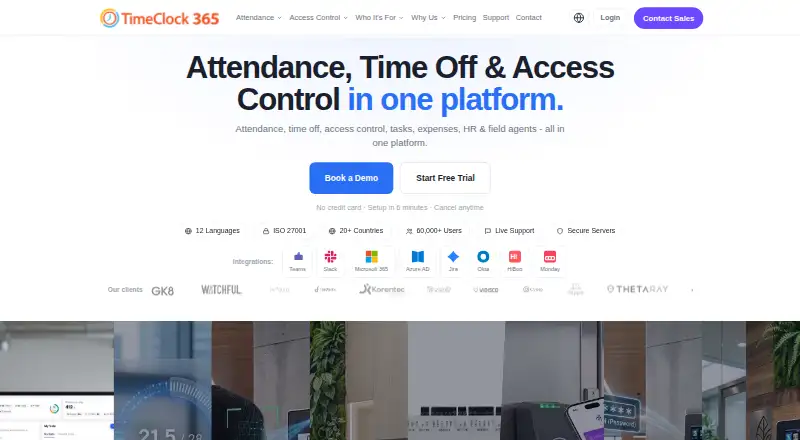
TimeClock 365 is a cloud workforce management platform combining attendance, time off, access control, HR, GPS tracking, tasks, expenses, and payroll export. Workers can clock in through a browser, mobile app, Microsoft Teams, Slack, biometric clocks, NFC or RFID cards, GPS, or PIN. The iOS and Android app adds geofencing, optional selfie verification, offline punch storage, timesheet viewing, and time-off requests. Integrations include Microsoft Teams, Slack, QuickBooks, HiBob, Jira, Azure AD/SSO, GreytHR, Chrome, and Trello; a REST API is also available. Plans include attendance, access, tasks, field tracking, expenses, and leave accrual. Demo & Personal is free for up to 10 users and is for personal or demo use. Paid plans start at $2.70/user/mo, and the 14-day trial requires no credit card and includes unlimited employees. TimeClock 365 supports Android, iOS, web, API, and extension platforms. The company says the service is used by more than 12,000 businesses across more than 20 countries and supports 12 languages.
Who it suits
It suits organizations managing employee time, leave, access, or field teams, including the listed manufacturing, retail, healthcare, construction, and technology sectors.
What it does well
- Offers multiple clock-in methods, including PIN and NFC/RFID.
- Mobile app supports offline punch storage.
- Includes payroll export and leave management.
- 14-day trial requires no credit card.
- REST API and multiple listed integrations.
What to know first
- Free Demo & Personal tier is limited to 10 users.
- Free tier is for personal or demo use only.
- Clock devices and access controllers require price requests.
- Some plans include additional hardware pricing on request.
Limits
Demo & Personal is limited to up to 10 users and personal or demo use. The 14-day trial includes unlimited employees; the listed pricing says paid plans start at $2.70/user/mo. Time clock devices and access controllers have request pricing, and Door Access Control has additional hardware pricing on request.
Plans
| Plan | Billed and limits | Price |
|---|---|---|
| Virtual Building Key | Add-on for Door Access · Apple Wallet and Google Wallet credentials | $0.46 a month |
| Expense Management | Receipt submission · manager approval · accounting export | $0.81 a month |
| Door Access Control | Hardware pricing on request · biometric, RFID, NFC access · audit reports | $1.90 a month |
| Attendance | Any team size · attendance and leave management · overtime rules and payroll export | $2.70 a month |
| Leave Accrual Management | Flat rate · vacation and holiday bank · custom leave policies | $325 a year |
| Attendance + Access Control | Hardware pricing on request · attendance and door access · integrated alerts | $4.10 a month |
| Tasks + Attendance | Any team size · task and client time tracking · Jira and Monday sync | $5.40 a month |
| Field Team Tracking | Live GPS tracking · route history · zone entry/exit alerts | $5.50 a month |
The first 8 of 10 plans, as timeclock365.com lists them, read 30 Sept 2026. The maker's own page has the final word. Every plan
Getting started
- Visit the TimeClock 365 website.
- Choose the web, Android, or iOS option, or use the API or extension.
- Start with Demo & Personal for up to 10 users, or begin the 14-day trial without a credit card.
- Select a plan for the workforce features you need.
- Choose a clock-in method, such as browser, mobile app, Teams, Slack, biometric clock, NFC or RFID card, GPS, or PIN.
- Connect any listed integrations your organization uses.
Verdict
TimeClock 365 covers attendance alongside several workforce and access functions, with a wide range of clock-in methods. Confirm the plan and any hardware costs that fit the intended setup.
Questions
Does TimeClock 365 have a free plan or trial?
Yes. Demo & Personal is free for up to 10 users for personal or demo use. The free trial lasts 14 days, requires no credit card, and includes unlimited employees.
How much do paid plans cost?
Paid plans start at $2.70/user/mo. Listed options include Attendance at $2.70 a month and other plans with their own stated prices.
Which platforms are available?
TimeClock 365 is listed for Android, iOS, web, API, and extension.
What integrations are listed?
Integrations include Microsoft Teams, Slack, QuickBooks, HiBob, Jira, Azure AD/SSO, GreytHR, Chrome, and Trello. A REST API is also available.
Does TimeClock 365 include payroll export and leave management?
Yes. Payroll export and leave management are listed features.
What support is included?
The Attendance plan lists chat and document support. The free Demo & Personal tier includes community support.
Facts from TimeClock 365's own pages
- Access controls
- The security page lists SAML 2.0 single sign-on, role-based permissions, audit logs, GDPR compliance, and European data residency options. · timeclock365.com, 30 Sept 2026
- Backups
- Automated daily backups are provided, with point-in-time recovery available for enterprise customers. · timeclock365.com, 30 Sept 2026
- Clock-in methods
- The product supports clock-in through a browser, mobile app, Microsoft Teams, Slack, biometric time clocks, NFC or RFID cards, GPS, and PIN. · timeclock365.com, 30 Sept 2026
- Company reach
- The company says TimeClock 365 is used by more than 12,000 businesses across more than 20 countries and supports 12 languages. · timeclock365.com, 30 Sept 2026
- Hardware pricing
- Time clock devices and access controllers are listed as request-pricing items, and Door Access Control has additional hardware pricing on request. · timeclock365.com, 30 Sept 2026
- Headquarters
- Hod Hasharon, Israel · timeclock365.com, 23 Sept 2026
- Integrations
- Listed integrations include Microsoft Teams, Slack, QuickBooks, HiBob, Jira, Azure AD/SSO, GreytHR, Chrome, and Trello; a REST API is also available. · timeclock365.com, 30 Sept 2026
- Intended users
- The company describes the product for organizations including manufacturing, retail, healthcare, construction, and technology businesses. · timeclock365.com, 30 Sept 2026
- Mobile app
- The iOS and Android app supports GPS clock-in, geofencing, optional selfie verification, offline punch storage, timesheet viewing, and time-off requests. · timeclock365.com, 30 Sept 2026
- Product
- TimeClock 365 combines attendance, time off, access control, HR, GPS tracking, tasks, expenses, and payroll export in a cloud workforce management platform. · timeclock365.com, 30 Sept 2026
- Security
- The company states it is ISO/IEC 27001:2022 certified and encrypts data at rest and in transit with AES-256, using TLS 1.3 for connections. · timeclock365.com, 30 Sept 2026
- Support
- The pricing page lists chat and document support for the Attendance plan, while the free Demo & Personal tier includes community support. · timeclock365.com, 30 Sept 2026
- Trial
- The free trial lasts 14 days, requires no credit card, and includes unlimited employees during the trial. · timeclock365.com, 30 Sept 2026
Where TimeClock 365 stands on Freedom251
- Attendance Management Software#4 of 20
- Time and Attendance Software#7 of 28