Freedom251 › AI Infographic Makers
Text to Infographic
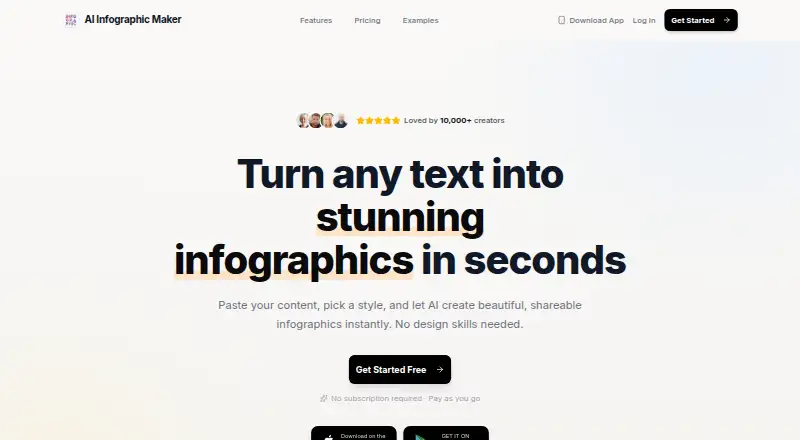
What Text to Infographic is
Text to Infographic turns text or PDF content into infographics with AI. Its workflow is to provide the material, select a visual style, then download the finished graphic. The six styles are Modern, Minimal, Colorful, Corporate, Cheatsheet, and AI Choice. The app also creates mind maps, timelines, maps, charts, graphs, and diagrams. Google Play lists high-resolution PNG export and support for more than 10 aspect ratios. It is aimed at students and educators, content creators, professionals, and bloggers and writers, and is available on Android, iOS, and the web.
A free plan is available, with one-time credit packs beginning at 6.99 USD for 5 Credits. The other listed packs are 15 Credits for 18.00 USD, 50 Credits for 40.00 USD, and 100 Credits for 80.00 USD. Each paid pack includes HD downloads and all six styles, and credits do not expire. The privacy policy says the app may collect purchase information, uploaded media, IP and device details, and app behavior and analytics data. It names services including Firebase Analytics, RevenueCat, AdMob, Google AI, Facebook SDK, and Crashlytics. The developer is identified as Ömer Erdem Aydemir; refunds may be requested within 14 days of purchase.
Who it suits
It suits students, educators, content creators, professionals, and writers who want to turn text or PDFs into visual explainers. Its range of styles and diagram types also serves people preparing charts, timelines, maps, or mind maps for different uses.
What it does well
- Accepts text or PDF content for infographic creation.
- Offers six named visual styles.
- Creates mind maps, timelines, maps, charts, graphs, and diagrams.
- Exports high-resolution PNGs with 10+ aspect ratios.
- Paid credits never expire.
What to know first
- Paid credit packs are one-time purchases, starting at 6.99 USD.
- The privacy policy lists collection of uploaded media and device and usage data.
Limits
The free plan is available, but no free-plan quota is stated. The least expensive listed paid pack is 5 credits for $6.99 as a one-time purchase; it includes HD quality downloads and all six styles, and the credits do not expire.
Plans
| Plan | Billed and limits | Price |
|---|---|---|
| 15 Credits | 15 credits · HD quality downloads · all 6 styles · credits never expire | $18, paid once |
| 50 Credits | 50 credits · HD quality downloads · all 6 styles · credits never expire | $40, paid once |
| 5 Credits | 5 credits · HD quality downloads · all 6 styles · credits never expire | $6.99, paid once |
| 100 Credits | 100 credits · HD quality downloads · all 6 styles · credits never expire | $80, paid once |
As texttoinfographic.com lists them, read 4 Oct 2026. The maker's own page has the final word.
Getting started
- Open the website or use the Android or iOS app.
- Start with the free plan, or choose a listed credit pack if you want paid credits.
- Paste text or provide a PDF.
- Choose one of the six styles.
- Download the high-resolution infographic.
Verdict
Choose Text to Infographic if you want an AI tool for converting text or PDF material into several infographic and diagram formats. The free plan provides a way to start, and paid packs include all styles and HD downloads. Consider the privacy policy’s listed data collection when deciding whether to submit sensitive material.
Questions
Is Text to Infographic free?
A free plan is available. The pricing model is freemium.
What do the paid plans cost?
The one-time packs are 5 Credits for 6.99 USD, 15 Credits for 18.00 USD, 50 Credits for 40.00 USD, and 100 Credits for 80.00 USD.
Which platforms are supported?
It is available on Android, iOS, and the web.
What can it create?
It can create infographics from text or PDFs, as well as mind maps, timelines, maps, charts, graphs, and diagrams.
Who develops the app?
The privacy policy identifies Ömer Erdem Aydemir as the developer.
Can a purchase be refunded?
The privacy policy says refunds may be requested within 14 days of purchase.
Facts from Text to Infographic's own pages
- Developer
- The privacy policy identifies Ömer Erdem Aydemir as the developer. · texttoinfographic.com, 4 Oct 2026
- Diagram types
- Google Play says the app can create mind maps, timelines, maps, charts, graphs, and diagrams. · play.google.com, 4 Oct 2026
- Intended users
- The site identifies students and educators, content creators, professionals, and bloggers and writers as intended users. · texttoinfographic.com, 4 Oct 2026
- Output formats
- Google Play says the app exports high-resolution PNGs and supports 10+ aspect ratios. · play.google.com, 4 Oct 2026
- PDF input
- The site says users can turn text or PDF into infographics. · texttoinfographic.com, 4 Oct 2026
- Privacy data
- The privacy policy says the app may collect purchase financial information, uploaded photos and media, IP address, device model, operating-system version, and app behavior and analytics data. · texttoinfographic.com, 4 Oct 2026
- Purpose
- The product uses AI to turn text into infographics. · texttoinfographic.com, 4 Oct 2026
- Refunds
- The privacy policy says refunds may be requested within 14 days of purchase. · texttoinfographic.com, 4 Oct 2026
- Retention
- The privacy policy says personal data is retained only as long as necessary for stated purposes and legal obligations, disputes, and policy enforcement. · texttoinfographic.com, 4 Oct 2026
- Security
- The privacy policy says the developer has implemented technical and organizational measures to protect personal data against unauthorized access, loss, or destruction. · texttoinfographic.com, 4 Oct 2026
- Styles
- The site lists six styles: Modern, Minimal, Colorful, Corporate, Cheatsheet, and AI Choice. · texttoinfographic.com, 4 Oct 2026
- Support
- The maker’s site lists [email protected] as its contact email. · texttoinfographic.com, 4 Oct 2026
- Third parties
- The privacy policy names Firebase Analytics, RevenueCat, AdMob, Firebase and Google Cloud, Google AI, Facebook SDK, and Crashlytics as third-party services. · texttoinfographic.com, 4 Oct 2026
- Workflow
- The site describes a three-step process: paste text, choose a style, and download the high-resolution infographic. · texttoinfographic.com, 4 Oct 2026
Where Text to Infographic stands on Freedom251
- AI Infographic Makers#17 of 24