Freedom251 › Pattern Design Software

Texloom Studio
What Texloom Studio is
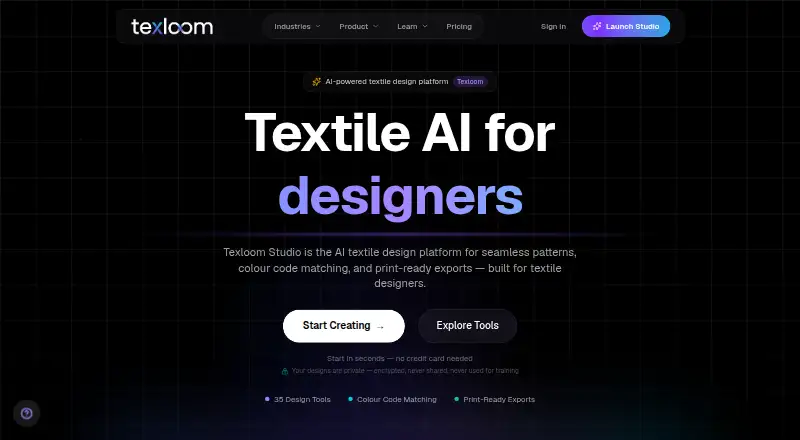
Texloom Studio is an AI-powered textile design platform for creating seamless patterns, matching colours, and preparing print-ready files. Its listed tools cover pattern generation, style and colour transfer, texture removal, upscaling, vectorization, recoloring, and color separation. Users can upload PSD, PNG, JPEG, and TIFF files, then export PNG, JPG, TIFF, WebP, SVG, PDF, or PSD at resolutions up to 600 DPI. Production-ready options include CMYK TIFF and layered PSD. Designs can use block, half-brick, or half-drop repeats, with colour choices from a library of 2,736 colours carrying permanent TX codes. The free plan starts with 100 credits, and 27 tool pages are available without signup. Paid plans provide monthly credits and result download windows from 24 hours to 30 days. Texloom runs in a web browser and as a Chrome extension, which can send a right-clicked image into Texloom tools and save picked palettes to Recolor Studio. The extension has limits: it cannot pick colours outside Chrome or capture certain Chrome pages.
Who it suits
Texloom Studio is aimed at textile designers, surface and print designers, print production teams, and design studios. Its print-oriented file formats and repeat options may suit workflows preparing textile designs for production.
What it does well
- Supports block, half-brick, and half-drop repeats.
- Exports CMYK TIFF and layered PSD.
- Lists export resolutions up to 600 DPI.
- Offers 2,736 colours with permanent TX codes.
- Designs are not used to train AI models.
What to know first
- Chrome extension colour picking works only within Chrome.
- Extension cannot capture certain Chrome pages.
- Processed results are stored only 24 hours to 30 days, depending on plan.
Limits
The Free plan provides 100 starting credits. Processed results are stored for the plan's download window, which ranges from 24 hours on Starter to 30 days on Studio; paid plan details list their respective credit and download limits.
Plans
| Plan | Billed and limits | Price |
|---|---|---|
| Free | 100 starting credits · 27 tool pages free without signup | Free |
| Starter | $15/month or $10/month, billed $120 per year · 300 credits per month · up to 600 DPI · 24-hour result download window · up to 2 AI jobs at once | $15 a month |
| Professional | $35/month or $24/month, billed $290 per year · 900 credits per month · up to 600 DPI · 7-day result download window · up to 3 AI jobs at once | $35 a month |
| Studio | $83/month or $58/month, billed $690 per year · 2,400 credits per month · up to 600 DPI · 30-day result download window · up to 4 AI jobs at once | $83 a month |
| Enterprise | Custom · Custom credit volume · dedicated CSM · SLA-backed uptime · onboarding | On request |
As texloom.studio lists them, read 30 Sept 2026. The maker's own page has the final word.
Getting started
- Open Texloom Studio in a web browser or install its Chrome extension.
- Use one of the 27 free tool pages without signing up, or choose the Free plan for 100 starting credits.
- Upload a PSD, PNG, JPEG or TIFF file to work with it.
- Choose a design tool, repeat type or colour workflow.
- Export in a listed format, with output resolutions up to 600 DPI.
Texloom Studio is an AI-powered textile design workspace for building seamless repeats, refining colour and preparing print files. It suits surface and print designers, production teams and studios that need those stages together. The main trade-off is between its production-oriented toolkit and usage limits tied to monthly credits and result storage windows.
Overview
Founded in 2024 in Batala, Punjab, Texloom Studio focuses on textile design rather than general image generation. Its combination of pattern, colour and export tools can reduce handoffs between concept work and print preparation. That focus is most useful when repeat construction and production files are regular requirements; occasional users may find the credit system and timed downloads less convenient.
Key features
Pattern generation is joined by style transfer, colour transfer, texture removal, upscaling, vectorization, recoloring and color separation. Block, half-brick and half-drop repeat types, seamless-repeat controls, colorway tools and vector editing cover common surface-design tasks. This breadth supports both creating a motif and adapting it into multiple colourways or production-ready variations.
PSD, PNG, JPEG and TIFF uploads let users start with existing artwork. Exports include PNG, JPG, TIFF, WebP, SVG, PDF and PSD, with resolutions up to 600 DPI. CMYK TIFF and layered PSD outputs are practical choices when files must continue into a print workflow rather than remain flattened images.
The colour library contains 2,736 colours identified by permanent TX codes. That gives teams a stable naming reference for palette decisions. The Chrome extension can send a right-clicked image to Texloom tools and save picked palettes to Recolor Studio, but it is limited to browser content: it cannot pick colours outside Chrome or capture Chrome settings pages, the Web Store or the PDF viewer.
Security controls include TLS 1.3 encryption in transit and AES-256 encryption at rest. Designs are not used to train AI models. Processed results are retained only for the plan's download window, from 24 hours to 30 days, then permanently deleted, so files need to be downloaded and archived promptly.
Pricing
Texloom uses a freemium model. The Free plan costs nothing and provides 100 starting credits; 27 tool pages can be used free without signup. There is no free trial, so this allowance is the main way to assess the workflow before paying.
Starter costs $15 a month, billed $15/month monthly or $10/month on an annual term billed $120 per year. It includes 300 credits per month, output up to 600 DPI, a 24-hour result download window and up to two concurrent AI jobs. It fits individuals with modest recurring workloads, but the one-day download window demands disciplined file handling.
Professional costs $35 a month, billed $35/month or $24/month with annual billing of $290. Its 900 monthly credits, seven-day download window and three simultaneous AI jobs better suit active designers or small production teams. Paid Professional and Studio customers also receive priority email and chat support, unlike the general email support listed for the service.
Studio costs $83 a month, billed $83/month or $58/month annually at $690 per year. It raises the allowance to 2,400 credits, keeps 600 DPI output, extends downloads to 30 days and permits four concurrent AI jobs. This is the sensible tier for studios processing many variants or needing more time to retrieve results. Enterprise has custom pricing and custom credit volume, with a dedicated CSM, SLA-backed uptime and onboarding for organizations requiring a managed arrangement.
Platforms
Texloom runs in a web browser and through a Chrome extension. The extension is useful for browser-sourced references, while the core design and export workflow remains web-based.
Who it's for
Choose Texloom if you are a textile, surface or print designer who needs repeat construction, colour adaptation and high-resolution exports in one service. Print production teams and design studios gain the most from layered PSD, CMYK TIFF and concurrent-job allowances. It is less suitable for someone seeking a general-purpose editor, a system-wide colour sampler or indefinite online storage of processed results.
Pros and cons
- Pro: Textile-specific repeat types and seamless tools support production patterns rather than only single images.
- Pro: Layered PSD, CMYK TIFF and exports up to 600 DPI connect design work to print delivery.
- Pro: A 2,736-colour library with permanent TX codes helps maintain palette consistency.
- Pro: Encryption and a no-training policy address confidentiality for uploaded designs.
- Con: Monthly credits constrain how much AI work each plan can absorb.
- Con: Results expire after 24 hours on Starter, seven days on Professional or 30 days on Studio.
- Con: The Chrome extension cannot sample outside Chrome or several built-in Chrome pages.
Alternatives
Browse Pattern Design Software for a wider field of pattern tools, or AI Pattern Generators when AI pattern creation is your primary need. AI Fashion Design Generators is the better starting point for fashion-focused generation.
Pick ArahWeave instead when Linux, macOS or Windows desktop CAD/CAM matters; its free demo cannot save projects. Choose Repper for Android, iOS or web access and a free mobile option, accepting simplified exports and a two-week image-upload limit. JUMI PatternMaker suits users wanting a no-sign-up, no-watermark free web tool with SVG and PNG exports up to 8000px for personal or commercial use.
Loocie Design is a free beta spanning desktop, tablet and phone, though tools may change and files auto-delete after a short time. Raspberry AI Prints & Patterns offers API and web access, with 50 one-time free credits and a 49.00 USD monthly Individual plan. Seamlessify is preferable for unlimited browser-based direct stitching, while its free tier has only two one-time AI credits and 30-day AI history.
Tiler is a free web option without paid features or stated usage limits. Patternly uses one-time credit purchases, starting at 3.00 GBP for 10 credits, and suits users who prefer pay-as-needed access.
Verdict
Texloom Studio is a strong choice for textile professionals who need repeat, colour and print-export work in one browser-based workflow, especially at Professional or Studio scale. Its decisive advantages are production-ready formats, textile-specific controls and coded colour references. Look elsewhere if you need unrestricted credits, permanent online results, a system-wide colour picker or a desktop-first application.
Verdict
Texloom Studio combines pattern and colour tools with export formats intended for textile design and production workflows. Review the plan's credit allowance and download window, and note the Chrome extension's capture limitations.
Questions
Is Texloom Studio free?
Yes. Its Free plan is listed as free and includes 100 starting credits. The site also offers 27 tool pages without signup.
What platforms does it support?
Texloom Studio is available in a web browser and as a Chrome extension.
What does the Chrome extension do?
It can send a right-clicked image into Texloom Studio tools and save picked palettes to Recolor Studio. It cannot pick colours outside Chrome or capture Chrome settings pages, the Web Store or the PDF viewer.
What are the paid plan prices?
Starter is $15 a month, Professional is $35 a month, and Studio is $83 a month. Enterprise pricing is listed as Custom.
Who founded Texloom Studio?
The about page names Prince Ramgarhia as founder and says the studio was founded in 2024 in Punjab, India.
How does Texloom handle designs and results?
The security page says data is encrypted in transit with TLS 1.3 and at rest with AES-256, and designs are not used to train AI models. Processed results are stored for the plan's download window, from 24 hours to 30 days, then permanently deleted from servers.
Facts from Texloom Studio's own pages
- Colour library
- Texloom says its colour library contains 2,736 colours with permanent TX codes. · texloom.studio, 30 Sept 2026
- Data retention
- Processed results are stored for the plan's download window, from 24 hours to 30 days, and then permanently deleted from servers. · texloom.studio, 30 Sept 2026
- Design tools
- The platform lists tools including pattern generation, style transfer, colour transfer, texture removal, upscaling, vectorization, recoloring, and color separation. · texloom.studio, 30 Sept 2026
- Export formats
- The site lists PNG, JPG, TIFF, WebP, SVG, PDF, and PSD export formats and resolutions up to 600 DPI. · texloom.studio, 30 Sept 2026
- Extension limit
- The Chrome extension cannot pick colours outside Chrome and cannot capture Chrome settings pages, the Web Store, or the PDF viewer. · texloom.studio, 30 Sept 2026
- Founded
- 2024 · texloom.studio, 28 Sept 2026
- Headquarters
- Batala, Punjab, India · texloom.studio, 28 Sept 2026
- Integrations
- The Chrome extension can send a right-clicked image into Texloom Studio tools and save picked palettes to Recolor Studio. · texloom.studio, 30 Sept 2026
- Intended users
- The maker describes the product as built for textile designers and says it serves surface and print designers, print production teams, and design studios. · texloom.studio, 30 Sept 2026
- Maker background
- The about page names Prince Ramgarhia as founder and says Texloom Studio was founded in 2024 in Punjab, India. · texloom.studio, 30 Sept 2026
- Production workflow
- Users can upload PSD, PNG, JPEG, and TIFF files and export print-ready files including CMYK TIFF and layered PSD. · texloom.studio, 30 Sept 2026
- Purpose
- Texloom Studio is an AI-powered textile design platform for seamless patterns, colour matching, and print-ready exports. · texloom.studio, 30 Sept 2026
- Security
- The design security page says data is encrypted in transit with TLS 1.3 and at rest with AES-256, and designs are not used to train AI models. · texloom.studio, 30 Sept 2026
- Support
- The FAQ lists support by email at [email protected]; paid Professional and Studio plans include priority email and chat support. · texloom.studio, 30 Sept 2026
Where Texloom Studio stands on Freedom251
- Pattern Design Software#8 of 23
- AI Pattern Generators#12 of 22
- AI Fashion Design Generators#16 of 28