Freedom251 › SD card recovery software
Tenorshare 4DDiG Data Recovery
What Tenorshare 4DDiG Data Recovery is
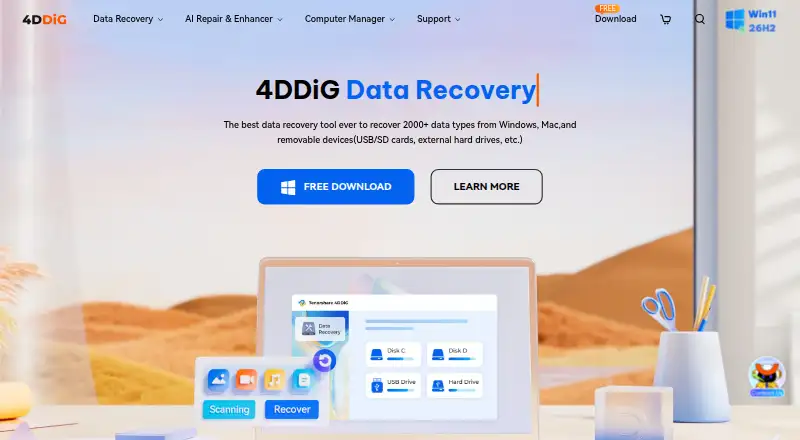
Tenorshare 4DDiG Data Recovery is a Windows and macOS tool for recovering files from memory cards. The maker says it can recover data after deletion, formatting, corruption, crashes, or virus attacks. Listed media include SD cards, CF cards, memory sticks, and xD cards; the SD card page says the software handles more than 2,000 file types. Users scan a selected card, preview found files, and recover them to a PC or external storage. The product also lists quick and deep scan modes, raw file recovery, and bootable recovery media, and says recovered data can be saved to OneDrive or Google Drive with one click. The free version advertises up to 2GB of recovery on Windows, while a comparison section shows up to 500MB for Mac. Paid licenses are separate for Windows and Mac, with monthly, yearly, and lifetime options. Prices range from $45.95 a month for a Windows license to $119.95, paid once for a Mac lifetime license. Tenorshare says recovery does not overwrite data. Its support pages list free technical support, 24/7 customer service, and a 30-day money-back guarantee. Tenorshare was founded in 2007 and is headquartered in Hong Kong.
Who it suits
4DDiG may suit Windows or Mac users trying to recover files from supported memory cards. The free version offers limited recovery, with separate licenses for each operating system.
What it does well
- Supports SD, CF, memory stick, and xD cards.
- Lists more than 2,000 file types.
- Users can preview found files before recovery.
- Recovered files can be saved to OneDrive or Google Drive.
- Lists free technical support and a 30-day money-back guarantee.
What to know first
- Mac free recovery allowance is shown as up to 500MB.
- Windows and Mac license codes are not interchangeable.
- Paid monthly licenses start at $45.95 a month.
- Crashed-computer recovery requires internet to download firmware.
Limits
The free version advertises recovery of up to 2GB on Windows, while its comparison section shows up to 500MB for Mac. Paid license codes are platform-specific and cannot be used across Windows and Mac.
Plans
| Plan | Billed and limits | Price |
|---|---|---|
| Free Version | Recover up to 2GB free on the Windows page; the page also shows a Mac allowance of up to 500MB | Free |
| Lifetime License (Mac) | $119.95 (Tax Excl.) · 1 license for 1 Mac · Lifetime free upgrades · Recovers data from iCloud | $119.95, paid once |
| 1 Month License (Windows) | $45.95 (Tax Excl.) · 1 license for 1 PC · 1-month free upgrades · Recovers 2000+ file types | $45.95 a month |
| 1 Month License (Mac) | $55.95 (Tax Excl.) · 1 license for 1 Mac · 1-month free upgrades · Recovers data from iCloud | $55.95 a month |
| 1 Year License (Windows) | $59.95 (Tax Excl.) · License options for 1, 5, 10, or unlimited PCs · 1-year free upgrades · Recovers 2000+ file types | $59.95 a year |
| 1 Year License (Mac) | $69.95 (Tax Excl.) · License options for 1, 5, 10, or unlimited Macs · 1-year free upgrades · Recovers data from iCloud | $69.95 a year |
| Lifetime License (Windows) | $79.95 (Tax Excl.) · 1 license for 1 PC · Lifetime free upgrades · Recovers 2000+ file types | $79.95, paid once |
As 4ddig.tenorshare.com lists them, read 4 Oct 2026. The maker's own page has the final word.
Getting started
- Open the 4DDiG SD card recovery website.
- Choose the version for Windows or macOS.
- Select the free version or a paid license for the chosen platform.
- Scan the memory card and preview the files found.
- Recover selected files to a PC, external storage, OneDrive, or Google Drive.
Verdict
4DDiG offers card scanning, preview, and recovery on Windows and Mac, with a free allowance and several paid license terms. Check the platform-specific free limit and license before choosing a plan.
Questions
Is Tenorshare 4DDiG Data Recovery free?
A free version is available. It advertises recovery of up to 2GB on Windows, and the comparison section shows up to 500MB for Mac.
Which platforms does it support?
It supports Windows and macOS. The free product page lists Windows 11, 10, 8.1, 8, and 7, and macOS 15 through 10.12.
What memory cards and files can it recover?
The listed media include SD cards, CF cards, memory sticks, and xD cards. The SD card recovery page says it supports more than 2,000 file types.
Can I use one license on Windows and Mac?
No. The Windows purchase page says a license code cannot be used across Windows and Mac.
What paid license terms are available?
Windows and Mac licenses are offered separately by month, year, or lifetime. Listed prices range from $45.95 a month for a Windows one-month license to $119.95, paid once for a Mac lifetime license.
Who makes 4DDiG Data Recovery?
Tenorshare makes the software. The company says it was founded in 2007 and is headquartered in Hong Kong.
Facts from Tenorshare 4DDiG Data Recovery's own pages
- Cloud services
- The SD card page says recovered data can be saved to OneDrive and Google Drive with one click. · 4ddig.tenorshare.com, 4 Oct 2026
- File types
- The SD card recovery page says the software supports more than 2,000 file types. · 4ddig.tenorshare.com, 4 Oct 2026
- Founded
- 2007 · 4ddig.tenorshare.com, 28 Sept 2026
- Free recovery limit
- The free version page advertises recovery of up to 2GB at no cost and displays a Mac allowance of up to 500MB in its comparison section. · 4ddig.tenorshare.com, 4 Oct 2026
- Free trial
- The Windows and Mac purchase pages each describe a 7-day free trial that includes all features and can be canceled at any time. · 4ddig.tenorshare.com, 4 Oct 2026
- Headquarters
- Hong Kong · 4ddig.tenorshare.com, 28 Sept 2026
- License limitation
- The Windows purchase page says a 4DDiG license code cannot be used across Windows and Mac. · 4ddig.tenorshare.com, 4 Oct 2026
- Maker and founding
- Tenorshare says it was founded in 2007 and describes its focus as helping users with data loss, file corruption, system repair, and computer management. · 4ddig.tenorshare.com, 4 Oct 2026
- Memory card types
- The product page lists SD cards, CF cards, memory sticks, and xD cards as supported media. · 4ddig.tenorshare.com, 4 Oct 2026
- Preview and recovery
- The described workflow scans a selected card, lets users preview found files, and recovers them to a PC or external storage device. · 4ddig.tenorshare.com, 4 Oct 2026
- Recovery safety
- The support page states that using 4DDiG does not overwrite data during recovery. · 4ddig.tenorshare.com, 4 Oct 2026
- Recovery use
- 4DDiG says it recovers data from memory cards after deletion, formatting, corruption, crashes, or virus attacks. · 4ddig.tenorshare.com, 4 Oct 2026
- Security statement
- The support page says 4DDiG does not collect user information for illegal purposes and says users can turn off network access during use, except that crashed-computer recovery requires internet to download firmware. · 4ddig.tenorshare.com, 4 Oct 2026
- Support and refunds
- The support page lists free technical support, 24/7 customer service, and a 30-day money-back guarantee. · 4ddig.tenorshare.com, 4 Oct 2026
- Supported operating systems
- The free product page lists Windows 11/10/8.1/8/7 and macOS 15–10.12. · 4ddig.tenorshare.com, 4 Oct 2026
Where Tenorshare 4DDiG Data Recovery stands on Freedom251
- SD card recovery software#8 of 52
- Photo recovery software#8 of 46
- Photo Recovery Software#23 of 44
- SD Card Recovery Software#29 of 54