Freedom251 › Remote support tools
Telmetra
What Telmetra is
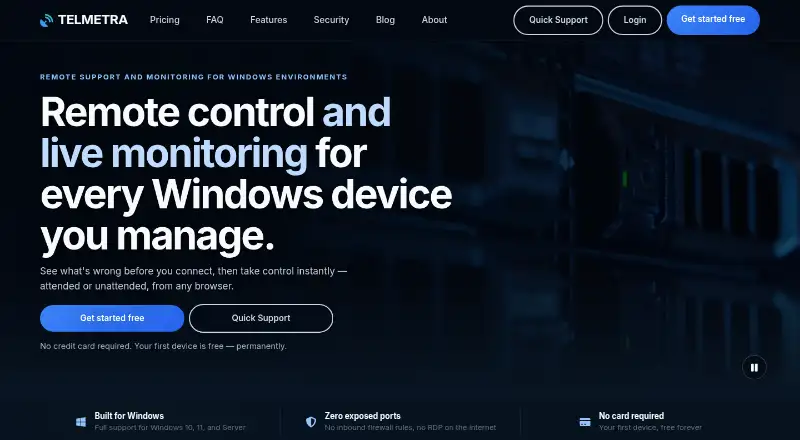
Telmetra brings remote control and live monitoring of Windows devices into a browser-accessible console for small IT teams and managed service providers supporting client PCs. Technicians can connect to managed devices unattended or start one-time Quick Support using a code. Monitoring can surface CPU, RAM, disk, services, and event logs, with email and push alerts. The console tracks pending, installed, failed, and critical Windows updates and indicates whether a reboot is needed. Scheduled folder and SQL Server backups can be sent to Google Drive, Backblaze B2, or a file server; run history and failure alerts are included. Other listed tools cover SMART storage health, optional session recording, and maintenance automation for disk cleanup, startup apps, and sleep settings. Telmetra supports Windows 10, Windows 11, and Windows Server hosts, not macOS or Linux. Users can connect through any browser, including one on a phone. The site says sessions use encrypted transport, devices connect outbound without inbound firewall ports, and connection history is retained for accountability. Optional recordings and selected session input and audit data are kept for 30 days after a session. Telmetra is headquartered in Varna, Bulgaria, and says its primary infrastructure is in the EU; processing locations can vary by provider, configuration, and deployment. The first device is free forever; each additional computer costs €2.50 a month, VAT excluded.
Who it suits
Telmetra suits small IT teams and MSPs that manage Windows PCs and need remote access alongside device monitoring, update visibility, and backup tasks. It may fit teams that want browser-based access and support for multiple client devices under one account.
What it does well
- Unattended access and one-time Quick Support are available.
- Monitors CPU, RAM, disk, services, and event logs.
- Tracks Windows update status and reboot requirements.
- Backups can target Google Drive, Backblaze B2, or a file server.
- Connects through a browser, including on a phone.
What to know first
- Managed hosts must run Windows 10, Windows 11, or Windows Server.
- macOS and Linux hosts are not supported.
- Optional recordings and selected session data are retained for 30 days.
- Additional computers cost €2.50 a month, VAT excluded.
Limits
The free plan covers one device. Each additional computer costs €2.50 a month, VAT excluded; managed hosts are limited to Windows 10, Windows 11, and Windows Server.
Plans
| Plan | Billed and limits | Price |
|---|---|---|
| First computer | Forever · 1 device | Free |
| Each extra computer | Monthly; VAT excluded · Per additional device · unlimited clients per account | €2.50 a month |
As telmetra.com lists them, read 11 Oct 2026. The maker's own page has the final word.
Getting started
- Visit https://www.telmetra.com/.
- Open Telmetra from a browser on a computer or phone.
- Add a supported Windows 10, Windows 11, or Windows Server host.
- Use unattended access or provide a Quick Support code for a one-time session.
- Start with the first free computer and add devices at €2.50 a month each, VAT excluded.
- Configure monitoring alerts or scheduled backups to a listed destination as needed.
Verdict
Choose Telmetra if you support Windows devices and want remote control, monitoring, update status, and backup functions in one console. The first computer is free, but each additional one costs €2.50 a month excluding VAT; teams managing macOS or Linux hosts should look elsewhere.
Questions
How much does Telmetra cost?
The first computer is free forever. Each extra computer costs €2.50 a month, VAT excluded; the plan allows unlimited clients per account.
Is there a free trial?
No. Telmetra has a free plan for one device, billed forever.
Which devices can Telmetra manage?
It supports Windows 10, Windows 11, and Windows Server hosts. macOS and Linux hosts are not supported.
Can I use Telmetra from a phone?
Yes. Users can connect from any browser, including a browser on a phone.
Where is Telmetra based?
Telmetra is headquartered in Varna, Bulgaria, and says its primary infrastructure is in the EU. Processing locations may vary by provider, configuration, and deployment.
Where can scheduled backups go?
Listed destinations are Google Drive, Backblaze B2, and a file server.
Facts from Telmetra's own pages
- Backups
- Scheduled folder and SQL Server backups can go to Google Drive, Backblaze B2, or a file server, with run history and failure alerts. · telmetra.com, 11 Oct 2026
- Browser access
- Users can connect from any browser, including a browser on a phone. · telmetra.com, 11 Oct 2026
- Data location
- Telmetra says it is EU-based, headquartered in Varna, Bulgaria, with primary infrastructure in the EU; processing locations may vary by provider, configuration, and deployment. · telmetra.com, 11 Oct 2026
- Headquarters
- Varna, Bulgaria · telmetra.com, 28 Sept 2026
- Integrations
- The listed backup destinations include Google Drive, Backblaze B2, and a file server. · telmetra.com, 11 Oct 2026
- Intended users
- The About page describes the product as intended for small IT teams and MSPs supporting client Windows PCs. · telmetra.com, 11 Oct 2026
- Monitoring
- Monitoring can show CPU, RAM, disk, services, and event logs, with email and push alerts. · telmetra.com, 11 Oct 2026
- Other features
- The product lists SMART storage health checks, optional session recording, and maintenance automation for disk cleanup, startup apps, and sleep settings. · telmetra.com, 11 Oct 2026
- Product
- Telmetra combines remote control and live monitoring for Windows devices in one console. · telmetra.com, 11 Oct 2026
- Remote access
- Technicians can connect to managed devices unattended or provide one-time Quick Support using a code. · telmetra.com, 11 Oct 2026
- Security
- The site says sessions use encrypted transport, devices connect outbound without inbound firewall ports, and connection history is kept for accountability. · telmetra.com, 11 Oct 2026
- Session retention
- The site says optional session recordings and selected session input and audit data are retained for 30 days after a session. · telmetra.com, 11 Oct 2026
- Support
- The site offers email and in-app chat support for installation, login, and billing questions Monday through Friday, 09:00–17:00 EET. · telmetra.com, 11 Oct 2026
- Supported devices
- Telmetra supports Windows 10, Windows 11, and Windows Server hosts; macOS and Linux hosts are not supported. · telmetra.com, 11 Oct 2026
- Windows updates
- Managed devices show pending, installed, failed, and critical Windows updates and whether a reboot is required. · telmetra.com, 11 Oct 2026
Where Telmetra stands on Freedom251
- Remote support tools#19 of 47
- Remote Support Software#22 of 49