Freedom251 › Photogrammetry Software
TeleSculptor
What TeleSculptor is
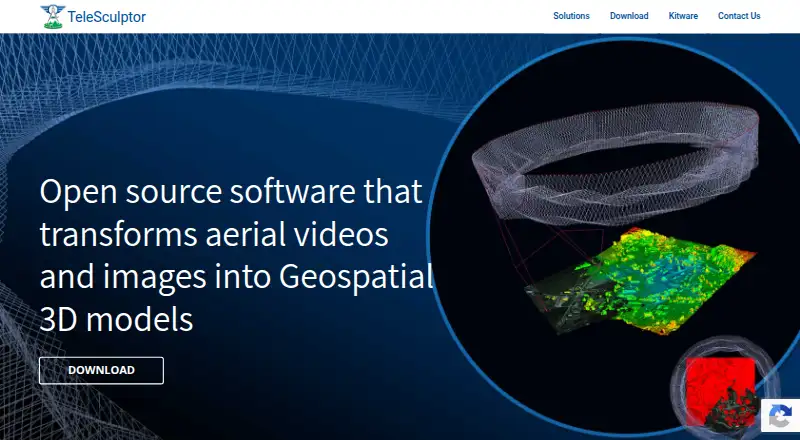
TeleSculptor is a free, open-source desktop application for turning aerial imagery and video into geospatial 3D models. It accepts images or video with or without metadata, with particular focus on aerial footage. Its photogrammetry pipeline first uses structure-from-motion to estimate camera parameters and sparse 3D landmarks. It then calculates dense depth maps and combines them into a surface mesh, using KWIVER algorithms to build 3D scene models from aerial video.
For geolocation, TeleSculptor uses MISB 0601 metadata and can draw on GPS and IMU metadata when those are available. Developers can use its plugin architecture to customize or replace pipeline algorithms. It is designed both for end users and as a research platform, and provides point cloud and GIS data export as well as ground control point support. Desktop builds are available for Linux, macOS, and Windows. The project recommends at least 16 GB of RAM for processing most datasets. Its workflow is optimized for aerial video that circles a target through a 360-degree orbit; a clip with one orbit produces the best results. Kitware offers prepaid support services in increments of $2,500, billed up front and usable within one year.
Who it suits
TeleSculptor suits people who need to turn aerial video or images into geospatial 3D models, including users who want point cloud or GIS exports. Its plugin architecture and research-platform role also suit developers and researchers who need to customize the processing pipeline.
What it does well
- Free, open-source desktop application.
- Processes images and video with or without metadata.
- Supports point cloud and GIS data export.
- Ground control points are supported.
- Plugin architecture allows custom pipeline algorithms.
- Available for Linux, macOS, and Windows.
What to know first
- The project recommends at least 16 GB of RAM for most datasets.
- Best results depend on aerial video containing one 360-degree orbit.
- Prepaid support starts at $2,500, billed up front.
Limits
The project recommends at least 16 GB of RAM for processing most datasets. Its optimized use case is aerial video making a 360-degree orbit around a target, with best results from a clip containing one orbit.
Plans
| Plan | Billed and limits | Price |
|---|---|---|
| TeleSculptor | Open source desktop application | Free |
| Pre-Paid Support | up-front; services must be used within one year · Custom support services in increments of $2,500 | $2,500, paid once |
As telesculptor.org lists them, read 9 Oct 2026. The maker's own page has the final word.
Getting started
- Visit telesculptor.org.
- Download a build for Linux, macOS, or Windows.
- Install and run the desktop application.
- Prepare aerial images or video, ideally a clip containing one orbit around the target.
- Use available MISB 0601, GPS, or IMU metadata for geolocation when applicable.
Verdict
Choose TeleSculptor for a free desktop workflow that converts aerial imagery into geospatial 3D models and supports customizable algorithms. Its strongest fit is aerial footage orbiting a target; users seeking prepaid support should account for the $2,500 minimum increment and one-year use period.
Questions
Is TeleSculptor free?
Yes. The TeleSculptor plan is free and listed as free.
Which operating systems does TeleSculptor support?
Desktop builds are provided for Linux, macOS, and Windows.
What inputs can it process?
It can process images or video with or without metadata, with a focus on aerial video.
Can it use metadata for geolocation?
It uses MISB 0601 metadata and can use GPS and IMU metadata when available.
Is TeleSculptor open source?
Yes, it is an open-source desktop application.
How much does prepaid support cost?
Prepaid support services are available in increments of $2,500, billed up front and to be used within one year.
Facts from TeleSculptor's own pages
- Extensibility
- Its plugin architecture lets developers reconfigure or replace pipeline algorithms with custom implementations. · telesculptor.org, 9 Oct 2026
- Geolocation
- It leverages MISB 0601 metadata for geolocation and can use GPS and IMU metadata when available. · telesculptor.org, 9 Oct 2026
- Input data
- It can process images or video with or without metadata, with a focus on aerial video. · telesculptor.org, 9 Oct 2026
- Integration
- TeleSculptor uses KWIVER algorithms to build 3D scene models from aerial video. · telesculptor.org, 9 Oct 2026
- Intended users
- The product is both an end-user application and a research platform. · telesculptor.org, 9 Oct 2026
- Photogrammetry
- It estimates camera parameters and sparse 3D landmarks using structure-from-motion, then estimates dense depth maps and fuses them into a surface mesh. · telesculptor.org, 9 Oct 2026
- Purpose
- TeleSculptor transforms aerial videos and images into geospatial 3D models. · telesculptor.org, 9 Oct 2026
- Security and compliance
- The product pages and linked documentation reviewed do not state security certifications or compliance claims. · telesculptor.org, 9 Oct 2026
- Support
- Kitware offers custom and prepaid support contracts, including prepaid support services in $2,500 increments that must be used within one year. · telesculptor.org, 9 Oct 2026
- Supported operating systems
- The download page provides builds for Mac, Linux, and Windows. · telesculptor.org, 9 Oct 2026
- System recommendation
- The project recommends at least 16 GB of RAM for processing most datasets. · github.com, 9 Oct 2026
- Use case limitation
- The documentation says the software is optimized for aerial video making a 360-degree orbit around a target, and gives best results on a clip containing one orbit. · telesculptor.readthedocs.io, 9 Oct 2026
Where TeleSculptor stands on Freedom251
- Photogrammetry Software#18 of 34