Freedom251 › Photogrammetry Software

PhotoCatch
What PhotoCatch is
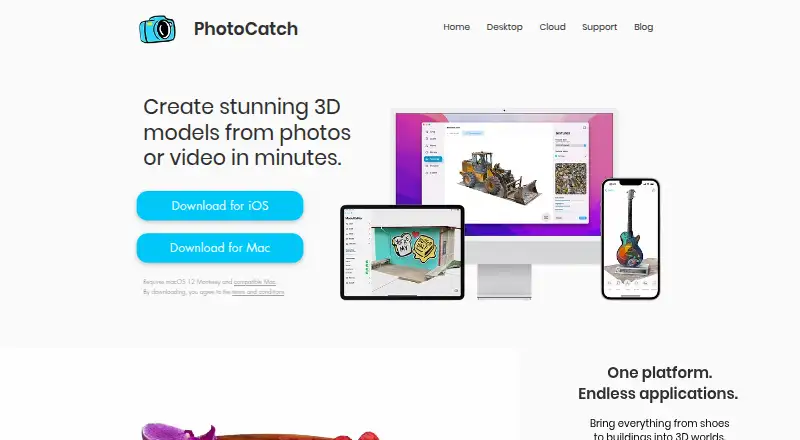
PhotoCatch creates 3D models from photos or video, with a desktop app for building models from individual photos, video, or both. The desktop editor includes texture editing, AR optimization, transform, and crop tools, and exports USDZ and OBJ files. USDZ exports are ready for AR Quick Look; OBJ files can be used in almost any 3D software. PhotoCatch Cloud brings photogrammetry and 3D editing to mobile for on-site capture, editing, and sharing. Its Depth Capture feature is designed to keep models the same size as real-world objects. PhotoCatch is available on iOS and macOS and is presented for personal, business, and enterprise use, with applications including AR, VR, construction, real estate, VFX, and online shopping. Desktop use requires macOS 12 Monterey or later and Apple Silicon; some Intel Macs may work with 16 GB RAM and a compatible AMD GPU with 4 GB VRAM. The free plan costs nothing. Monthly plans are Essentials at 4.99 USD, Pro at 9.99 USD, Small Business at 19.99 USD, and Corporate at 49.99 USD.
Who it suits
PhotoCatch suits people and organizations creating 3D models for uses such as AR, VR, real estate, construction, VFX, or online shopping. Desktop users should check the macOS and hardware requirements before choosing it.
What it does well
- Creates models from photos, video, or both.
- Includes texture editing, AR optimization, transform, and crop.
- Exports USDZ and OBJ files.
- Mobile capture, editing, and sharing are available through PhotoCatch Cloud.
- Offers a free plan and monthly paid plans.
What to know first
- Desktop requires macOS 12 Monterey or later and Apple Silicon.
- Some Intel Macs require 16 GB RAM and a compatible AMD GPU.
- Cloud uploads include files, and complete data security is not guaranteed.
- Paid plans automatically renew unless canceled within 24 hours before period end.
Limits
The free download costs nothing and has in-app purchases available. Paid monthly plans renew automatically unless canceled within 24 hours before the current period ends.
Plans
| Plan | Billed and limits | Price |
|---|---|---|
| PhotoCatch | Free download; in-app purchases available | Free |
| PhotoCatch Small Business | Monthly purchase; automatically renews unless canceled within 24 hours before the current period ends | $19.99 a month |
| PhotoCatch Essentials | Monthly purchase; automatically renews unless canceled within 24 hours before the current period ends | $4.99 a month |
| PhotoCatch Corporate | Monthly purchase; automatically renews unless canceled within 24 hours before the current period ends | $49.99 a month |
| PhotoCatch Pro | Monthly purchase; automatically renews unless canceled within 24 hours before the current period ends | $9.99 a month |
As photocatch.app lists them, read 9 Oct 2026. The maker's own page has the final word.
Getting started
- Visit the PhotoCatch website or find the app on iOS or macOS.
- Choose the free download or a monthly plan that fits your use.
- For desktop use, confirm that your Mac meets the stated operating system and hardware requirements.
- Capture or select photos, video, or both as model inputs.
- Create and edit the model, then export it as USDZ or OBJ.
Verdict
PhotoCatch combines photo- and video-based modeling with editing and USDZ or OBJ export. Its desktop hardware requirements and the Cloud privacy limitation are worth considering alongside the free and paid plan options.
Questions
Is PhotoCatch free?
The PhotoCatch plan is free as a download, with in-app purchases available. Paid monthly plans are also offered.
What are the monthly plan prices?
Essentials costs $4.99 a month, Pro costs $9.99 a month, Small Business costs $19.99 a month, and Corporate costs $49.99 a month.
Which platforms does PhotoCatch support?
PhotoCatch is available on iOS and macOS. Desktop use requires macOS 12 Monterey or later and Apple Silicon, though some Intel Macs may work with 16 GB RAM and a compatible AMD GPU with 4 GB VRAM.
What file formats can it export?
The desktop app exports USDZ and OBJ files. USDZ is ready for AR Quick Look, and OBJ can be used in almost any 3D software.
Does PhotoCatch offer mobile capture?
Yes. PhotoCatch Cloud brings photogrammetry and 3D editing to mobile for on-site capture, editing, and sharing.
How does PhotoCatch handle uploaded cloud data?
Its privacy policy says it collects email addresses, purchase information, and files uploaded to PhotoCatch Cloud for login, purchase history, email contact, and model creation. It also says data is stored on servers operated by other providers and complete security or privacy cannot be guaranteed.
Facts from PhotoCatch's own pages
- Capture inputs
- The desktop app creates models from individual photos, video, or combined photos and videos. · photocatch.app, 9 Oct 2026
- Cloud data
- The privacy policy says PhotoCatch collects email addresses, purchase information, and files uploaded to PhotoCatch Cloud to support login, purchase history, email contact, and model creation. · photocatch.app, 9 Oct 2026
- Depth Capture
- PhotoCatch Cloud says Depth Capture can keep models the same size as real-world objects. · photocatch.app, 9 Oct 2026
- Desktop requirements
- The support page requires macOS 12 Monterey or later and Apple Silicon, while noting some Intel Macs may work with 16 GB RAM and a compatible AMD GPU with 4 GB VRAM. · photocatch.app, 9 Oct 2026
- Editing
- The desktop app lists texture editing, AR optimization, transform, and crop tools. · photocatch.app, 9 Oct 2026
- Export formats
- The desktop app says it exports USDZ and OBJ files. · photocatch.app, 9 Oct 2026
- Integrations
- The App Store page says USDZ exports are ready for AR Quick Look and OBJ exports can be used in almost any 3D software. · apps.apple.com, 9 Oct 2026
- Intended users
- The maker presents PhotoCatch for personal, business, and enterprise use and names applications including AR, VR, construction, real estate, VFX, and online shopping. · photocatch.app, 9 Oct 2026
- Mobile capture
- PhotoCatch Cloud brings photogrammetry and 3D editing tools to mobile devices for on-site capture, editing, and sharing. · photocatch.app, 9 Oct 2026
- Performance
- The desktop page says parallel processing can process up to four 3D models at the same time on M1 Max and M1 Ultra systems. · photocatch.app, 9 Oct 2026
- Purpose
- PhotoCatch creates 3D models from photos or video. · photocatch.app, 9 Oct 2026
- Security limitation
- The privacy policy says data is stored on servers operated by other providers and that PhotoCatch cannot guarantee complete security or privacy of data. · photocatch.app, 9 Oct 2026
- Support
- The support page directs questions to [email protected]. · photocatch.app, 9 Oct 2026
Where PhotoCatch stands on Freedom251
- Photogrammetry Software#14 of 34
- AI 3D Scanning Software#16 of 24