Freedom251 › Teleprompter Software
Telepromptero
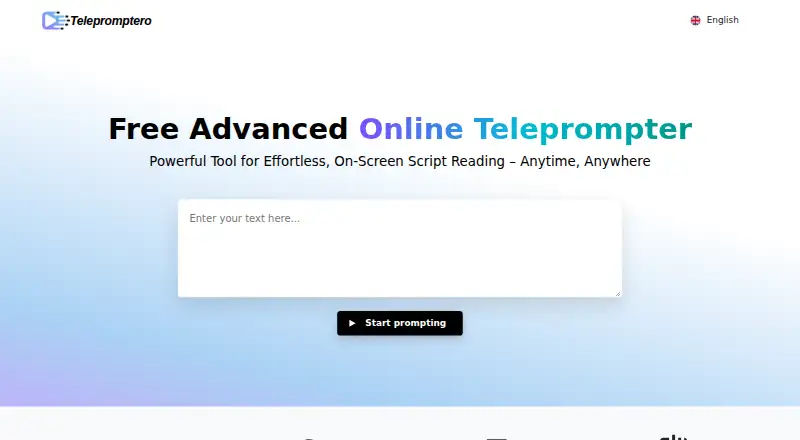
What Telepromptero is
Telepromptero is a browser teleprompter for displaying scripts while recording videos, delivering speeches, or practicing presentations. Playback controls let you start, pause, and stop the text, while adjustable scrolling speed and duration help set the pace. You can change text size, font style, and color, and use mirroring or reversing options for different display setups. The app runs in a modern browser with JavaScript enabled, so no download or installation is required. There is no hard character cap, although the site recommends scripts below 10,000 words for best performance. Telepromptero is free, including advanced features and unlimited use, with no hidden costs or premium plans listed. Stated uses include business presentations, live streaming, poetry readings, online courses, advertisements, corporate videos, and product demonstrations. The product is aimed at content creators, vloggers, educators, public speakers, and other professionals who need readable script text during presentation or recording.
Who it suits
Telepromptero suits content creators, vloggers, educators, public speakers, and professionals presenting or recording scripts. It is useful for the listed presentation, streaming, teaching, advertising, and video scenarios.
What it does well
- Free unlimited use with advanced features
- Adjustable scrolling speed and duration
- Custom text size, font, and color
- Mirroring and reversing display options
- No download or installation required
What to know first
- Requires a modern browser with JavaScript
- Single-screen display mode
- Scripts over 10,000 words may affect performance
Limits
There is no hard character cap, but the site recommends scripts under 10,000 words for optimal performance. The free plan provides unlimited use and all advanced features.
Plans
| Plan | Billed and limits | Price |
|---|---|---|
| Free | All advanced features · unlimited use | Free |
As telepromptero.com lists them, read 9 Oct 2026. The maker's own page has the final word.
Getting started
- Open https://telepromptero.com/
- Use a modern browser with JavaScript enabled
- Enter or load the script
- Adjust text size, font style, color, speed, and duration
- Choose mirroring or reversing if needed
- Start playback with the play control
Verdict
Telepromptero offers a free, browser-only way to keep script text visible while speaking or recording. Its controls and display adjustments cover common teleprompter needs without installing software.
Questions
Is Telepromptero free?
Yes. The listed Free plan costs nothing and includes all advanced features with unlimited use.
Does Telepromptero require installation?
No. It runs in a modern web browser with JavaScript enabled, with no download or installation required.
What platforms does Telepromptero support?
Telepromptero is available on the web.
How long can a script be?
There is no hard character limit. The site recommends keeping scripts below 10,000 words for optimal performance.
Can the script display be mirrored?
Yes. Telepromptero includes mirroring and reversing features, along with controls for text size, font style, and color.
Facts from Telepromptero's own pages
- Audience
- The site describes it as suitable for content creators, vloggers, educators, public speakers, and other professionals. · telepromptero.com, 9 Oct 2026
- Browser requirement
- The web app runs in a modern browser with JavaScript enabled. · telepromptero.com, 9 Oct 2026
- Integrations
- The opened product page describes browser-based use and does not name third-party integrations. · telepromptero.com, 9 Oct 2026
- Mirroring
- The display includes mirroring and reversing features. · telepromptero.com, 9 Oct 2026
- No installation
- The site says no downloads or installations are needed because the app runs in the browser. · telepromptero.com, 9 Oct 2026
- Playback
- The teleprompter provides play, pause, and stop controls. · telepromptero.com, 9 Oct 2026
- Pricing
- The site says use is free, including advanced features and unlimited use, with no hidden costs or premium plans. · telepromptero.com, 9 Oct 2026
- Purpose
- Telepromptero is a web-based teleprompter for reading scripts while recording videos, delivering speeches, or practicing presentations. · telepromptero.com, 9 Oct 2026
- Script limit
- There is no hard character limit; the site recommends scripts under 10,000 words for optimal performance. · telepromptero.com, 9 Oct 2026
- Scrolling
- Users can adjust scrolling speed and control duration. · telepromptero.com, 9 Oct 2026
- Text display
- Users can customize text size, font style, and color. · telepromptero.com, 9 Oct 2026
- Use cases
- The site lists business presentations, live streaming, poetry readings, online courses, advertisements, corporate videos, and product demos as use cases. · telepromptero.com, 9 Oct 2026
Where Telepromptero stands on Freedom251
- Teleprompter Software#23 of 32