Freedom251 › Minecraft Modpack Builders

Technic Launcher
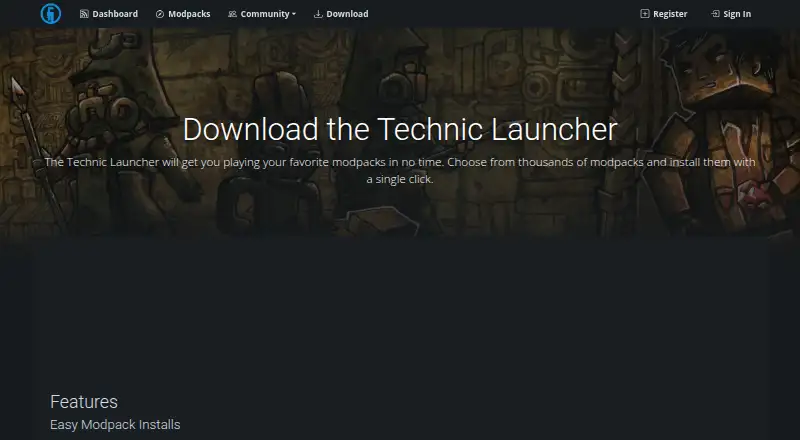
What Technic Launcher is
Technic Launcher installs community-created Minecraft modpacks and handles the installation steps for players. It runs on Windows, macOS and Linux, and lets users browse packs from the Technic Platform and install them within the launcher. The Platform connects pack creators, artists and content organizers with players, and sorts modpacks into categories using various statistics. Creators can connect their own Solder installation to serve custom packs by version. Solder downloads mods individually, checks MD5 checksums and can reuse cached versions when they have not changed, rather than downloading the whole pack again. The recommended Windows installer includes the Java runtime Technic needs. The launcher is free and open source; its download page states no paid plan or usage limits. Technic provides a Help Center with launcher guides, modpack installation instructions and a request submission option. The privacy policy says the site can be visited anonymously, while registration requires a username, password and email address. The download page identifies Syndicate LLC in its copyright notice.
Who it suits
It suits Minecraft players who want to browse and install community-created modpacks through a launcher. The Technic Platform also serves pack creators, artists, content organizers and other listed creator communities.
What it does well
- Free and open source.
- Available for Windows, macOS and Linux.
- Browse and install modpacks within the launcher.
- Solder can reuse unchanged cached mod versions.
- Recommended Windows installer includes Java runtime.
What to know first
- Website registration requires a username, password and email address.
- Technic's privacy policy describes sale of identifiers and activity data through ad-supported services.
Plans
| Plan | Billed and limits | Price |
|---|---|---|
| Technic Launcher | No paid plan or usage limits stated on the download page | Free |
As technicpack.net lists them, read 4 Oct 2026. The maker's own page has the final word.
Getting started
- Open the Technic download page.
- Choose the installer for Windows, macOS, or Linux.
- On Windows, use the recommended installer, which includes the required Java runtime.
- Browse modpacks from the Technic Platform in the launcher and install a pack.
Technic Launcher is a desktop launcher for community-made Minecraft modpacks, combining Technic’s catalog with automated installation. It suits players who want pack discovery and setup in one place, as well as creators distributing custom packs through Solder. The main trade-off is a focused ecosystem with privacy terms that include advertising-related data sales.
Overview
Technic Launcher handles the installation steps for community-created Minecraft modpacks instead of making players assemble each pack manually. Its catalog is the Technic Platform, where players can browse popular packs and move directly to installation from the launcher.
The Platform sorts packs into categories using various statistics, giving browsing a practical starting point when a player is choosing among many community projects. Rankings can narrow the field, but they are still a discovery aid rather than a promise that a particular pack matches your preferred style or hardware.
Technic also serves the people around a pack: creators, artists, content organizers, server operators, map makers, and YouTube creators. Direct communication about packs gives creators a way to stay connected with players, while the launcher itself remains primarily a discovery and installation tool.
Key features
Integrated discovery and setup
Popular Technic Platform modpacks can be browsed inside the launcher and installed there. That single workflow is the strongest reason to choose Technic: players who want to go from finding a pack to running it without managing installation steps get a purpose-built route.
Solder support for custom packs
Creators can connect their own Solder installation to serve custom modpacks by version. Solder downloads mods individually, verifies them with MD5 checksums, and reuses cached versions when nothing has changed. For a creator, that can avoid sending an entire pack again for a small update and reduce bandwidth use. This matters more to pack publishers and server communities than to someone who only installs public packs.
Help and maintenance signals
Technic’s Help Center includes launcher guides, modpack installation instructions, and a request-submission option, giving new users a defined place to resolve setup questions. The Platform changelog also records fixes for CSRF, open-redirect, and XSS bugs in March 2026. Those fixes are a positive maintenance signal, though they do not remove the need to consider the service’s privacy terms.
Pricing
The Technic Launcher plan costs free. It is free to use and open source, with no paid plan or usage limits stated for the launcher. That makes it suitable for players who want the full launcher workflow without a subscription or a capped free tier. There is no cheaper feature set to weigh against a premium upgrade, because no paid tier is offered.
The Windows installer recommended by Technic includes the Java runtime the launcher needs. That reduces a common setup hurdle on Windows; users on other systems should use the launcher for their operating system and follow the available installation guidance.
Platforms
Technic Launcher runs on Windows, macOS, and Linux. Windows users get a recommended installer bundled with Java. The cross-platform release makes it a viable choice for players who switch between the three supported desktop systems, while it is not aimed at mobile or web-only use.
Who it's for
Choose Technic if you primarily play Minecraft modpacks and want a catalog, pack rankings, and installation flow tied together. It is also a sensible option for creators or server operators who need versioned custom-pack delivery through Solder, especially when incremental downloads can reduce repeated bandwidth costs.
It is less suitable if your priority is a catalog outside Technic’s Platform, a general-purpose game launcher, or a service with stricter advertising-data expectations. Website registration requires a username, password, and email address, although the site can also be visited anonymously. Technic’s privacy policy says Technic and its advertising partners sold identifiers, internet activity, geolocation, and inferred information collected through ad-supported services during the preceding 12 months; privacy-sensitive users should treat that as a material drawback.
Pros and cons
- Pros: Free and open source, with no stated usage limits.
- Pros: Browsing and installation happen in one desktop workflow.
- Pros: Solder supports versioned custom packs, checksum checks, and incremental updates that can avoid full-pack redownloads.
- Pros: Windows’ recommended installer includes Java, and a Help Center provides setup guidance and support requests.
- Cons: The experience is centered on the Technic Platform, so players seeking a broader or different catalog may find it restrictive.
- Cons: The privacy policy’s disclosure about selling data through ad-supported services is a significant concern for privacy-focused users.
Alternatives
Prism Launcher is the better pick if you want another free, open-source launcher on Windows, macOS, or Linux and do not need Technic’s Platform-centered catalog.
ATLauncher is another free, open-source cross-platform option, provided you already have a paid Minecraft account required to play modpacks.
FTB App fits players who want a freemium launcher with free access but can accept ads.
GDLauncher offers a free Windows, macOS, and Linux launcher with no premium tier and no overlay.
CurseForge is for readers who prefer a web catalog of free Minecraft mods and modpacks, with an optional premium tier.
Modrinth App is a fully open-source freemium alternative for Windows, macOS, and Linux.
MultiMC is a free cross-platform choice; its listed Patreon support is priced on request and provides a credit mention and Discord role.
packwiz is a free, open-source Windows option for readers who want a different modpack tool.
For a wider comparison, browse Minecraft Modpack Builders.
Verdict
Technic Launcher is a strong choice for Minecraft players who want free, open-source pack installation directly connected to Technic’s ranked catalog, and for creators who benefit from Solder’s incremental delivery. Look elsewhere if you need a broader launcher ecosystem or are unwilling to accept the privacy policy’s disclosure that advertising partners sold collected information.
Verdict
Technic Launcher handles modpack installation and connects players with packs on the Technic Platform. It is free and open source, but readers should note the privacy policy’s disclosure about information sold through ad-supported services.
Questions
How much does Technic Launcher cost?
It is free. The download page states no paid plan or usage limits.
Which platforms does it support?
Technic Launcher runs on Windows, macOS, and Linux.
Is Technic Launcher open source?
Yes, it is described as an open-source launcher.
What does it do with modpacks?
It lets players browse Technic Platform packs and install them while handling the installation steps.
Who makes Technic Launcher?
The download page identifies Syndicate LLC in its copyright notice.
Can visitors use the Technic site without registering?
Yes. The privacy policy says the site can be visited anonymously. Registration requires a username, password, and email address.
Facts from Technic Launcher's own pages
- Account information
- Technic's privacy policy says website registration requires a username, password, and email address, and the site can be visited anonymously. · technicpack.net, 4 Oct 2026
- Company identity
- The download page identifies Syndicate LLC in its copyright notice. · technicpack.net, 4 Oct 2026
- Creator platform
- Technic Platform connects modpack creators, artists, and content organizers with players, and provides a direct communication link about packs. · technicpack.net, 4 Oct 2026
- Discover modpacks
- The launcher lets players browse popular modpacks from the Technic Platform and install them from within the launcher. · technicpack.net, 4 Oct 2026
- Intended users
- Technic describes the Platform as serving Minecraft players, server operators, content creators, map makers, and YouTube creators. · technicpack.net, 4 Oct 2026
- Pack rankings
- The Platform sorts and ranks modpacks into categories using various statistics. · technicpack.net, 4 Oct 2026
- Privacy and advertising
- The privacy policy says Technic and its advertising partners sold identifiers, internet activity, geolocation, and inferred information collected through ad-supported services during the preceding 12 months. · technicpack.net, 4 Oct 2026
- Purpose
- Technic Launcher installs community-created Minecraft modpacks, handling the installation steps for the player. · technicpack.net, 4 Oct 2026
- Security
- Technic's changelog says the Platform fixed CSRF, open redirect, and XSS security bugs in March 2026. · technicpack.net, 4 Oct 2026
- Solder incremental updates
- Solder downloads mods individually, checks MD5 checksums, and reuses cached mod versions when unchanged to avoid redownloading the whole pack. · docs.solder.io, 4 Oct 2026
- Solder integration
- Creators can connect their own Solder installation to serve custom modpacks by version and reduce bandwidth use. · technicpack.net, 4 Oct 2026
- Support
- Technic provides a Help Center with launcher guides, modpack installation instructions, and a request submission option. · support.technicpack.net, 4 Oct 2026
- Windows installation
- The recommended Windows installer includes the Java runtime Technic needs. · technicpack.net, 4 Oct 2026
Where Technic Launcher stands on Freedom251
- Minecraft Modpack Builders#10 of 11