Freedom251 › Packaging Design Software
TBS Cover Editor
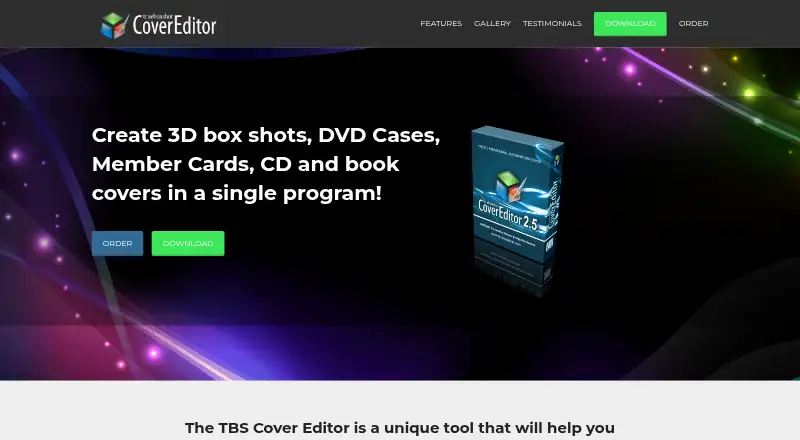
What TBS Cover Editor is
TBS Cover Editor is Windows software for creating virtual product cover images. It can produce 3D box shots, DVD cases, member cards, CD covers and book covers for products such as software, e-books, music, movies, videos, audio records and books. More than 100 templates and a Design Wizard support new or customized designs. A flat worksheet shows every side of a box or cover on one screen. Editing tools include shapes, text labels, bitmap images, artistic text, vector objects, special effects and clipart. Its live 3D preview allows rotation, changed dimensions, drop shadows and reflections. The maker also lists animation and Flash features, including 3D animated images. A free mode permits ongoing evaluation, but exported images are watermarked. The paid TBS Cover Editor 2.x license costs $80, paid once for one user. Version 2.6 is listed at 39 Mb, with Windows 10, 8, 7, Vista and XP requirements.
Who it suits
TBS Cover Editor suits businesses that need designed product-cover visuals for digital or physical offerings. It is intended for Windows users who can work within a single-user desktop editor.
What it does well
- More than 100 ready-to-use templates
- Design Wizard for customized covers
- Single worksheet shows all cover sides
- Live 3D rotation, shadows and reflections
- Free mode allows unlimited evaluation
What to know first
- Free exports carry watermarks
- Windows-only platform
- One-user editor limit
- No dieline or barcode tools
Limits
The free mode allows feature evaluation for as long as desired, but output images contain watermarks. The paid $80 as a one-time license is limited to one user.
Plans
| Plan | Billed and limits | Price |
|---|---|---|
| TBS Cover Editor 2.x | Per license | $80, paid once |
As tbscover.trueboxshot.com lists them, read 7 Oct 2026. The maker's own page has the final word.
Getting started
- Open https://tbscover.trueboxshot.com/
- Download version 2.6 for Windows
- Install on Windows 10, 8, 7, Vista or XP
- Start from a template or use the Design Wizard
- Edit the cover on the flat worksheet
- Preview the result in 3D
- Review the $80 as a one-time license option
Verdict
TBS Cover Editor focuses on making product-cover graphics with 2D tools and a 3D preview. The watermarked free mode supports evaluation, while the paid license is a one-time 80.00 USD purchase for one user.
Questions
What does TBS Cover Editor cost?
The TBS Cover Editor 2.x license costs $80, paid once, per license.
Is there a free plan?
Yes. Free mode provides ongoing access to all features for evaluation, with watermarked output images.
Which platforms are supported?
It runs on Windows 10, 8, 7, Vista and Windows XP.
Does it offer templates?
Yes. It includes more than 100 ready-to-use templates and a Design Wizard.
How many users does a license cover?
The editor limit is one user.
How can I contact support?
Technical support is listed at [email protected].
Facts from TBS Cover Editor's own pages
- 2D editing
- A single flat worksheet lets users edit all sides of a box or cover on one screen. · tbscover.trueboxshot.com, 7 Oct 2026
- 3D preview
- The live 3D preview supports rotation, adjustable object dimensions, drop shadows, and reflections. · tbscover.trueboxshot.com, 7 Oct 2026
- Animation
- The maker lists animation and Flash among the product features and describes creating 3D animated images. · tbscover.trueboxshot.com, 7 Oct 2026
- Free mode limit
- Users can evaluate all features for as long as they wish, but output images are watermarked in free mode. · tbscover.trueboxshot.com, 7 Oct 2026
- Graphics tools
- The graphics toolkit includes shapes, text labels, bitmap images, artistic text, vector objects, special effects, and a clipart library. · tbscover.trueboxshot.com, 7 Oct 2026
- Intended users
- The maker describes it as a tool for businesses presenting products such as software, e-books, music, movies, videos, audio records, and books. · tbscover.trueboxshot.com, 7 Oct 2026
- Purpose
- Creates virtual product cover images, including 3D box shots, DVD cases, member cards, CD covers, and book covers. · tbscover.trueboxshot.com, 7 Oct 2026
- Support
- The product page lists technical support at [email protected]. · tbscover.trueboxshot.com, 7 Oct 2026
- System requirements
- The download listing specifies Windows 10, 8, 7, Vista, and Windows XP. · tbscover.trueboxshot.com, 7 Oct 2026
- Templates
- The software includes more than 100 ready-to-use templates and a Design Wizard for creating or customizing cover designs. · tbscover.trueboxshot.com, 7 Oct 2026
- Version and download
- The download page lists version 2.6 with a size of 39 Mb. · tbscover.trueboxshot.com, 7 Oct 2026
Where TBS Cover Editor stands on Freedom251
- Packaging Design Software#13 of 27