Freedom251 › Managed File Transfer Software
Syncplify AFT!
What Syncplify AFT! is
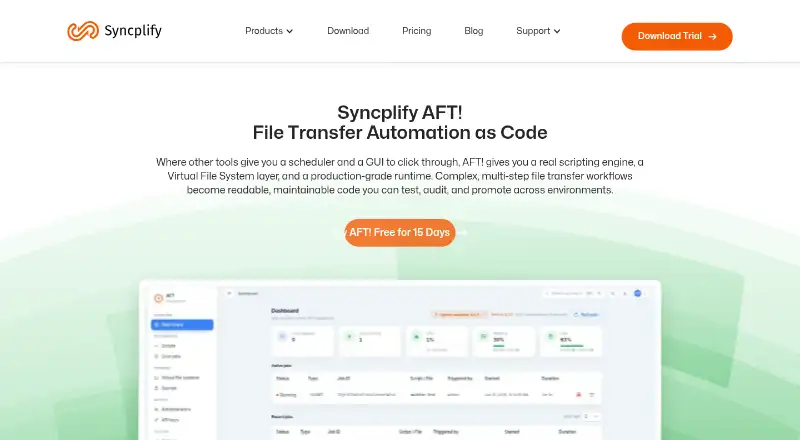
Syncplify AFT! is a scriptable file transfer automation product for building, testing, auditing and promoting workflows across environments. Jobs use SyncJS, an ECMAScript 5.1-based scripting engine with more than 200 file-transfer functions. Through a shared virtual file system, scripts can work with local files, SFTP, AWS S3, Azure Blob Storage and Google Cloud Storage. Jobs can start on a Cron-compatible schedule, in response to filesystem events or through REST API calls. AFT! keeps searchable, indexed logs and stores credentials and API keys in an encrypted secrets store for runtime retrieval. Its function library also covers CSV and XML parsing, HMAC and PGP operations, SQL, AMQP, HTTP/S, and notifications to Slack, Teams, Telegram, Twilio and email. It runs on Windows and Linux and can be deployed on bare metal, virtual machines or Docker environments. The listed price is $99 per machine or VM, with one machine or VM per license; jobs, scripts, schedules, event watchers, concurrent connections and log history are unlimited. The 15-day trial requires no credit card, but the evaluation edition allows one running job at a time and terminates it after 30 seconds; it is not licensed for production use.
Who it suits
AFT! suits teams automating file transfers across local and cloud storage, with workflows written in SyncJS. It is available for Windows and Linux and can be deployed on bare metal, virtual machines or Docker.
What it does well
- SyncJS includes more than 200 file-transfer functions.
- Supports local files, SFTP and three cloud storage services.
- Jobs can start by schedule, filesystem event or REST API.
- Encrypted secrets store holds credentials and API keys.
- License includes unlimited jobs and operational-log history.
What to know first
- No free plan is listed.
- The 15-day evaluation is limited to one running job.
- Evaluation jobs terminate after 30 seconds.
- The trial is not licensed for production use.
Limits
The 15-day trial is not licensed for production use and can run only one script or job at a time; each run ends after 30 seconds. The paid license covers one machine or VM, while jobs, scripts, schedules, event watchers, concurrent connections, and operational-log history are unlimited.
Plans
| Plan | Billed and limits | Price |
|---|---|---|
| Syncplify AFT! | Per Machine/VM · One machine or VM per license · jobs, scripts, schedules, watchers, connections and op-log history unlimited | $99, paid once |
As syncplify.com lists them, read 8 Oct 2026. The maker's own page has the final word.
Getting started
- Open the Syncplify AFT! product website.
- Choose the paid license for one machine or VM, or request the 15-day trial.
- Install on Windows or Linux, or deploy on bare metal, a virtual machine, or Docker.
- Use SyncJS and the VS Code extension to create and edit jobs.
- Configure storage access and triggers, then run jobs and review their operational logs.
Verdict
AFT! combines scriptable transfer workflows with scheduling, event triggers, logs and an encrypted secrets store. Its one-time license is per machine or VM, while the evaluation has strict runtime limits.
Questions
How much does Syncplify AFT! cost?
The listed license is $99 per machine or VM, billed once.
Is there a free plan or trial?
There is no free plan. A 15-day trial requires no credit card and has no feature restrictions, but the evaluation edition is limited to one running job at a time and terminates it after 30 seconds.
Which platforms does AFT! support?
AFT! runs on Windows and Linux. It is available as a statically linked binary for bare metal, virtual machines, or Docker environments.
What storage and integration options does it support?
Scripts can work with local files, SFTP, AWS S3, Azure Blob Storage, and Google Cloud Storage. SyncJS functions also cover CSV and XML parsing, HMAC and PGP operations, SQL, AMQP, HTTP/S, and notifications to Slack, Teams, Telegram, Twilio, and email.
What does one license include?
One license is for one machine or VM. It includes unlimited jobs, scripts, schedules, event watchers, concurrent connections, and operational-log history.
Where can I find AFT! documentation and support?
Syncplify directs users to its Knowledge Base and AFT! manual, and describes support requests through its support channels.
Facts from Syncplify AFT!'s own pages
- Automation language
- Jobs are written in SyncJS, an ECMAScript 5.1 based scripting engine extended with more than 200 file-transfer functions. · syncplify.com, 8 Oct 2026
- Automation triggers
- AFT! supports a Cron-compatible scheduler, filesystem event watchers, and job triggers through its REST API. · syncplify.com, 8 Oct 2026
- Company address
- Syncplify, Inc. lists its address as 2711 Centerville Rd. Suite 400, Wilmington, Delaware 19808, USA. · syncplify.com, 8 Oct 2026
- Company location
- Syncplify, Inc. lists its address as 2711 Centerville Rd., Suite 400, Wilmington, Delaware 19808, USA. · syncplify.com, 8 Oct 2026
- Credential handling
- Credentials and API keys are stored in an encrypted secrets store and retrieved at runtime rather than placed in scripts or logs. · syncplify.com, 8 Oct 2026
- Editor and AI assistance
- AFT! includes a VS Code extension with language-server support, autocomplete, and an MCP server for AI coding assistants. · syncplify.com, 8 Oct 2026
- Editor support
- AFT! ships with a VSCode extension that provides a Language Server, inline documentation, autocomplete, and an MCP server for AI coding agents. · syncplify.com, 8 Oct 2026
- Headquarters
- 2711 Centerville Rd. Suite 400, Wilmington, DE 19808, USA · syncplify.com, 28 Sept 2026
- Integrations
- The SyncJS function library includes CSV and XML parsing, HMAC and PGP operations, SQL, AMQP, HTTP/S, and notifications to Slack, Teams, Telegram, Twilio, and email. · syncplify.com, 8 Oct 2026
- License scope
- The product page describes one license for one machine or VM, with unlimited jobs, scripts, schedules, event watchers, concurrent connections, and op-log history. · syncplify.com, 8 Oct 2026
- Operational logs
- AFT! keeps a searchable, indexed operational log for jobs it has run. · syncplify.com, 8 Oct 2026
- Platforms
- AFT! is available for Windows and Linux, including Linux x86_64 and ARM64 downloads. · syncplify.com, 8 Oct 2026
- Platforms and deployment
- AFT! runs on Windows and Linux and is available as a statically linked binary for bare metal, virtual machines, or Docker environments. · syncplify.com, 8 Oct 2026
- Purpose
- Syncplify AFT! is a scriptable file transfer automation product that uses SyncJS to build, test, audit, and promote workflows across environments. · syncplify.com, 8 Oct 2026
- Scheduling and events
- AFT! supports a Cron-compatible scheduler, filesystem event watchers, and job triggering through REST API calls. · syncplify.com, 8 Oct 2026
- Secrets
- AFT! stores credentials and API keys in an encrypted secrets store for retrieval at runtime. · syncplify.com, 8 Oct 2026
- Storage backends
- AFT! can work with local files, SFTP, AWS S3, Azure Blob Storage, and Google Cloud Storage through a shared virtual file system API. · syncplify.com, 8 Oct 2026
- Support resources
- Syncplify directs users to its Knowledge Base and AFT! manual, and describes support requests through its support channels. · syncplify.com, 8 Oct 2026
- SyncJS
- SyncJS is based on ECMA 5.1 JavaScript and includes over 200 functions for file transfer workflows. · syncplify.com, 8 Oct 2026
- Transfer backends
- Scripts can work with local files, SFTP, AWS S3, Azure Blob Storage, and Google Cloud Storage through the same virtual file system interface. · syncplify.com, 8 Oct 2026
- Transfer security
- The product page says automated transfers can use SFTP or TLS encryption and describes two-factor authentication and automatic IP blocking. · syncplify.com, 8 Oct 2026
- Trial
- The full product trial lasts 15 days, has no feature restrictions, requires no credit card, and is not licensed for production use. · syncplify.com, 8 Oct 2026
- Trial limitations
- The download page says the free/evaluation edition can run only one script or job at a time and terminates each after 30 seconds. · syncplify.com, 8 Oct 2026
- Trial limits
- The 15-day evaluation edition is limited to one running script or job at a time, and each script or job is terminated after 30 seconds. · syncplify.com, 8 Oct 2026
Where Syncplify AFT! stands on Freedom251
- Managed File Transfer Software#15 of 27