Freedom251 › Managed File Transfer - Midmarket Software
SFTPPlus
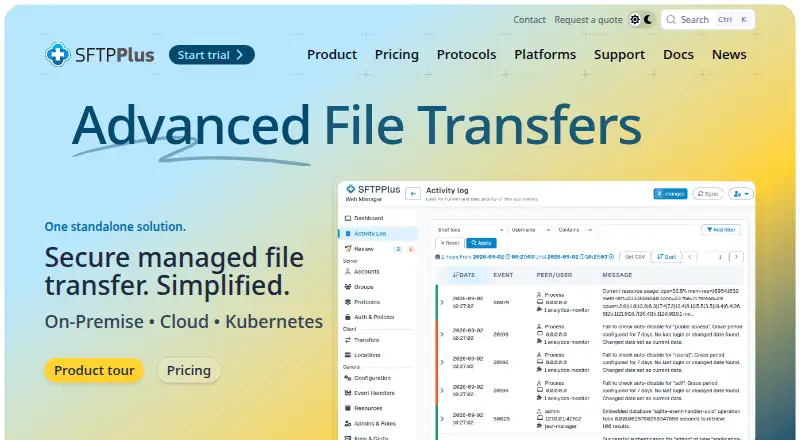
What SFTPPlus is
SFTPPlus is managed file transfer software for automating secure exchanges among internal systems, customers, suppliers, trading partners and cloud services. Its server handles FTP, FTPS, SFTP, SCP, HTTP REST, HTTPS, AS2 and WebDAV. Client orchestration can move files through protocols and services including SharePoint, Azure Blob, Exchange, Oracle DB, IBM MQ and SMTP. Connections can use passwords, TOTP codes, SSH keys, TLS certificates, LDAP, RADIUS, Entra ID, Okta, Google Identity or operating-system accounts. Automation includes retries, error reporting, centralized structured logs and server-to-server transfers that avoid storing the entire file locally. Deploy it on bare metal, virtual machines, containers or Kubernetes, on Windows, Linux or macOS. Security policies can limit usernames, administrators and source IP addresses, and help prevent brute-force attempts. SFTPPlus documents configuration guidance for HIPAA/HITECH, ISO 27001, FIPS 140-2 obligations and protective monitoring; it is not FIPS 140-2 certified, though it can use compliant cryptographic algorithms. The perpetual server and client licences are each listed at $1,900 per installation, paid once. There is no free plan, and a 30-day trial is available. Standard email and telephone support runs weekdays from 09:00 to 17:00 UK time; extended consultancy includes 24x7 support.
Who it suits
SFTPPlus suits organizations that need managed transfers across internal systems and external partners, with protocol choice, authentication controls and automated workflows. It is also relevant to teams deploying on Windows, Linux or macOS infrastructure, including containers or Kubernetes.
What it does well
- Supports FTP, FTPS, SFTP, SCP, REST, HTTPS, AS2 and WebDAV.
- Offers multiple identity and authentication methods, including LDAP and Entra ID.
- Automates retries, error reporting and centralized structured logging.
- Perpetual licences have no stated limits on users, connections, file sizes or transfers.
- Can run on bare metal, virtual machines, containers or Kubernetes.
What to know first
- No free plan is available.
- Server and client licences each cost $1,900 per installation, paid once.
- Standard support is limited to weekdays, 09:00–17:00 UK time.
- SFTPPlus is not FIPS 140-2 certified.
Limits
There is no free plan. The server and client perpetual licences have no stated limits on concurrent users, connections, file sizes or transfers; each costs $1,900 per installation, paid once.
Plans
| Plan | Billed and limits | Price |
|---|---|---|
| File transfer server with MFT capabilities | Pay once, own it forever · per installation inside one operating system · unlimited users and connections · no limits on concurrent users, file sizes or transfers | $1,900, paid once |
| File transfer client orchestration | Pay once, own it forever · per installation inside one operating system · unlimited transfers and files | $1,900, paid once |
| Consultancy services | For 20 hours of consultancy · design, implementation and deployment services | $2,700, paid once |
| Cluster controller | 60% of single licence cost · two-node cluster pricing · up to 2 high-availability instances · up to 2 Kubernetes replicas | On request |
| Technical support and maintenance | 25% of up-to-date licence cost · telephone, email and remote screen sharing · two out-of-hours on-call events per year | On request |
As sftpplus.com lists them, read 1 Oct 2026. The maker's own page has the final word.
Getting started
- Visit the SFTPPlus website.
- Choose the file transfer server or client orchestration licence for your installation.
- Use the 30-day trial to evaluate the software.
- Deploy on Windows, Linux or macOS, using bare metal, a virtual machine, a container or Kubernetes.
Verdict
Choose SFTPPlus when secure, automated file exchange across varied systems and protocols is central to your workflow. Its perpetual licences have no stated transfer, user or file-size limits. Look elsewhere if you need a free plan or require FIPS 140-2 certification.
Questions
Is there a free plan or trial?
There is no free plan. A 30-day trial is available.
How much do the licences cost?
The file transfer server and client orchestration licences each cost $1,900 per installation, paid once.
Which platforms does SFTPPlus support?
It runs on Windows, Linux and macOS, and supports deployment on bare metal, virtual machines, containers or Kubernetes. The listed platforms also include API, web and self-hosted.
Is SFTPPlus FIPS 140-2 certified?
No. It can be configured with cryptographic algorithms compliant with the standard, but it is not certified.
What integrations and protocols are supported?
The server supports FTP, FTPS, SFTP, SCP, HTTP REST, HTTPS, AS2 and WebDAV. Integrations include SharePoint, Azure Blob and Exchange Online; client orchestration also supports services such as Oracle DB, IBM MQ and SMTP.
Who makes SFTPPlus, and when was it founded?
The company profile names Pro:Atria, and SFTPPlus was founded in 2001.
Facts from SFTPPlus's own pages
- Authentication
- Users can authenticate with passwords, TOTP codes, SSH keys, TLS certificates, LDAP, RADIUS, Entra ID, Okta, Google Identity and operating-system accounts. · sftpplus.com, 1 Oct 2026
- Automation
- SFTPPlus provides automatic retries, error reporting, centralized structured logs and server-to-server transfers without storing the whole file locally. · sftpplus.com, 1 Oct 2026
- Client integrations
- Client orchestration can transfer files with SFTP, FTPS, WebDAV, SharePoint, AS2, HTTPS, Azure Blob, Exchange, Oracle DB, IBM MQ and SMTP. · sftpplus.com, 1 Oct 2026
- Cloud integrations
- SFTPPlus connects with SharePoint, Azure Blob and Exchange Online and integrates applications through REST. · sftpplus.com, 1 Oct 2026
- Company profile
- Pro:Atria reports more than 100 customers, approximately 99% support renewal among customers with continuing requirements and more than 32,000 automated tests before each release. · sftpplus.com, 1 Oct 2026
- Compliance
- SFTPPlus documents configuration guidance for HIPAA/HITECH, ISO 27001, FIPS 140-2 obligations and protective monitoring. · docs.sftpplus.com, 1 Oct 2026
- Deployment
- It runs on bare metal, virtual machines, containers or Kubernetes on Windows, Linux and macOS. · sftpplus.com, 1 Oct 2026
- FIPS status
- SFTPPlus is not FIPS 140-2 certified, but it can be configured with cryptographic algorithms compliant with the standard. · docs.sftpplus.com, 1 Oct 2026
- Founded
- 2001 · sftpplus.com, 28 Sept 2026
- Licensing limits
- The perpetual licence has no limits on concurrent users, connections, file sizes, number of transfers, CPU cores, memory or storage. · sftpplus.com, 1 Oct 2026
- Product purpose
- SFTPPlus is managed file transfer software for secure, automated exchange between internal systems, customers, suppliers, trading partners and cloud services. · sftpplus.com, 1 Oct 2026
- Protocols
- The server supports FTP, FTPS, SFTP, SCP, HTTP REST, HTTPS, AS2 and WebDAV. · sftpplus.com, 1 Oct 2026
- Security controls
- Security policies can restrict usernames, administrators and source IP addresses and can apply brute-force prevention. · docs.sftpplus.com, 1 Oct 2026
- Support
- Standard support is available Monday through Friday from 09:00 to 17:00 UK time by email and telephone, with 24x7 support available through extended consultancy. · sftpplus.com, 1 Oct 2026
Where SFTPPlus stands on Freedom251
- Managed File Transfer - Midmarket Software#8 of 24
- Managed File Transfer - Enterprise Software#8 of 17
- Managed File Transfer Software#13 of 27
- Secure File Transfer Software#19 of 28
- SFTP Server Software#22 of 32