Freedom251 › Live Streaming Encoders

StreamStudio.ai
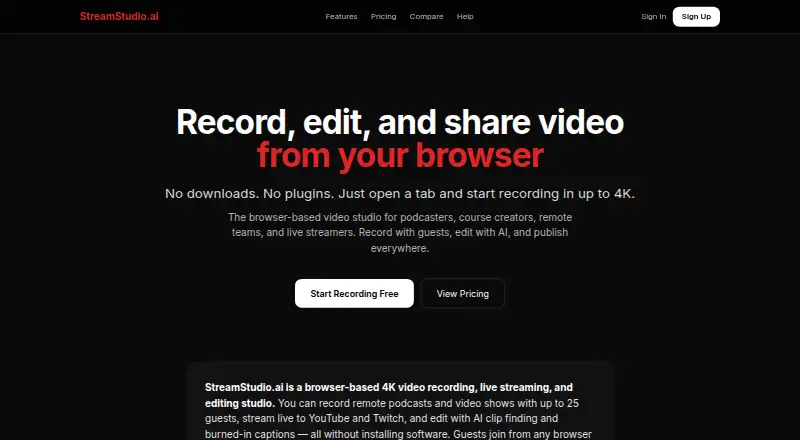
What StreamStudio.ai is
StreamStudio.ai is a browser-based studio for recording, live streaming, and editing video. It supports sessions with up to 25 guests and captures a separate audio track for each participant. Guests can join through a link without an account. The studio runs in Chrome, Edge, or Firefox without downloads or plugins, and offers Grid, Speaker, Present, Interview, and Solo layouts.
Its editor can trim and cut footage, reduce noise, remove silence, blur selected regions, and add burned-in captions. Generated captions include speaker labels; users can edit them and export them as SRT, VTT, or plain text. AI Clip Finder scans a transcript for suggested moments that can be extracted and exported vertically. Finished videos can be exported in horizontal, vertical, or square formats, with captions burned in if desired.
Live streaming supports YouTube, Twitch, Facebook, and RTMP destinations. If a stream drops, recording continues. The Free plan includes 5 recordings at 720p with a 30-minute limit. Paid plans start with Creator at $9 a month; Pro costs $19 a month, and Studio costs $29 a month. The service is presented for podcasters, interviewers, educators, course creators, and remote teams.
Who it suits
StreamStudio.ai suits podcasters and interviewers who record guests remotely, as well as educators and course creators who need video editing and captions. Remote teams and companies may also find its browser-based guest sessions and streaming options useful.
What it does well
- Records sessions with up to 25 guests and separate participant audio.
- Guests can join by link without an account.
- Works in Chrome, Edge, or Firefox without downloads or plugins.
- Exports speaker-labeled captions as SRT, VTT, or plain text.
- Supports YouTube, Twitch, Facebook, and RTMP streaming.
- Recording continues if a live stream drops.
What to know first
- The Free plan allows 5 recordings at 720p.
- Free recordings are limited to 30 minutes.
- Creator costs $9 a month.
- Pro team members cost an additional $5/mo each.
Limits
The Free plan includes 5 recordings at 720p, with a 30-minute limit. Creator costs $9 a month and includes 1080p, 20 recordings, and vertical export.
Plans
| Plan | Billed and limits | Price |
|---|---|---|
| Pro | Unlimited recordings · 1080p · 2 hr · AI clips · teams | $19 a month |
| Studio | 4K · 4 hr · streaming · analytics · watermark | $29 a month |
| Creator | 1080p · 20 recordings · vertical export | $9 a month |
| Free | 5 recordings · 720p · 30 min | On request |
As streamstudio.ai lists them, read 9 Oct 2026. The maker's own page has the final word.
Getting started
- Open https://streamstudio.ai/ in Chrome, Edge, or Firefox.
- Choose a plan: Free, Creator, Pro, or Studio.
- Start a browser recording session and invite guests by link.
- Choose one of the five studio layouts.
- Edit the recording, add or export captions, or prepare a video export.
- Connect a supported streaming destination if you want to go live.
Verdict
Pick StreamStudio.ai if you need browser-based guest recording, editing, captions, and live streaming in one studio. The Free plan is capped at 5 recordings and 30 minutes each, while paid plans start at $9 a month. Teams using Pro or Studio should account for the additional $5/mo per team member.
Questions
Is there a free plan?
Yes. Free includes 5 recordings at 720p, up to 30 minutes.
How much do the paid plans cost?
Creator is $9 a month, Pro is $19 a month, and Studio is $29 a month.
Which browsers does it support?
The site says it works in Chrome, Edge, or Firefox without downloads or plugins.
Do guests need an account?
Guests can join a recording session by link without an account.
Where can I live stream?
Streaming supports YouTube, Twitch, Facebook, and any RTMP destination.
What does an extra team member cost?
Additional team members cost $5/mo each on Pro and Studio plans.
Facts from StreamStudio.ai's own pages
- AI clips
- AI Clip Finder scans the transcript for suggested moments that users can extract and export vertically for social platforms. · streamstudio.ai, 9 Oct 2026
- Browser access
- The site says it works in Chrome, Edge, or Firefox without downloads or plugins, and guests can join by link without an account. · streamstudio.ai, 9 Oct 2026
- Captions and transcripts
- The service generates captions with speaker labels, which users can edit and export as SRT, VTT, or plain text. · streamstudio.ai, 9 Oct 2026
- Editing
- The built-in editor supports trimming, cutting, noise reduction, silence removal, region blur, and burned-in captions. · streamstudio.ai, 9 Oct 2026
- Exports
- Videos can be exported in horizontal, vertical, or square formats, with optional burned-in captions. · streamstudio.ai, 9 Oct 2026
- Guest recording
- The service supports recording sessions with up to 25 guests, with a separate audio track for each participant. · streamstudio.ai, 9 Oct 2026
- Infrastructure and AI
- The maker says it uses dedicated Hetzner servers, LiveKit, faster-whisper for on-server transcription, FFmpeg, and Anthropic Claude for AI clip suggestions and summaries. · streamstudio.ai, 9 Oct 2026
- Layouts
- The studio offers five layouts: Grid, Speaker, Present, Interview, and Solo. · streamstudio.ai, 9 Oct 2026
- Streaming integrations
- Live streaming supports YouTube, Twitch, Facebook, and any RTMP destination; the site says recording continues if the stream drops. · streamstudio.ai, 9 Oct 2026
- Support
- The contact page lists [email protected] and says the team typically responds within 24 hours. · streamstudio.ai, 9 Oct 2026
- Team pricing
- Additional team members cost $5/mo each on Pro and Studio plans. · streamstudio.ai, 9 Oct 2026
- What it does
- StreamStudio.ai is a browser-based studio for recording, live streaming, and editing video. · streamstudio.ai, 9 Oct 2026
- Who it is for
- The site describes the service as built for podcasters and interviewers, course creators and educators, and remote teams and companies. · streamstudio.ai, 9 Oct 2026
Where StreamStudio.ai stands on Freedom251
- Live Streaming Encoders#30 of 69
- Video Podcast Software#25 of 39
- Cloud Live Streaming Studios#15 of 22
- Podcast Recording Software#15 of 22