Freedom251 › AI Audio Mixing Software

StemMaster
What StemMaster is
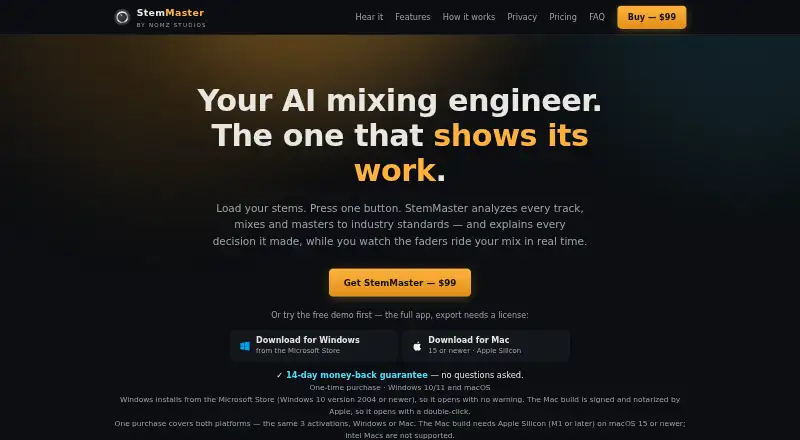
StemMaster is a standalone app that analyzes audio stems, mixes and masters them, and explains its processing decisions. It balances, pans, equalizes and compresses stems based on their measured roles, and can detect song sections to automate gain, pan, filters, reverb and stereo width. Its tools include a vocal rider and spectral unmasking to duck competing frequency ranges. A commercial reference track can guide tonal balance, width and dynamics while retaining the selected loudness target. Listed targets include Streaming −14, Club −9 and broadcast EBU R 128 −23 LUFS. It loads WAV, AIFF, FLAC, MP3 and OGG stems, with exports including 24-bit audio and 32-bit float WAV. The built-in analysis engine works offline; an optional AI engine uses your API key and sends measurement summaries, not audio, to the selected provider. It runs on supported Windows systems and Apple Silicon Macs, but not Intel Macs. The full demo requires a license to export. Subscriptions start at $9.99 per month; a lifetime license is $99, paid once.
Who it suits
StemMaster suits music creators who want to mix and master stems in a standalone app, including those working with supported DAWs. It is for users on supported Windows systems or Apple Silicon Macs; Intel Macs are unsupported.
What it does well
- Processes audio locally, according to the maker
- Built-in analysis works offline
- Accepts five listed stem formats
- Reference track can guide tonal balance and dynamics
What to know first
- Not a VST plugin
- Intel Macs are unsupported
- Demo requires a license to export
- Unlicensed playback includes a periodic audio tag
Limits
The free demo requires a license to export, and mastered playback includes a periodic audio tag until licensed. Monthly and annual licenses last through the paid period; the lifetime license includes free 1.x updates.
Plans
| Plan | Billed and limits | Price |
|---|---|---|
| Annual subscription | once a year · Up to 3 machines · Windows and macOS · License lasts through paid period | $59 a year |
| Lifetime license | one-time · Up to 3 machines · Windows and macOS · Free 1.x updates | $99, paid once |
| Monthly subscription | monthly; cancel any time · Up to 3 machines · Windows and macOS · License lasts through paid period | $9.99 a month |
As nomzstudios.com lists them, read 3 Oct 2026. The maker's own page has the final word.
Getting started
- Visit the StemMaster website.
- Use the free demo or choose a monthly, annual or lifetime license.
- Install it on a supported Windows PC or Apple Silicon Mac.
- Export stems from a DAW such as Ableton, FL Studio, Logic, Reaper or Cubase.
- Load supported audio stems and process them in StemMaster.
- Provide your own API key if you want to use an optional AI engine.
- Use a license to export without the demo restrictions.
StemMaster is a standalone app for analyzing, mixing and mastering audio stems, best suited to producers who want role-aware processing and local audio handling. Its section automation and reference matching make it more than a basic stem balancer, but it requires a separate-app workflow and a paid license to export.
Overview
StemMaster analyzes stems, mixes and masters them, and explains its processing decisions. It works with audio already separated into stems; it does not separate stems itself. Because it is standalone rather than a DAW plugin, users need to export stems from a DAW and continue the work in StemMaster. That is a sensible trade-off for producers comfortable moving between apps, but a poor fit for anyone who wants processing directly inside a DAW session.
The maker says analysis, mixing and mastering run locally and audio is never uploaded. Its built-in analysis engine works offline. The optional AI engine uses the user's API key with Anthropic, OpenAI, z.ai or compatible providers, sending measurement summaries rather than audio. The app has no account, usage tracking, crash reporting or analytics SDK, and stores API keys in the operating system credential store.
Key features
StemMaster balances, pans, equalizes and compresses stems according to their measured roles. It can also detect song sections and automate gain, pan, filters, reverb and stereo width by section. This gives producers a way to shape changes across a track rather than rely on one static balance. A vocal rider and spectral unmasking, which can duck competing frequency ranges, provide further control around vocals and masking.
Reference matching uses a commercial track to guide tonal balance, width and dynamics while retaining the selected loudness target. The available targets are Streaming −14, Club −9 and broadcast EBU R 128 −23 LUFS. StemMaster accepts WAV, AIFF, FLAC, MP3 and OGG stems, with multiple export formats including 24-bit audio and 32-bit float WAV.
The free demo includes the full app, but it cannot export, and mastered playback carries a periodic audio tag until licensed. It is useful for exploring the workflow, not for delivering a finished master.
Pricing
StemMaster has a free demo and three paid licenses. The demo lets users try the full app, but the export lock and playback tag make a paid license necessary for usable output.
- Monthly subscription: $9.99 a month, billed monthly; cancel any time. It covers Windows and macOS on up to 3 machines and lasts through the paid period. This suits occasional or short-term use without a larger upfront payment.
- Annual subscription: $59 a year, billed once a year. It includes the same platform coverage and up to 3 machines, with the license lasting through the paid period. It costs less than twelve monthly payments, but requires an annual commitment.
- Lifetime license: $99, paid once, billed one-time, for Windows and macOS on up to 3 machines, with free 1.x updates. It is the clearest fit for regular users who prefer to avoid recurring payments; the stated update entitlement is limited to 1.x.
Platforms
StemMaster runs on 64-bit Windows 10 version 2004 or newer and Windows 11, or on Apple Silicon Macs with macOS 15 or newer. Intel Macs are unsupported. Its standalone format means it does not require a plugin host, but producers must export and import stems between it and their DAW. The maker says it answers questions publicly in its Gearspace thread.
Who it's for
StemMaster suits producers who already have stems, want automated role-aware mixing and mastering controls, and prefer audio processing to stay local. It is less suitable for users who need stem separation, a DAW plugin, Intel Mac support, or a demo that can export finished audio.
Pros and cons
- Pros: Role-aware stem balancing, section-based automation, vocal tools and reference matching give producers several ways to shape a mix beyond static level adjustment.
- Pros: Local processing and offline built-in analysis keep audio on the user's machine; optional AI sends measurement summaries, not audio.
- Pros: Up to 3 machines are covered, and the lifetime license includes free 1.x updates.
- Cons: There is no DAW plugin or stem separation, so users must bring prepared stems into a separate app.
- Cons: The demo cannot export and adds a periodic audio tag to mastered playback, preventing a complete evaluation through deliverable files.
- Cons: Intel Macs are unsupported, and Apple Silicon users need macOS 15 or newer.
Alternatives
StemDesk is a better match for users looking for a free entry point with stem separation, analysis and mix targets, a local AI suite, and export; its free plan also includes Compressor, Gate and Limiter plugins.
Box is worth considering for Mac users who want session scanning, basic mix analysis and a stereo field view on a free plan, with a paid Pro option.
NeuroMix AI fits web users who want a free tier for occasional mixing, capped at 5 sessions and 5 downloads monthly, 10 MB uploads, and seven-day retention of mixed WAV files.
TonalBrain offers a lower-cost one-time Starter purchase at 9.00 USD for 50 credits, with credits that never expire; it suits users whose needs fit 1 credit per analysis run and up to 24 tracks per run.
Cryo Mix is a web-based alternative with a free trial.
EZmix 3 may suit users who prefer a DAW-hosted tool and can use its trial; the listed 69.00 EUR upgrade requires owning a previous EZmix version and eligibility is checked after login.
FUSER is another paid, trial-available option for users with a compatible 64-bit AU, VST 3 or AAX host on macOS or Windows; its listed one-time price is 59.00 GBP.
Browse the AI Audio Mixing Software category for more options.
Verdict
StemMaster is a strong choice for producers with prepared stems who want role-aware processing, section automation and reference matching without uploading audio. Its main advantage is the breadth of its standalone workflow; its main drawback is the need to leave the DAW, compounded by an export-locked demo and no stem separation. Choose it if those trade-offs fit your process, and look elsewhere if you need integrated plugin work or support for Intel Macs.
Verdict
StemMaster combines stem analysis, mix automation and mastering tools in a standalone workflow. Check its system requirements and license terms: the demo cannot export, and Intel Macs are unsupported.
Questions
How much does StemMaster cost?
The monthly subscription is $9.99 a month, billed monthly. The annual subscription is $59 a year, billed once a year. The lifetime license is $99, paid once.
Is there a free plan or trial?
There is a free demo and no free trial. The demo is the full app, but exporting requires a license and playback has a periodic audio tag until licensed.
Which platforms does StemMaster support?
It runs on 64-bit Windows 10 version 2004 or newer, Windows 11, and Apple Silicon Macs with macOS 15 or newer. Intel Macs are unsupported.
Is StemMaster a DAW plugin?
No. StemMaster is a standalone app, and its plugin format is standalone.
Does StemMaster upload audio for analysis?
Analysis, mixing and mastering run locally, and audio is not uploaded. The optional AI engine sends measurement summaries, not audio, to the selected provider.
What does each license cover?
Each listed plan supports up to three machines on Windows and macOS. Monthly and annual licenses last through the paid period; the lifetime license includes free 1.x updates.
Facts from StemMaster's own pages
- AI engines
- The built-in analysis engine works offline; the optional AI engine uses the user's own API key, with Anthropic, OpenAI, z.ai and compatible providers listed. · nomzstudios.com, 3 Oct 2026
- Audio formats
- It loads WAV, AIFF, FLAC, MP3 and OGG stems, and supports multiple export formats including 24-bit audio and 32-bit float WAV. · nomzstudios.com, 3 Oct 2026
- Automation
- It detects song sections and can automate gain, pan, filters, reverb and stereo width by section. · nomzstudios.com, 3 Oct 2026
- DAW workflow
- StemMaster is a standalone app rather than a VST plugin, and the FAQ describes exporting stems from DAWs such as Ableton, FL Studio, Logic, Reaper and Cubase. · nomzstudios.com, 3 Oct 2026
- Free demo
- The free demo is the full app, but exporting requires a license and mastered playback includes a periodic audio tag until licensed. · nomzstudios.com, 3 Oct 2026
- Headquarters
- Dubai, UAE · nomzstudios.com, 28 Sept 2026
- Loudness targets
- The listed targets are Streaming −14, Club −9 and broadcast EBU R 128 −23 LUFS. · nomzstudios.com, 3 Oct 2026
- Privacy
- The maker says analysis, mixing and mastering run locally and audio is never uploaded; the optional AI engine sends measurement summaries, not audio, to the selected provider. · nomzstudios.com, 3 Oct 2026
- Purpose
- StemMaster analyzes audio stems, mixes and masters them, and explains its processing decisions. · nomzstudios.com, 3 Oct 2026
- Reference matching
- Users can provide a commercial reference track to guide tonal balance, width and dynamics while retaining the selected loudness target. · nomzstudios.com, 3 Oct 2026
- Security and telemetry
- The privacy policy says the app has no account, usage tracking, crash reporting or analytics SDK, and stores API keys in the operating system credential store. · nomzstudios.com, 3 Oct 2026
- Stem mixing
- It balances, pans, EQs and compresses stems according to their measured roles. · nomzstudios.com, 3 Oct 2026
- Support
- The maker says it answers questions publicly in its Gearspace thread. · nomzstudios.com, 3 Oct 2026
- System requirements
- It runs on 64-bit Windows 10 version 2004 or newer and Windows 11, or Apple Silicon Macs on macOS 15 or newer; Intel Macs are unsupported. · nomzstudios.com, 3 Oct 2026
- Vocal and frequency tools
- Features include a vocal rider and spectral unmasking that can duck competing frequency ranges. · nomzstudios.com, 3 Oct 2026
Where StemMaster stands on Freedom251
- AI Audio Mixing Software#4 of 41