Freedom251 › Email Recovery Software
Stellar Repair for Exchange
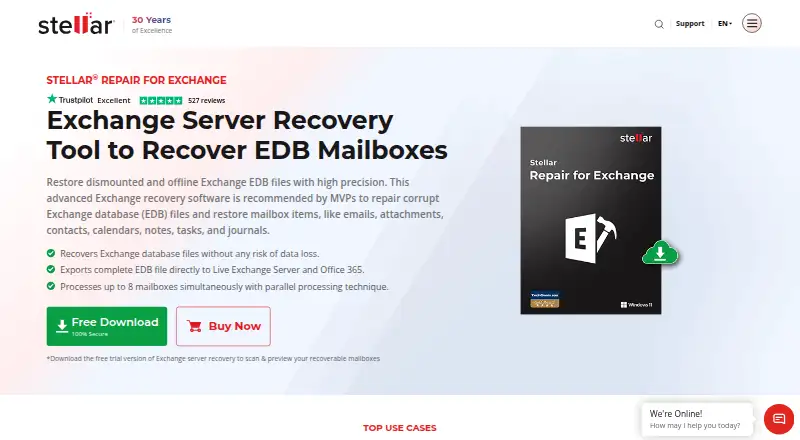
What Stellar Repair for Exchange is
Stellar Repair for Exchange is a Windows desktop tool for repairing corrupt or dismounted Exchange EDB files and recovering mailbox content. It can retrieve emails, attachments, contacts, calendars, notes, tasks, and journals, along with deleted mailboxes, archive mailboxes, and public folders. Quick Scan and Extensive Scan provide two ways to scan; Extensive Scan takes longer and offers an advanced scan option. Recovered mailboxes can be exported to Live Exchange Server, Office 365, or Microsoft 365, or saved as PST, MSG, EML, RTF, HTML, or PDF files. Public folder export requires access permissions to all mailboxes and the public folder root. The software processes up to eight mailboxes simultaneously, depending on available computer RAM, and its eDiscovery search can find individual items by sender, recipient, subject, attachment name, body, item type, importance, or date. The free trial scans and previews recoverable mailboxes. Paid choices include Corporate at $399 a year for 100 mailboxes on one system, Technician at $599, paid once for unlimited mailboxes, and Toolkit at $999, paid once for unlimited mailboxes and a 5-in-1 toolkit. Stellar Information Technology Pvt. Ltd. identifies itself as providing data care since 1993 and is headquartered in Gurugram, Haryana, India.
Who it suits
It suits Exchange administrators who need to repair EDB files and recover mailbox content on a supported Windows desktop or laptop. Teams choosing among licenses can match Corporate's 100-mailbox, single-system scope with Technician or Toolkit's unlimited mailbox options.
What it does well
- Recovers mailboxes, archives, deleted mailboxes, and public folders.
- Exports to Exchange, Microsoft 365, and six file formats.
- Searches mailbox items using detailed eDiscovery criteria.
- Processes up to eight mailboxes at once, depending on RAM.
- Trial scans and previews recoverable mailboxes.
What to know first
- Works only on a desktop or laptop.
- Public folder export requires specified mailbox and root permissions.
- No free plan is available.
Limits
The trial scans and previews recoverable mailboxes. Corporate covers 100 mailboxes on one system; Technician and Toolkit cover unlimited mailboxes. Processing up to eight mailboxes at once depends on available computer RAM.
Plans
| Plan | Billed and limits | Price |
|---|---|---|
| Corporate | 1 Year License · 100 mailboxes · single system | $399 a year |
| Technician | LifeTime License · Unlimited mailboxes · includes Corporate features | $599, paid once |
| Toolkit | LifeTime License · Unlimited mailboxes · 5-in-1 toolkit | $999, paid once |
As stellarinfo.com lists them, read 5 Oct 2026. The maker's own page has the final word.
Getting started
- Visit the Stellar Repair for Exchange website.
- Use a Windows desktop or laptop with a supported 64-bit Windows operating system.
- Start with the free trial to scan and preview recoverable mailboxes.
- Choose Corporate, Technician, or Toolkit if you need a paid license.
Verdict
Choose Stellar Repair for Exchange when you need EDB repair, mailbox recovery, and export options for Exchange or file formats. The trial lets you scan and preview recoverable mailboxes; paid plans begin with Corporate at $399 a year. Look elsewhere if you need a free plan or a mobile application.
Questions
Is there a free plan or trial?
There is no free plan, but a free trial scans and previews recoverable mailboxes.
How much do the plans cost?
Corporate costs $399 a year for 100 mailboxes on one system. Technician costs $599, paid once, and Toolkit costs $999, paid once; both include unlimited mailboxes.
Which operating systems does it support?
It supports 64-bit Windows 11, 10, 8.1, and 8, plus Windows Server 2022, 2019, 2016, and 2012. It works only on a desktop or laptop.
Which Exchange Server versions are supported?
The listed versions are Exchange Server Subscription Edition, 2019, 2016, 2013, 2010, 2007, 2003, 2000, and 5.5.
Who makes Stellar Repair for Exchange?
Stellar identifies the company as Stellar Information Technology Pvt. Ltd. and says it has provided data care since 1993. Its headquarters are in Gurugram, Haryana, India.
Facts from Stellar Repair for Exchange's own pages
- Additional recovery
- Supports recovery of deleted mailboxes, archive mailboxes, and public folders, with public folder export requiring access permissions to all mailboxes and the public folder root. · stellarinfo.com, 5 Oct 2026
- Company
- Stellar identifies itself as Stellar Information Technology Pvt. Ltd. and says it has been providing data care since 1993. · stellarinfo.com, 5 Oct 2026
- Desktop requirement
- The software works only on a desktop or laptop. · stellarinfo.com, 5 Oct 2026
- Exchange compatibility
- The specifications list support for Exchange Server Subscription Edition, 2019, 2016, 2013, 2010, 2007, 2003, 2000, and 5.5. · stellarinfo.com, 5 Oct 2026
- Exports
- Exports recovered mailboxes to Live Exchange Server, Office 365, or Microsoft 365, and saves data in PST, MSG, EML, RTF, HTML, or PDF formats. · stellarinfo.com, 5 Oct 2026
- Founded
- 1993 · stellarinfo.com, 28 Sept 2026
- Headquarters
- The company page lists its U.S. address as 1325 Main Street, Suite #1404, Katy, TX 77494, United States. · stellarinfo.com, 5 Oct 2026
- Mailbox processing
- Can process up to eight mailboxes simultaneously, with the number depending on available computer RAM. · stellarinfo.com, 5 Oct 2026
- Operating systems
- The product supports 64-bit Windows 11, 10, 8.1, 8, and Windows Server 2022, 2019, 2016, and 2012. · stellarinfo.com, 5 Oct 2026
- Purpose
- Repairs corrupt or dismounted Exchange EDB files and recovers mailbox items such as emails, attachments, contacts, calendars, notes, tasks, and journals. · stellarinfo.com, 5 Oct 2026
- Scanning
- Offers Quick Scan and Extensive Scan modes, with Extensive Scan taking longer and providing an advanced scan option. · stellarinfo.com, 5 Oct 2026
- Search
- Includes eDiscovery searches for individual mailbox items using criteria such as sender, recipient, subject, attachment name, body, item type, importance, and date. · stellarinfo.com, 5 Oct 2026
- Security
- The product page labels the download 100% secure and says repaired large EDB data integrity and security are maintained during repair and recovery. · stellarinfo.com, 5 Oct 2026
- Trial
- The free trial scans and previews recoverable mailboxes; the page does not state a trial duration. · stellarinfo.com, 5 Oct 2026
Where Stellar Repair for Exchange stands on Freedom251
- Email Recovery Software#17 of 33