Freedom251 › Email Recovery Software
Remo Convert OST to PST
What Remo Convert OST to PST is
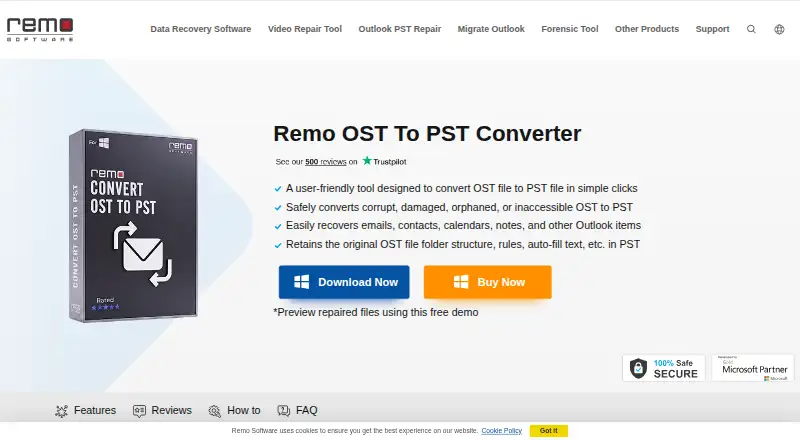
Remo Convert OST to PST is Windows software for converting Outlook OST files into PST files, including corrupt, damaged, orphaned, encrypted, password-protected, or inaccessible files. It can recover emails, attachments, contacts, calendars, notes, tasks, and other Outlook items. The resulting PST keeps the original folder structure, rules, and auto-fill text. Remo describes the process as read-only: it creates a copy of the OST and leaves existing Outlook data unchanged. Conversion works from the OST file alone, without a connected Outlook profile or Exchange server. Compatibility includes OST files from Exchange 5.0 through 2019, Outlook 365, and IMAP accounts. The demo scans and previews Outlook items, while saving the converted PST requires a full license. Windows support covers Windows 11, 10, 8.1, 8, and 7. Licenses include a one-month option at $69.97 per month, a six-month option at $79.97 per 6 months, and a lifetime option at $199.97 once. The product advertises technical support available 24/7.
Who it suits
It suits Windows users who need to recover Outlook mailbox content from damaged, orphaned, inaccessible, encrypted, or password-protected OST files. It is also useful when conversion must work without an Outlook profile or Exchange server and when preserving mailbox structure matters.
What it does well
- Handles corrupt, damaged, orphaned, and inaccessible OST files
- Recovers emails, contacts, calendars, notes, tasks, and attachments
- Preserves folders, rules, and auto-fill text
- Read-only conversion leaves original Outlook data unchanged
- Works without an Outlook profile or Exchange server
- Supports encrypted and password-protected OST files
What to know first
- Saving converted PST files requires a paid license
- Windows-only compatibility
- Demo is limited to scanning and previewing items
Limits
The demo can scan and preview Outlook items but cannot save the converted PST. The one-month license is for one PC, while the six-month and lifetime licenses include one PC with their stated support and recovery terms.
Plans
| Plan | Billed and limits | Price |
|---|---|---|
| Lifetime License | $199.97 · 1 PC · remote advanced file repair assistance · unlimited recovery · free standard tech support | $199.97, paid once |
| 1 Month License | $69.97 / month · 1 PC · Standard Tech Support · monthly license | $69.97 a month |
| 6 Months License | $79.97 / 6 months; page also says "$49.97 Semi-Annually. First 6 Months $79.97" · 1 PC · remote advanced file repair assistance · auto renews; cancel anytime | $79.97 a month |
As remosoftware.com lists them, read 11 Oct 2026. The maker's own page has the final word.
Getting started
- Open the Remo Convert OST to PST website
- Install the Windows application
- Choose an OST file to scan
- Preview recovered Outlook items
- Select a license to save the converted PST
Verdict
Pick Remo Convert OST to PST when you need Windows-based recovery of difficult OST files while preserving mailbox organization. Its read-only workflow and OST-only operation are useful for standalone recovery. Look elsewhere if you need macOS support or PST recovery.
Questions
What does Remo Convert OST to PST recover?
It can recover emails, attachments, contacts, calendars, notes, tasks, and other Outlook items from OST files.
Does it require Outlook or Exchange?
No. Conversion works with only the OST file and does not require a connected Outlook profile or Exchange server.
Which Windows versions are supported?
The product lists Windows 11, 10, 8.1, 8, and 7.
Can I preview results before exporting?
Yes. The demo scans and previews Outlook items, but saving the converted PST requires the full version.
What licenses are offered?
The listed plans are $69.97 per month for one month, $79.97 per 6 months, or $199.97 once for lifetime use.
Can it convert protected OST files?
Yes. The product says it converts encrypted and password-protected OST files.
Facts from Remo Convert OST to PST's own pages
- Company history
- Remo Software says it was officially founded in 2011 in India. · remosoftware.com, 11 Oct 2026
- Compatibility
- The product page lists OSTs from Exchange 5.0 through 2019 and Outlook 365, including IMAP OST files. · remosoftware.com, 11 Oct 2026
- Exchange and Outlook independence
- The FAQ says conversion works with only the OST file and does not require a connected Outlook profile or Exchange server. · remosoftware.com, 11 Oct 2026
- Founded
- 2011 · remosoftware.com, 28 Sept 2026
- Free demo
- The demo can scan and preview Outlook items, but saving the converted PST is restricted to the full version. · remosoftware.com, 11 Oct 2026
- Headquarters
- Cupertino, California, USA · remosoftware.com, 28 Sept 2026
- Mailbox data
- It can recover emails, attachments, contacts, calendars, notes, tasks, and other Outlook items from OST files. · remosoftware.com, 11 Oct 2026
- Preserves structure
- The product says it retains the original folder structure, rules, and auto-fill text in the converted PST. · remosoftware.com, 11 Oct 2026
- Privacy and security
- Remo's privacy policy says it uses SSL encryption for information in transit, encryption for customer-list information, and a firewall for its web server. · remosoftware.com, 11 Oct 2026
- Protected files
- The product says it can convert encrypted and password-protected OST files to PST. · remosoftware.com, 11 Oct 2026
- Purpose
- The software converts OST files to PST, including corrupt, damaged, orphaned, or inaccessible files. · remosoftware.com, 11 Oct 2026
- Read-only conversion
- Remo describes its interface as read-only and says conversion creates a copy of the OST without altering existing Outlook data. · remosoftware.com, 11 Oct 2026
- Support
- The product page advertises a technical support team available 24/7. · remosoftware.com, 11 Oct 2026
- Windows support
- The product page lists Windows 11, 10, 8.1, 8, and 7 compatibility. · remosoftware.com, 11 Oct 2026
Where Remo Convert OST to PST stands on Freedom251
- Email Recovery Software#16 of 33