Freedom251 › AI Video Stabilization Software
Stabilizo
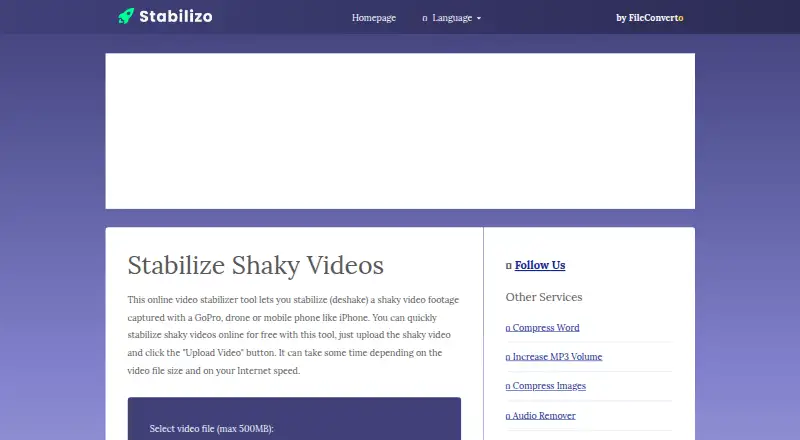
What Stabilizo is
Stabilizo is a free online tool for stabilizing shaky video footage captured on a GoPro, drone or mobile phone such as an iPhone. The workflow is to upload a video and select “Upload Video” to begin stabilization. Its Free plan costs nothing and accepts a maximum video file size of 500MB. Stabilization runs in the cloud, and processing time can vary with file size and internet speed. The page provides examples of both shaky and stabilized footage. Stabilizo is available on the web. Its homepage identifies FileConverto in the site menu and copyright notice. FileConverto says uploaded files are automatically removed from its servers after a few hours and cannot be recovered afterward. It also says uploads do not have a displayed progress indicator, though Chrome's built-in upload progress is suggested as an option. For support, FileConverto recommends emailing its webmaster and following up if there is no response within 24 to 72 hours.
Who it suits
Stabilizo may suit people who want to stabilize a video clip online, including footage from action cameras, drones or phones. It is for users with videos no larger than 500MB.
What it does well
- Free web-based video stabilization
- Accepts footage from GoPros, drones and mobile phones
- Example shaky and stabilized videos are provided
What to know first
- Maximum upload size is 500MB
- Processing time depends on file size and internet speed
- Upload progress is not displayed
- Uploaded files are removed after a few hours
Limits
The Free plan accepts uploads up to 500MB. Processing time can vary depending on the video file size and internet speed.
Plans
| Plan | Billed and limits | Price |
|---|---|---|
| Free | video upload up to 500MB | Free |
As stabilizo.com lists them, read 10 Oct 2026. The maker's own page has the final word.
Getting started
- Visit stabilizo.com.
- Upload a video file up to 500MB.
- Click “Upload Video” to start stabilization.
- Allow time for cloud processing, which can vary with file size and internet speed.
Verdict
Stabilizo offers a simple cloud workflow for stabilizing eligible video uploads at no cost. The 500MB limit and variable processing time are worth considering before uploading.
Questions
How much does Stabilizo cost?
The Free plan costs nothing.
What is Stabilizo used for?
It is an online tool for stabilizing shaky video footage captured with a GoPro, drone, or mobile phone such as an iPhone.
What is the upload size limit?
The page sets a maximum video file size of 500MB.
How do I use Stabilizo?
Upload a video and click “Upload Video” to start stabilization. Processing runs in the cloud.
Are uploaded files kept?
FileConverto says files uploaded to its services are automatically removed from its servers after a few hours and cannot be recovered afterward.
Does Stabilizo show upload progress?
FileConverto says it does not show upload progress and suggests Chrome’s built-in upload progress as an option.
Facts from Stabilizo's own pages
- Brand association
- The Stabilizo homepage identifies FileConverto in its site menu and copyright notice. · stabilizo.com, 10 Oct 2026
- Examples
- The page includes an example shaky video and an example stabilized video. · stabilizo.com, 10 Oct 2026
- File deletion
- FileConverto says files uploaded to its services are automatically removed from its servers after a few hours and cannot be recovered afterward. · fileconverto.com, 10 Oct 2026
- Free use
- The maker describes the online stabilization tool as free to use. · stabilizo.com, 10 Oct 2026
- Processing time
- Stabilization can take time depending on the video file size and internet speed. · stabilizo.com, 10 Oct 2026
- Purpose
- Stabilizo is an online tool for stabilizing shaky video footage captured with a GoPro, drone, or mobile phone such as an iPhone. · stabilizo.com, 10 Oct 2026
- Related tool
- FileConverto lists a Video Stabilizer among its video tools. · fileconverto.com, 10 Oct 2026
- Support
- FileConverto recommends contacting its webmaster by email and says to follow up if there is no reply within 24 to 72 hours. · fileconverto.com, 10 Oct 2026
- Upload limit
- The page sets a maximum video file size of 500MB. · stabilizo.com, 10 Oct 2026
- Upload progress
- FileConverto says it does not show upload progress and suggests Chrome's built-in upload progress as an option. · fileconverto.com, 10 Oct 2026
- Workflow
- Users upload a video and click “Upload Video” to start stabilization. · stabilizo.com, 10 Oct 2026
Where Stabilizo stands on Freedom251
- AI Video Stabilization Software#21 of 33