Freedom251 › SQL Linters and Formatters
SQL Formatter VSCode
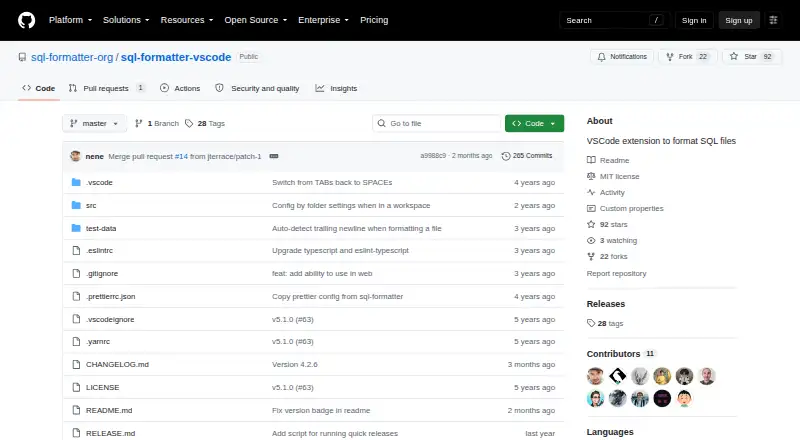
What SQL Formatter VSCode is
SQL Formatter VSCode is the official VSCode extension for formatting SQL files, built around the SQL Formatter library. Its listed dialects include BigQuery, DB2 for LUW and IBM i, DuckDB, Hive, MariaDB, MySQL, N1QL, PL/SQL, PostgreSQL, Amazon Redshift, SingleStoreDB, Snowflake, Spark, SQLite, Trino, and Transact-SQL. When the extension cannot identify a dialect, it falls back to generic SQL, which the project describes as suitable for basic and common statements.
Formatting settings cover keyword, data type, function, and identifier casing; indentation; logical operator line breaks; expression width; spacing around operators; and semicolon placement. The extension can follow VSCode's tab size and spaces settings or use its own configuration. Dialect detection depends on information from VSCode, so it can vary with the editor environment and installed extensions. The underlying JavaScript library also offers a command-line interface and npm package. It does not support stored procedures or changing the delimiter from a semicolon, and SQL templating syntax is not directly supported, though the library documents a parameter-placeholder workaround for common cases. The project is in maintenance mode, with feasible bug fixes but likely no new features. The extension is free and MIT-licensed.
Who it suits
This extension suits people who format SQL files in VSCode and want control over casing, indentation, and other layout choices. Its dialect list may fit users working with one of its named SQL dialects, while the fallback covers basic and common SQL statements.
What it does well
- Free, MIT-licensed VSCode extension.
- Lists support for 17 SQL dialects.
- Offers configurable casing, indentation, and line-break options.
- Can use VSCode editor spacing settings or its own configuration.
- Automatic formatting fixes are available.
What to know first
- Does not support stored procedures.
- Cannot change the delimiter from a semicolon.
- SQL templating syntax is not directly supported.
- The project is in maintenance mode, with likely no new features.
Limits
The free extension does not support stored procedures or delimiters other than semicolons. SQL templating syntax is not directly supported, and the project is in maintenance mode with likely no new features.
Plans
| Plan | Billed and limits | Price |
|---|---|---|
| Free | MIT-licensed VSCode extension for formatting SQL files | Free |
As github.com lists them, read 4 Oct 2026. The maker's own page has the final word.
Getting started
- Open the SQL Formatter VSCode repository or its Visual Studio Marketplace listing.
- Install the extension in VSCode.
- Choose a listed SQL dialect or use the generic SQL fallback when a specific dialect is not detected.
- Adjust formatting settings, including casing, indentation, operator spacing, and semicolon placement.
Verdict
Pick SQL Formatter VSCode if you want configurable SQL formatting inside VSCode at no cost. Look elsewhere if your workflow depends on stored procedures, custom delimiters, or direct SQL templating support; the project also says it is unlikely to add new features.
Questions
How much does SQL Formatter VSCode cost?
The extension is free: its listed plan is free. It is MIT-licensed.
Which editor does it work with?
It is a VSCode extension for formatting SQL files.
Which SQL dialects are supported?
The list includes BigQuery, DB2 for LUW and IBM i, DuckDB, Hive, MariaDB, MySQL, N1QL, PL/SQL, PostgreSQL, Amazon Redshift, SingleStoreDB, Snowflake, Spark, SQLite, Trino, and Transact-SQL.
What happens if the extension cannot detect my dialect?
It defaults to generic SQL, which the project describes as suitable for basic and common SQL statements. Detection depends on information provided by VSCode and can vary with the user's environment and installed extensions.
Does it support SQL templating?
Templating syntax is not directly supported by the underlying library. Its README documents a parameter-placeholder workaround for common cases.
Is the project actively adding features?
The underlying formatter project describes itself as being in maintenance mode. It says feasible bug fixes may be made, but new features are unlikely.
Facts from SQL Formatter VSCode's own pages
- Dialect fallback
- If it cannot detect a specific dialect, the extension defaults to generic SQL, which the README describes as suitable for basic and common SQL statements. · github.com, 4 Oct 2026
- Dialect support
- The extension lists dialects including BigQuery, DB2, DuckDB, Hive, MariaDB, MySQL, PL/SQL, PostgreSQL, Redshift, Snowflake, Spark, SQLite, Trino, and TransactSQL. · github.com, 4 Oct 2026
- Editor settings
- The extension can use VSCode tab size and spaces settings or override them through its configuration options. · github.com, 4 Oct 2026
- Formatting options
- Settings include keyword, data type, function, and identifier casing, indentation, logical operator line breaks, expression width, spacing around operators, and semicolon placement. · github.com, 4 Oct 2026
- Integration
- The project identifies the product as a VSCode extension and links to the Visual Studio Marketplace as its extension listing. · github.com, 4 Oct 2026
- Intended users
- The project describes the extension as a tool for formatting SQL files in VSCode. · github.com, 4 Oct 2026
- Library limitations
- The underlying library does not support stored procedures or changing the delimiter from a semicolon. · github.com, 4 Oct 2026
- Maintenance
- The underlying formatter project says it is in maintenance mode, with feasible bug fixes but likely no new features. · github.com, 4 Oct 2026
- Purpose
- SQL Formatter VSCode is the official VSCode extension of the SQL Formatter library and formats SQL files. · github.com, 4 Oct 2026
- Related library
- The underlying SQL Formatter library is a JavaScript library for pretty-printing SQL queries and also offers a command-line interface and npm package. · github.com, 4 Oct 2026
- Security and license
- The extension repository identifies an MIT license and does not describe security certifications or compliance claims in its README. · github.com, 4 Oct 2026
- Support
- The extension README directs users to report issues through the SQL Formatter library's GitHub issue tracker and recommends reading its FAQ first. · github.com, 4 Oct 2026
- Templating limitation
- SQL templating syntax is not directly supported by the underlying library, though its README documents a parameter-placeholder workaround for common cases. · github.com, 4 Oct 2026
- VSCode environment
- Dialect detection depends on information provided by VSCode and can vary with the user's VSCode environment and installed extensions. · github.com, 4 Oct 2026
Where SQL Formatter VSCode stands on Freedom251
- SQL Linters and Formatters#20 of 26