Freedom251 › Church Presentation Software
Spresenter
What Spresenter is
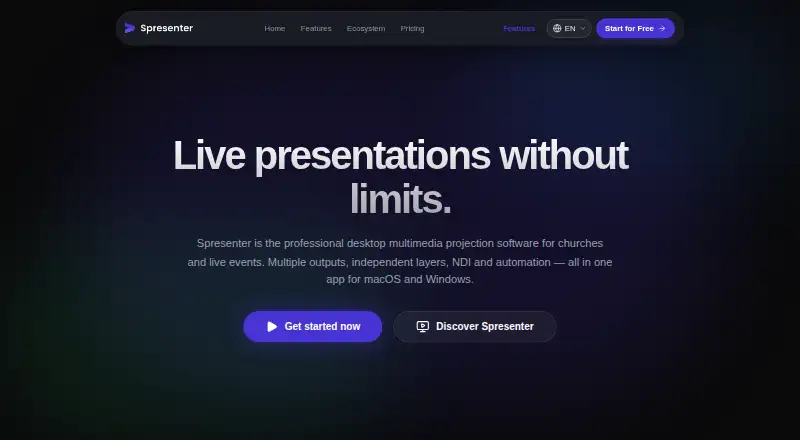
Spresenter is desktop multimedia projection software for churches and live events. It displays lyrics, scripture, slides, videos, and backgrounds. Its layer system can combine these elements, with separate controls for each layer’s opacity, visibility, and blend mode. Spresenter can send different content to monitors, projectors, and network streams at once, including a main screen, stage return, and livestream.
Each output can be published as a native web page for use with OBS Browser Source or vMix Web Input, at 1080p over a local network. Integrated song and Bible search handles full-text queries for lyric excerpts, verse text, or titles, and ignores accents. The site lists Google Docs, NDI, OSC, and Worshipwide integrations; Worshipwide provides access to animated backgrounds and motion assets. The homepage describes native NDI as an experimental feature in development.
The Free plan costs nothing and includes up to three independent layers, one virtual output plus one stage return, all content types, and community support. Pro costs $26 a month per license and adds tools including projector blending for two or more projectors, timecode and NDI, VFX, Timeline, and Alpha Channel. The maker says core features work offline; Pro license validation uses a 24-hour cache. Spresenter runs on macOS and Windows, and desktop licenses are per seat and tied to a workspace.
Who it suits
Spresenter suits churches and live event teams that need to project lyrics, scripture, slides, video, or backgrounds across multiple screens. Its output and layer controls also suit teams sending different content to a main display, stage return, or livestream.
What it does well
- Combines lyrics, slides, videos, and backgrounds in layers.
- Can send different content to multiple outputs simultaneously.
- Publishes outputs as web pages for OBS or vMix.
- Song and Bible search supports full-text queries.
- Maker says core features work offline.
What to know first
- Available for macOS and Windows only.
- Free plan is limited to three independent layers.
- Desktop licenses are per seat and tied to a workspace.
- Native NDI is described as experimental and in development.
Limits
The Free plan allows up to three independent layers and one virtual output plus one stage return. Pro license validation uses a 24-hour cache when working offline.
Plans
| Plan | Billed and limits | Price |
|---|---|---|
| Free | up to 3 independent layers · 1 virtual output + 1 stage return · all content types · simplified theme editor · instant full-text search · community support | Free |
| Pro | per license · Everything in the Plus plan · projector blending (2+ projectors) · timecode and NDI · VFX, Timeline and Alpha Channel · priority specialized support | $26 a month |
As spresenter.com lists them, read 7 Oct 2026. The maker's own page has the final word.
Getting started
- Open https://spresenter.com/en.
- Install Spresenter on macOS or Windows.
- Start with the Free plan or choose Pro at $26 a month per license.
- Build a display from lyrics, scripture, slides, video, or backgrounds using layers.
- Set up the outputs for monitors, projectors, or network streams.
Verdict
Choose Spresenter if your church or live event needs layered projection and separate content for screens, stage return, and livestream. Pro is the option for projector blending and the listed advanced production tools; its license costs $26 a month per license.
Questions
Is Spresenter free?
Yes. Its Free plan costs nothing and includes up to three independent layers, one virtual output plus one stage return, all content types, and community support.
How much does Pro cost?
Pro costs $26 a month per license.
Which platforms does Spresenter support?
Spresenter is available for macOS and Windows.
Can it work offline?
The maker says all core features work offline. Pro license validation uses a 24-hour cache.
What integrations does it list?
The site lists Google Docs, NDI, OSC, and Worshipwide. Its homepage describes native NDI as an experimental feature in development.
How are desktop licenses assigned?
Licensing is per seat and tied to a workspace. Each machine activation uses one seat, which can be freed by deactivating a machine in the panel.
Facts from Spresenter's own pages
- Broadcast
- Each output can be published as a native web page for use with OBS Browser Source or vMix Web Input at 1080p over a local network. · spresenter.com, 7 Oct 2026
- Data and payments
- The privacy policy says Stripe processes card payments and Spresenter does not receive or store card numbers, CVV, or bank details. · spresenter.com, 7 Oct 2026
- Free support
- Free plan support takes place in Discord, which the maker says is free to join and does not require a Spresenter account. · spresenter.com, 7 Oct 2026
- Headquarters
- São Paulo, Brazil · spresenter.com, 28 Sept 2026
- Integrations
- The site lists Google Docs, NDI, OSC, and Worshipwide; Worshipwide provides access to animated backgrounds and motion assets. · spresenter.com, 7 Oct 2026
- Intended users
- The maker describes Spresenter as a tool for churches and live events. · spresenter.com, 7 Oct 2026
- Layers
- Layers can combine lyrics, slides, videos, and backgrounds, with independent opacity, visibility, and blend modes. · spresenter.com, 7 Oct 2026
- License limit
- Desktop licensing is per seat and tied to a workspace; each machine activation uses one seat, which can be freed by deactivating a machine in the panel. · spresenter.com, 7 Oct 2026
- Multiple outputs
- It can send different content to monitors, projectors, and network streams, including a main screen, stage return, and livestream simultaneously. · spresenter.com, 7 Oct 2026
- NDI status
- The homepage says native NDI is in development as an experimental feature. · spresenter.com, 7 Oct 2026
- Offline use
- The maker says all core features work offline; Pro license validation uses a 24-hour cache. · spresenter.com, 7 Oct 2026
- Privacy and security
- The privacy policy lists TLS/HTTPS in transit, bcrypt password hashing, role-based access controls, rate limiting, network isolation, periodic backups, and audit logs with PII masking. · spresenter.com, 7 Oct 2026
- Pro projection tools
- Pro includes GPU-based edge blending for multiple projectors and Display Slices for sending independent canvas sections to LED panel areas. · spresenter.com, 7 Oct 2026
- Purpose
- Spresenter is desktop multimedia projection software for churches and live events. · spresenter.com, 7 Oct 2026
- Search and content
- Integrated song and Bible search supports full-text queries that ignore accents and can search lyric excerpts, verse text, or titles. · spresenter.com, 7 Oct 2026
Where Spresenter stands on Freedom251
- Church Presentation Software#21 of 35