Spot the Station
What Spot the Station is
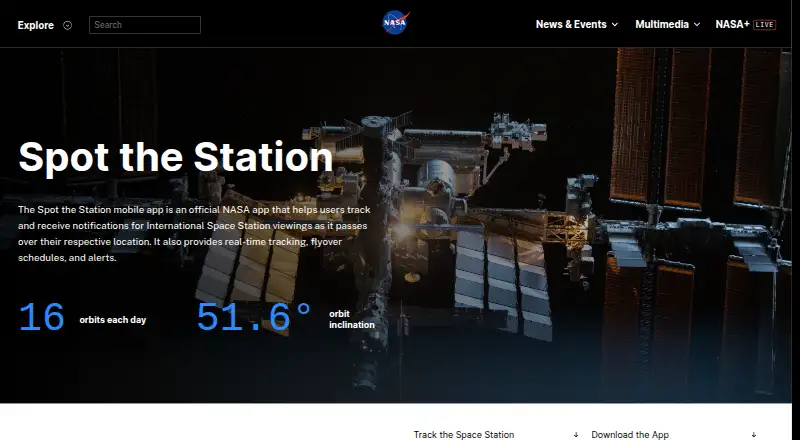
Spot the Station is NASA’s free mobile app for tracking International Space Station viewing opportunities at a chosen location. It provides real-time tracking, flyover schedules, and alerts; users can configure advance notifications up to 48 hours before a pass. Sighting lists include visibility information, and the app offers 2D and 3D station views alongside an augmented reality camera view. NASA resources and a blog provide additional learning material. NASA says viewing information is available worldwide for most inhabited locations and in multiple languages. The app is available on iOS and Android. The iOS listing requires iOS 15.1 or later on iPhone and iPod touch, or iPadOS 15.1 or later on iPad. NASA also publishes current station trajectory data in .txt and .xml formats, updated approximately three times a week; the app’s open-source code can be modified for other projects. NASA warns that the app may not properly report all visible passes for locations north or south of 51.6 degrees latitude.
Who it suits
Spot the Station suits people who want to find upcoming ISS passes, receive viewing alerts, and learn about the station. Its stated coverage includes most inhabited locations worldwide, with a caveat for higher latitudes.
What it does well
- Real-time tracking, schedules, and alerts
- Advance alerts configurable up to 48 hours
- 2D, 3D, and augmented reality views
- Available worldwide for most inhabited locations
- Free on iOS and Android
What to know first
- May miss visible passes beyond 51.6 degrees latitude
- iOS requires version 15.1 or later
- Android data safety says data deletion is unavailable
Limits
NASA says visible-pass reporting may not properly cover locations north or south of 51.6 degrees latitude. The iOS app requires iOS 15.1 or later, or iPadOS 15.1 or later on iPad.
Plans
| Plan | Billed and limits | Price |
|---|---|---|
| Spot the Station | Free app; iOS and Android | Free |
As nasa.gov lists them, read 9 Oct 2026. The maker's own page has the final word.
Getting started
- Open NASA’s Spot the Station website
- Install the Android or iOS app
- Allow location access for local viewing information
- Choose a sighting and configure advance notifications
- Use station views or the AR camera to identify the station in the sky
Verdict
Spot the Station pairs pass tracking and alerts with station views and learning resources at no charge. Check the latitude caveat and, on iOS, the minimum operating system requirement for your location and device.
Questions
Is Spot the Station free?
Yes. NASA lists it as a free app on iOS and Android, priced at $0.
Which platforms are supported?
The app supports Android and iOS. On Apple devices, the listing requires iOS 15.1 or later, or iPadOS 15.1 or later on iPad.
How early can alerts arrive?
NASA says users can configure notifications up to 48 hours before a station pass.
Does it work worldwide?
NASA says it is available worldwide and provides viewing information for most inhabited locations, with multiple language support.
Is the app open source?
NASA says the mobile app’s open-source code can be modified and used for other projects.
What privacy information is given?
Android says no third-party data sharing, while location, app activity, and app information and performance may be collected. Apple says location, user content, and diagnostics may be collected without linking them to identity.
Facts from Spot the Station's own pages
- Android data safety
- Google Play says the app shares no data with third parties, may collect location, app activity, and app information and performance, encrypts data in transit, and does not allow data deletion. · play.google.com, 9 Oct 2026
- Availability
- NASA says the app is available worldwide and provides viewing information for most inhabited locations in multiple languages. · nasa.gov, 9 Oct 2026
- iOS privacy disclosure
- Apple’s listing says location, user content, and diagnostics may be collected but are not linked to the user’s identity. · apps.apple.com, 9 Oct 2026
- iOS support
- The iOS listing says the app requires iOS 15.1 or later on iPhone and iPod touch, or iPadOS 15.1 or later on iPad. · apps.apple.com, 9 Oct 2026
- Languages
- The iOS listing names English, Dutch, French, German, Hindi, Italian, Japanese, Polish, Portuguese, Russian, Spanish, Swedish, Turkish, and Ukrainian. · apps.apple.com, 9 Oct 2026
- Mobile features
- The app listing describes 2D and 3D station views, sighting lists with visibility data, an augmented reality camera view, NASA resources and blog, privacy settings, and push notifications. · play.google.com, 9 Oct 2026
- Notification timing
- NASA’s app-store response says users can configure advance sighting notifications up to 48 hours before a pass. · apps.apple.com, 9 Oct 2026
- Open source
- NASA says the mobile app’s open-source code can be modified and used for other projects. · nasa.gov, 9 Oct 2026
- Platforms
- NASA’s page links to the App Store and Google Play for downloads. · nasa.gov, 9 Oct 2026
- Public trajectory data
- NASA provides current station trajectory data in Orbit Ephemeris Message .txt and .xml formats, updated approximately three times a week. · nasa.gov, 9 Oct 2026
- Purpose
- The official NASA app helps users track International Space Station viewings at their location and receive notifications. · nasa.gov, 9 Oct 2026
- Tracking
- The app provides real-time tracking, flyover schedules, and alerts. · nasa.gov, 9 Oct 2026
- Viewing limitation
- NASA says the app may not properly report all visible passes for locations north or south of 51.6 degrees latitude. · nasa.gov, 9 Oct 2026
Where Spot the Station stands on Freedom251
- Astronomy Apps#26 of 35