Freedom251 › Speech-to-Text Software
Spoke
What Spoke is
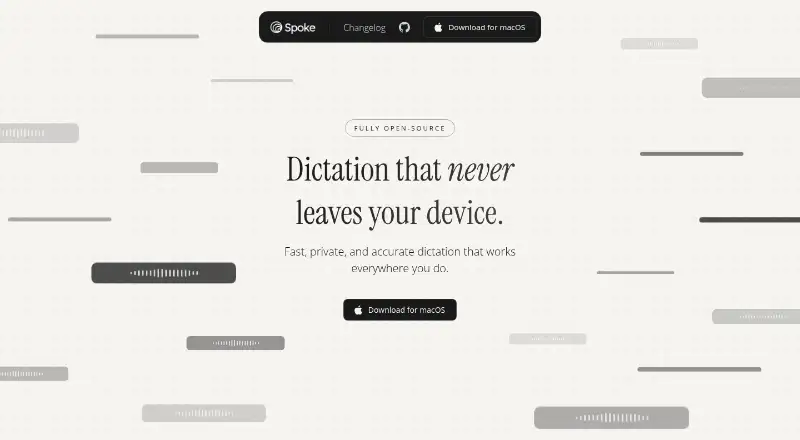
Spoke is a macOS dictation app that turns speech into text at the active cursor. It supports live capture and more than 99 languages, and the maker says it works offline without an internet connection or an account. Voice processing happens on the device, according to the maker, and audio is not uploaded or stored in the cloud. The app is described as free and open source, with a Basic plan at no cost that allows 1,000 words per week. Edit Mode is included on Basic but counts against that weekly allowance. Pro costs $10 a month and includes unlimited Smart Dictation, unlimited Edit Mode usage, and priority support. Teams is also listed at $10 a month; centralized billing and admin controls are marked as coming soon.
Spoke inserts dictated words wherever you type. Its privacy policy says it collects account details, high-level usage data, and device telemetry such as app version and error details. The policy says audio is not retained, telemetry is deleted approximately every 14 days, and account information remains until the account is deleted. Listed safeguards include TLS in transit, encryption at rest where applicable, least-privilege access controls, and vendor reviews. Transcription performance can depend on audio quality, background noise, models, and network conditions. The Terms say the app is not intended for emergency or life-critical use.
Who it suits
Spoke suits macOS users who want to dictate text into the active field, including when offline, and value on-device voice processing. Its Basic plan may fit lighter use, while Pro is for people who need unlimited dictation and Edit Mode usage.
What it does well
- Works offline without an internet connection or account.
- Processes voice on-device; audio is not uploaded or cloud-stored.
- Supports 99+ languages and live capture.
- Types dictated text at the active cursor.
- Free and open source.
- Pro includes unlimited Edit Mode and priority support.
What to know first
- Basic is limited to 1,000 words per week.
- Basic Edit Mode counts toward the weekly word quota.
- Teams billing and admin controls are marked as coming soon.
- Available platform listed is macOS.
Limits
Basic allows 1,000 words per week, and Edit Mode uses that same quota. Pro provides unlimited Smart Dictation and Edit Mode usage for $10 a month; Teams is listed at $10 a month, with its billing and admin controls coming soon.
Plans
| Plan | Billed and limits | Price |
|---|---|---|
| Basic | 1000 words per week · Edit Mode uses word quota · 99+ languages | Free |
| Teams | Centralized billing · Admin controls · Coming Soon | $10 a month |
| Pro | Unlimited Smart Dictation · Unlimited Edit Mode usage · Priority support | $10 a month |
As spoke.so lists them, read 9 Oct 2026. The maker's own page has the final word.
Getting started
- Visit the Spoke website.
- Use the macOS app.
- Choose Basic at no cost or Pro at $10 a month.
- Dictate with live capture into the active cursor.
- Use Edit Mode within the Basic weekly word allowance or with unlimited Pro usage.
Verdict
Pick Spoke if you want offline macOS dictation with on-device voice processing and a free weekly allowance. Consider Pro at $10 a month for unlimited Smart Dictation and Edit Mode; look elsewhere if you need a different listed platform or emergency-critical use.
Questions
Is Spoke free?
Yes. Basic costs nothing and includes 1,000 words per week.
Which platform does Spoke support?
The listed platform is macOS.
Can Spoke work offline?
Yes. The maker says it works without an internet connection or account.
Is Spoke open source?
Yes. The maker describes it as free and open source.
What do the paid plans cost?
Pro costs $10 a month. Teams also costs $10 a month, with centralized billing and admin controls marked as coming soon.
Does Spoke list specific integrations?
No specific integrations are listed; the maker says it works wherever you type.
Facts from Spoke's own pages
- Edit Mode
- The Basic plan includes Edit Mode, which uses the weekly word quota; Pro includes unlimited Edit Mode usage. · spoke.so, 9 Oct 2026
- Input method
- Spoke types dictated text directly into the active cursor. · spoke.so, 9 Oct 2026
- Integrations
- The maker says Spoke works wherever you type, and does not list specific integrations on the pages reviewed. · spoke.so, 9 Oct 2026
- Languages
- Spoke supports 99+ languages. · spoke.so, 9 Oct 2026
- Limitations
- The Terms say transcription performance depends on audio quality, background noise, models, and network, and that Spoke is not for emergency or life-critical use. · spoke.so, 9 Oct 2026
- Offline use
- The maker says Spoke works offline without an internet connection or account. · spoke.so, 9 Oct 2026
- Open source
- The maker describes the app as free and open source. · spoke.so, 9 Oct 2026
- Privacy
- The maker says voice is processed on-device and audio is not uploaded or stored in the cloud. · spoke.so, 9 Oct 2026
- Privacy data
- The privacy policy says the maker collects account details, high-level usage data, and device telemetry such as app version and error details. · spoke.so, 9 Oct 2026
- Product
- Spoke is a dictation app that turns voice into text on your device. · spoke.so, 9 Oct 2026
- Retention
- The privacy policy says audio is not stored, telemetry is deleted approximately every 14 days, and account information is retained until the user deletes the account. · spoke.so, 9 Oct 2026
- Security
- The privacy policy lists TLS in transit, encryption at rest where applicable, least-privilege access controls, and vendor reviews. · spoke.so, 9 Oct 2026
- Support
- The Pro plan includes priority support, and the privacy policy provides [email protected] for questions. · spoke.so, 9 Oct 2026
Where Spoke stands on Freedom251
- Speech-to-Text Software#22 of 35
- Voice Note Apps#25 of 34