Freedom251 › Remote desktop software
SpocDesk
by SpocDesk
What SpocDesk is
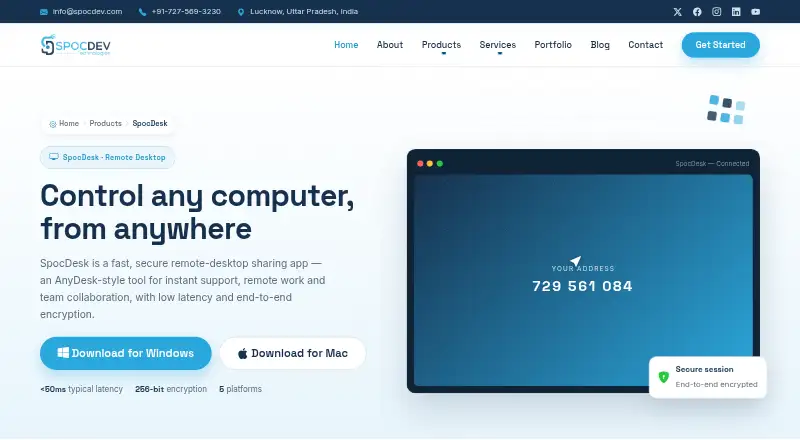
SpocDesk is a remote desktop sharing app for instant support, remote work, and team collaboration. It supports Windows, macOS, Linux, Android, and iOS, with cloud or self-hosted deployment; self-hosting is specified for Enterprise. The product provides real-time screen sharing and keyboard and mouse control, with typical latency stated as under 50 ms on a stable connection. Sessions use end-to-end 256-bit AES encryption. Listed tools include unattended access, multi-monitor viewing, session recording, file transfer, remote printing, in-session chat, and an address book with team access management. Specifications include 4K multi-monitor support. The Free plan costs nothing, is billed forever, and allows one concurrent session with file transfer, encrypted sessions, and all platforms. Pro costs ₹799/user/mo and adds unlimited sessions, unattended access, recording, and team address-book features. SpocDesk is based in Lucknow, India.
Who it suits
SpocDesk is suited to IT teams, support desks, and remote workers needing cross-platform remote control and collaboration. Enterprise customers can choose self-hosted deployment and administrative controls.
What it does well
- Works across desktop and mobile platforms
- End-to-end 256-bit AES session encryption
- Includes unattended access and recording
- Supports 4K multi-monitor setups
- Free plan includes one concurrent session
What to know first
- Free plan allows only one concurrent session
- Typical latency depends on a stable connection
Limits
The free plan is limited to one concurrent session, while Pro provides unlimited sessions at ₹799/user/mo.
Plans
| Plan | Billed and limits | Price |
|---|---|---|
| Free | forever · 1 concurrent session · file transfer · encrypted sessions · all platforms | Free |
| Pro | per user / mo · Unlimited sessions · unattended access · session recording · address book & teams | ₹799 a month |
| Enterprise | Custom · Self-hosted option · SSO & admin controls · audit logs & compliance · priority support & SLA | On request |
As spocdev.com lists them, read 9 Oct 2026. The maker's own page has the final word.
Getting started
- Open https://www.spocdev.com/spocdesk
- Choose cloud access or an available plan
- Select the Free, Pro, or Enterprise offering
- Install or access SpocDesk on Windows, macOS, Linux, Android, or iOS
- Start a remote session and use screen, keyboard, or mouse control
Verdict
SpocDesk covers remote support and collaboration across major desktop and mobile systems, with encrypted sessions and multiple deployment choices. The free tier is limited to one concurrent session, while Pro and Enterprise add capacity and controls.
Questions
Is SpocDesk free?
Yes. The Free plan is billed forever and allows one concurrent session, file transfer, encrypted sessions, and all platforms.
What does Pro cost?
Pro costs ₹799/user/mo and includes unlimited sessions, unattended access, session recording, and an address book with teams.
Which platforms are supported?
SpocDesk supports Windows, macOS, Linux, Android, and iOS.
Does SpocDesk offer self-hosting?
Cloud and self-hosted deployment are listed, with self-hosting specified for Enterprise.
What Enterprise controls are included?
Enterprise lists SSO, admin controls, audit logs, compliance, priority support, and an SLA.
Is there a free trial?
Yes, a free trial is available.
Facts from SpocDesk's own pages
- Access mode
- both · spocdev.com, 20 Sept 2026
- Deployment
- The page lists cloud or self-hosted deployment, with self-hosting specified for Enterprise. · spocdev.com, 9 Oct 2026
- Encryption
- The page says each session uses end-to-end 256-bit AES encryption. · spocdev.com, 9 Oct 2026
- Enterprise controls
- The Enterprise plan lists SSO, admin controls, audit logs, compliance, priority support and an SLA. · spocdev.com, 9 Oct 2026
- File transfer
- Users can transfer files securely in either direction during a session, with unlimited file transfer listed in the specifications. · spocdev.com, 9 Oct 2026
- Free plan
- Yes · spocdev.com, 20 Sept 2026
- Headquarters
- Lucknow, Uttar Pradesh, India · spocdev.com, 28 Sept 2026
- Low latency
- The product page says typical latency is under 50 ms on a stable connection. · spocdev.com, 9 Oct 2026
- Maker location
- SpocDev Technologies lists its location as Lucknow, Uttar Pradesh, India. · spocdev.com, 9 Oct 2026
- Mobile apps
- Yes · spocdev.com, 20 Sept 2026
- Other features
- Listed features include unattended access, multi-monitor viewing, session recording, remote printing, in-session chat, and an address book with team access management. · spocdev.com, 9 Oct 2026
- Product
- SpocDesk is a remote desktop sharing app for instant support, remote work and team collaboration. · spocdev.com, 9 Oct 2026
- Remote control
- It provides real-time screen sharing and keyboard and mouse control, including on modest connections. · spocdev.com, 9 Oct 2026
- Resolution
- The specifications list 4K multi-monitor support. · spocdev.com, 9 Oct 2026
- Session recording
- Yes · spocdev.com, 20 Sept 2026
- Supported platforms
- Windows,macOS,Linux,Android,iOS · spocdev.com, 20 Sept 2026
- Support response
- The demo request form says SpocDev replies within 24 hours. · spocdev.com, 9 Oct 2026
- Target users
- The product page describes SpocDesk as built for IT teams, support desks and remote workers. · spocdev.com, 9 Oct 2026
Where SpocDesk stands on Freedom251
- Remote desktop software#29 of 135