Freedom251 › Disk Space Analyzers
Spacie
What Spacie is
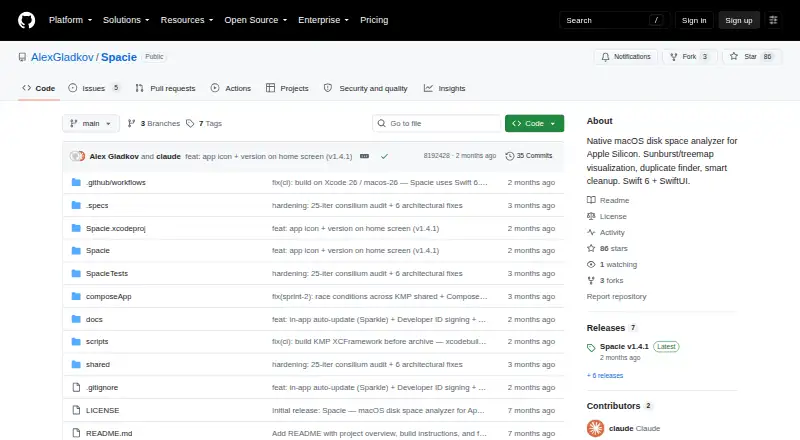
Spacie is a free disk space analyzer for Apple Silicon Macs that scans files and folders on internal, external, and network volumes. It presents storage use in sunburst and rectangular treemap views, with live scan visualization and drill-down navigation, and includes a file-type breakdown. For APFS, it can show logical and physical sizes, detect clones, and deduplicate hard links. Cleanup options include large-file listings, duplicate detection, old-file filters, and 13 built-in smart categories. Deletion uses a Drop Zone with a stage-and-confirm step before moving items to Trash, and SIP-protected paths are blocked. The README describes a POSIX scanner, a persistent binary cache, and incremental invalidation using FSEvents. Spacie can scan with reduced access when Full Disk Access is unavailable. It also offers Finder, Terminal, path-copying, and Quick Look integrations. The app requires macOS 15.0 or later and an Apple Silicon arm64 Mac. English and Russian localization is ready. Personal, educational, and research use costs nothing; commercial use requires a separate license agreement.
Who it suits
Spacie suits Apple Silicon Mac users who want to inspect disk usage and identify files for cleanup. Its stated free use covers personal, educational, and research purposes.
What it does well
- Scans internal, external, and network volumes.
- Shows storage in two treemap styles.
- Supports APFS clone detection and hard link deduplication.
- Includes 13 built-in smart categories.
- Blocks deletion of SIP-protected paths.
What to know first
- Requires macOS 15.0 or later.
- Requires an Apple Silicon arm64 Mac.
- Commercial use requires a separate license agreement.
Limits
The free 0.00 USD plan covers personal, educational, and research use. Commercial use requires a separate license agreement, and reduced access may apply without Full Disk Access.
Plans
| Plan | Billed and limits | Price |
|---|---|---|
| Personal, educational, and research use | Free for personal, educational, and research use · Commercial use requires a separate license agreement | Free |
As github.com lists them, read 11 Oct 2026. The maker's own page has the final word.
Getting started
- Open the Spacie GitHub repository
- Confirm the Mac runs macOS 15.0 or later
- Confirm the Mac uses Apple Silicon arm64
- Use Spacie on personal, educational, or research work, or arrange a commercial license
- Scan files and folders on an internal, external, or network volume
Verdict
Spacie pairs detailed volume scanning with multiple cleanup filters and a staged deletion flow. Its requirements are limited to newer macOS and Apple Silicon, and commercial use needs a separate license agreement.
Questions
What platforms does Spacie support?
Spacie supports macOS on Apple Silicon arm64 Macs. It requires macOS 15.0 or later.
Is Spacie free?
Personal, educational, and research use is free.
Can Spacie scan external drives?
Yes. It scans internal, external, and network volumes.
What does Spacie show for APFS?
It supports logical and physical size views, clone detection, and hard-link deduplication for APFS.
How does deletion work?
Items enter a Drop Zone stage-and-confirm flow before moving to Trash. SIP-protected paths are blocked.
Is Spacie open source or commercially licensed?
The repository describes the license as non-commercial. Commercial use requires a separate license agreement.
Facts from Spacie's own pages
- APFS
- It supports logical and physical size views, clone detection, and hard link deduplication for APFS. · github.com, 11 Oct 2026
- Cleanup
- Cleanup tools include large-file listings, duplicate detection, old-file filters, and 13 built-in smart categories. · github.com, 11 Oct 2026
- External drive scans
- Yes · github.com, 22 Sept 2026
- File-type breakdown
- Yes · github.com, 22 Sept 2026
- Free plan
- Yes · github.com, 22 Sept 2026
- Integrations
- Listed macOS integrations include Reveal in Finder, Open in Terminal, Copy Path, and Quick Look preview. · github.com, 11 Oct 2026
- License
- The repository describes the license as non-commercial and says commercial use requires a separate license agreement. · github.com, 11 Oct 2026
- Localization
- The README says English and Russian localization is ready. · github.com, 11 Oct 2026
- Permissions
- The README says Spacie degrades gracefully without Full Disk Access. · github.com, 11 Oct 2026
- Desktop platforms
- macos · github.com, 22 Sept 2026
- Purpose
- Spacie is a native macOS disk space analyzer built for Apple Silicon. · github.com, 11 Oct 2026
- Requirements
- It requires macOS 15.0 or later and an Apple Silicon arm64 Mac. · github.com, 11 Oct 2026
- Safety
- Deletion uses a Drop Zone with a stage-and-confirm flow before moving items to Trash; SIP-protected paths are blocked. · github.com, 11 Oct 2026
- Scanning
- Its README describes a POSIX scanner, persistent binary cache, and incremental invalidation using FSEvents. · github.com, 11 Oct 2026
- Scan scope
- files_folders · github.com, 22 Sept 2026
- Treemap view
- Yes · github.com, 22 Sept 2026
- Visualizations
- It provides sunburst and rectangular treemap views, with live scan visualization and drill-down navigation. · github.com, 11 Oct 2026
- Volumes
- Spacie can scan internal, external, and network volumes. · github.com, 11 Oct 2026
Where Spacie stands on Freedom251
- Disk Space Analyzers#38 of 105