Freedom251 › Disk Space Analyzers
DiskMap
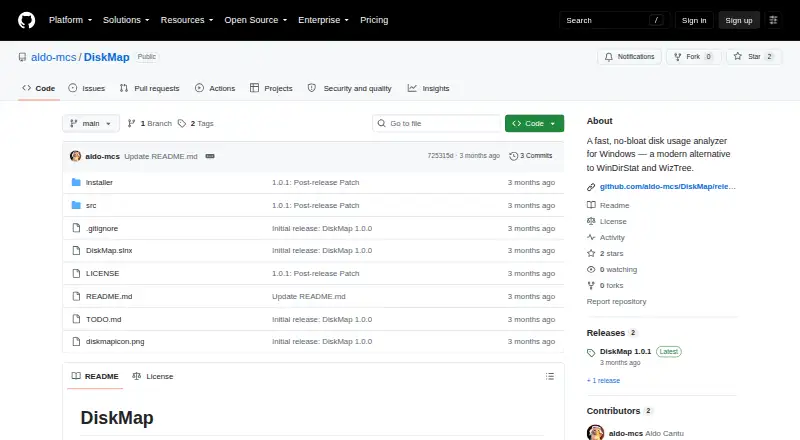
What DiskMap is
DiskMap is a Windows disk usage analyzer that helps locate where drive space is used and supports cleanup. It scans files and folders with a parallel recursive scanner. When run elevated, it can read the NTFS $MFT directly, with an automatic fallback if that fails. Results appear as treemaps or sunbursts colored by file type, with drill-in and selection synchronized to the file tree. A file-type breakdown is available, but application sizes are not. Duplicate detection groups files by size, narrows candidates with prefix hashes, then confirms matches with full hashes. DiskMap saves scans locally for comparing two snapshots and identifying what grew or shrank. Its cleanup panel lists categories such as temporary files, browser and thumbnail caches, old error reports, and Recycle Bin contents; selected deletions go to the Recycle Bin. The maker says settings and scan history remain local, with no telemetry, account, or cloud service. The compiled application is free for personal use; its source is proprietary and cannot be copied, modified, or redistributed under the stated license.
Who it suits
DiskMap suits Windows users who want to inspect disk usage, compare saved scans, find duplicate files, or identify cleanup candidates. Its advanced details and scan controls may also suit users who need more technical filesystem information.
What it does well
- Treemaps and sunbursts show file-type distribution.
- Compares locally saved scan snapshots.
- Duplicate detection confirms matches with full hashes.
- Cleanup deletions go to the Recycle Bin.
- Free compiled application for personal use.
What to know first
- Windows only.
- Does not show application sizes.
- Source is proprietary and cannot be redistributed.
- NTFS $MFT reading requires elevated access.
Limits
The compiled application is free for personal use. Its source is proprietary, and the license grants no permission to copy, modify, or redistribute it.
Plans
| Plan | Billed and limits | Price |
|---|---|---|
| DiskMap | Compiled application for personal use · Windows | Free |
As github.com lists them, read 11 Oct 2026. The maker's own page has the final word.
Getting started
- Open the DiskMap website on GitHub.
- Download and run the installer; it installs to Program Files and adds a Start Menu shortcut.
- Launch DiskMap and scan files and folders.
- Run with elevated access to enable direct NTFS $MFT reading; the scanner falls back automatically if that fails.
Verdict
DiskMap combines visual disk analysis, snapshot comparison, duplicate detection, and cleanup in a free Windows application for personal use. Note that application sizes are not included and source redistribution is not permitted.
Questions
How much does DiskMap cost?
The compiled application is available free of charge for personal use.
Which platforms does DiskMap support?
DiskMap is for Windows.
Does DiskMap have a free trial?
No. The compiled application is free for personal use.
Is DiskMap open source?
No. The source is proprietary, and the license grants no permission to copy, modify, or redistribute it.
Does DiskMap send scan data to a cloud service?
The maker says DiskMap has no telemetry, account, or cloud service, and stores settings and scan history locally.
What does DiskMap show about files?
It offers treemap and sunburst views colored by file type, a file-type breakdown, duplicate detection, and cleanup categories. Application sizes are not included.
Facts from DiskMap's own pages
- Advanced features
- Advanced Mode exposes hard link counts, alternate data streams, MFT record indexes, reparse and junction details, slack space, and scan diagnostics. · github.com, 11 Oct 2026
- Application sizes
- No · github.com, 22 Sept 2026
- Cleanup
- Its cleanup panel identifies categories such as temporary files, browser caches, thumbnail caches, old error reports, and Recycle Bin contents; chosen deletions go to the Recycle Bin. · github.com, 11 Oct 2026
- Compatibility requirement
- Building from source requires the .NET 10 SDK and Windows with WPF. · github.com, 11 Oct 2026
- Duplicate detection
- Duplicate detection groups files by size, culls candidates with prefix hashes, and confirms matches with full hashes. · github.com, 11 Oct 2026
- File-type breakdown
- Yes · github.com, 22 Sept 2026
- Free plan
- Yes · github.com, 22 Sept 2026
- History
- DiskMap saves scans locally and can compare two snapshots to show what grew or shrank. · github.com, 11 Oct 2026
- Installation
- The README says the installer installs to Program Files, adds a Start Menu shortcut, and includes an uninstaller without requiring admin rights to install or run. · github.com, 11 Oct 2026
- License and use
- The compiled application is available free of charge for personal use, while the source is proprietary and the license grants no permission to copy, modify, or redistribute it. · github.com, 11 Oct 2026
- Desktop platforms
- windows · github.com, 22 Sept 2026
- Privacy
- The maker says DiskMap has no telemetry, account, or cloud service, and stores settings and scan history locally. · github.com, 11 Oct 2026
- Purpose
- DiskMap is a disk usage analyzer for Windows that shows where drive space is used and supports cleanup. · github.com, 11 Oct 2026
- Reliability and performance controls
- The maker lists long-path support, junction and symlink cycle detection, configurable reparse handling, checkpoint-based scan resume, an optional memory saver, and Fast/Balanced/Low scan impact settings. · github.com, 11 Oct 2026
- Scan engines
- It uses a parallel recursive scanner across filesystems and can read NTFS $MFT directly when run elevated, with automatic fallback if that fails. · github.com, 11 Oct 2026
- Scan scope
- files_folders · github.com, 22 Sept 2026
- Support
- The maker describes DiskMap as independently built and invites donations through GitHub Sponsors or Stripe. · github.com, 11 Oct 2026
- Treemap view
- Yes · github.com, 22 Sept 2026
- Visualizations
- Scans can be viewed as treemaps or sunbursts colored by file type, with drill-in and synchronized selection in the file tree. · github.com, 11 Oct 2026
Where DiskMap stands on Freedom251
- Disk Space Analyzers#35 of 105