Freedom251 › Meeting Assistant Software
Soya
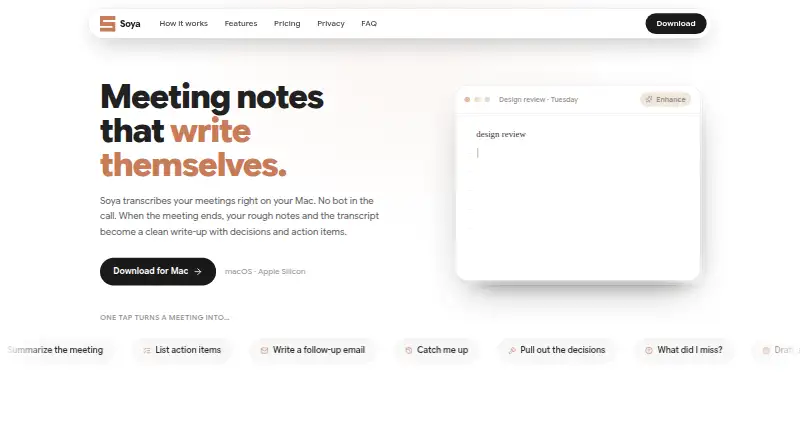
What Soya is
Soya is a macOS desktop app for capturing meetings and turning them into searchable notes and follow-ups. Its free plan includes local recording and transcription, AI-written meeting notes, unlimited local history, and search with calendar-aware titles. It also captures decisions and action items, helping users keep meeting outcomes and next steps together.
Soya Pro costs $9/mo, billed monthly. It adds branded PDF export, AI follow-ups, sending notes to Notion and Slack, and custom note templates. This makes the free plan suitable for recording and organizing meetings locally, while Pro adds export and sharing options along with more control over notes. Soya is freemium and available for macOS. The company was founded in 2025 and is based in the San Francisco Bay Area.
Who it suits
Soya suits macOS users who want local meeting recordings, transcripts, searchable history, and AI-written notes. Pro may fit users who want PDF exports, AI follow-ups, notes sent to Notion or Slack, or custom templates.
What it does well
- Free plan includes local recording and transcription
- Unlimited local history on the free plan
- Captures decisions and action items
- Pro sends notes to Notion and Slack
What to know first
- Available only for macOS
- Branded PDF export requires Pro
- Pro costs $9/mo, billed monthly
Limits
The Free plan provides the listed recording, transcription, note, history, search, and title features. Branded PDF export, AI follow-ups, Notion and Slack delivery, and custom note templates are part of Soya Pro at $9 per month, billed monthly.
Plans
| Plan | Billed and limits | Price |
|---|---|---|
| Free | Local recording and transcription · AI-written meeting notes · Unlimited local history · Search and calendar-aware titles | Free |
| Soya Pro | billed monthly · Branded PDF export · AI follow-ups · Send notes to Notion and Slack · Custom note templates | $9 a month |
| Soya Pro | billed annually · Branded PDF export · AI follow-ups · Send notes to Notion and Slack · Custom note templates | $90 a year |
As blendpixel.com lists them, read 23 Sept 2026. The maker's own page has the final word.
Getting started
- Open the Soya product website
- Use a macOS desktop
- Start with the Free plan or choose Soya Pro
- Record a meeting on the desktop
- Review the transcription and AI-written notes
Verdict
Soya covers local meeting capture, transcription, notes, decisions, and action items on its free plan. Pro adds exports, follow-ups, integrations, and custom templates for $9/mo billed monthly.
Questions
Is Soya free?
Yes. Soya has a Free plan priced at $0.
How much does Soya Pro cost?
Soya Pro costs $9 per month and is billed monthly.
Which platforms support Soya?
Soya is available on macOS, with meeting capture on the desktop.
What does the Free plan include?
It includes local recording and transcription, AI-written meeting notes, unlimited local history, search, and calendar-aware titles.
What does Soya Pro add?
Pro adds branded PDF export, AI follow-ups, sending notes to Notion and Slack, and custom note templates.
Facts from Soya's own pages
- Founded
- 2025 · blendpixel.com, 4 Oct 2026
- Headquarters
- San Francisco Bay Area · blendpixel.com, 4 Oct 2026
Where Soya stands on Freedom251
- Meeting Assistant Software#26 of 29