Sora
What Sora is
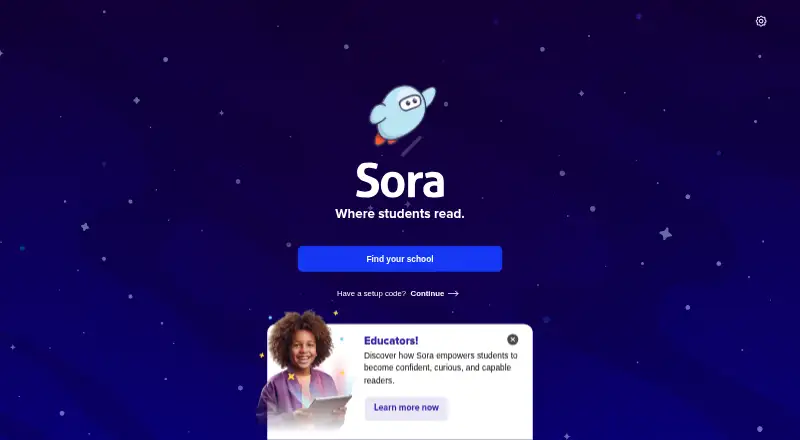
Sora is a free reading app where students borrow and read digital books and other materials through their school. Depending on the school’s collection, titles may include ebooks, audiobooks, magazines, and comics. Students find their school or enter its setup code, then sign in with student credentials. They can place holds, preview samples, make lists, add notes and highlights, and track reading statistics, goals, and achievements. Books can download over Wi-Fi for offline use; on mobile, students can stream until they connect to Wi-Fi. Users may also add a public library and borrow with a library card, or sometimes a student ID, though account type can affect available titles. Teachers can assign books to classes or individual readers and use adjustable text, a dyslexic font, and accessibility and vocabulary support. Sora can show reading-level details when available for a title and school. Most borrowed ebooks can be sent to Kindle at U.S. schools. It works on iOS, Android, Chromebooks with Google Play, and web browsers, and integrates with Google Classroom, ClassLink, and Schoology.
Who it suits
Sora suits students and educators who have access through a school collection. It can also suit readers who want to borrow from a public library through the app.
What it does well
- Free plan for school ebooks and audiobooks
- Offline downloads over Wi-Fi
- Reading goals, statistics, and achievements
- Teachers can assign books to readers
- Integrates with Google Classroom, ClassLink, and Schoology
What to know first
- Available titles depend on the school collection
- Account type may limit visible books
- Kindle sending is limited to U.S. schools
- Some reading-level details may be unavailable
Limits
The free plan provides ebooks and audiobooks from a school, and available titles depend on that school's collection. Account type can also affect which books appear. Kindle delivery is available only for schools in the United States.
Plans
| Plan | Billed and limits | Price |
|---|---|---|
| Sora student reading app | Free ebooks and audiobooks from your school; available titles depend on your school’s collection | Free |
As soraapp.com lists them, read 5 Oct 2026. The maker's own page has the final word.
Getting started
- Open Sora on iOS, Android, a Chromebook with Google Play, or in a web browser.
- Find your school or enter its setup code.
- Sign in with your student credentials.
- Browse the titles available through your school account.
- Add a public library if you have an eligible library card or student ID.
Sora is a school reading app for borrowing digital books and other school content. It is best suited to students and educators who want school-linked reading, classroom assignments, and progress tracking in one place. Its free access is a strong advantage, but what students can borrow depends on their school and account.
Overview
Students find their school or enter its setup code, then sign in with existing school credentials. Depending on the school collection, Sora offers ebooks, audiobooks, magazines, and comics. That makes it a practical reading service for school communities, rather than a consistent catalog for every reader.
Readers can add a public library and borrow with a library card where available, or sometimes a student ID. Account type can affect which books are visible, so public-library access does not guarantee the same selection for every student. Most borrowed ebooks can be sent to Kindle, a useful option for readers who prefer an e-reader, but only for schools in the U.S.
Key features
Holds and samples help students manage borrowing, while lists, notes, and highlights support reading and study. Students can track statistics, goals, and achievements, and teachers can assign books to classes or individual readers. The combination is well suited to guided school reading; its classroom features are less relevant to someone borrowing books independently.
Books can download automatically over Wi-Fi for offline use. On mobile, readers can stream books until they are on Wi-Fi, which helps when downloading is not practical but makes connectivity relevant to immediate access. Teachers can use adjustable text, dyslexic font, accessibility, and vocabulary support. Sora can also show interest level, ATOS level, Lexile score, and text difficulty, though schools and titles may not include every measure.
Sora works with learning management and student information systems, including Google Classroom, ClassLink, and Schoology. The maker says it is COPPA-compliant and protects student privacy. Its school service terms incorporate OverDrive’s general Privacy Policy and Privacy Policy for Children. Sora Help provides setup, usage, and troubleshooting resources.
Pricing
Sora student reading app: free. The free plan provides ebooks and audiobooks from a student’s school, with titles depending on the school’s collection. This is the clear fit for students whose school provides access; it is not a paid catalog subscription with a uniform selection.
Platforms
Sora is available on iOS 10+, Android 7.1+, and Chromebooks with Google Play, and it also works in a web browser. Mobile apps support offline listening, and books can download over Wi-Fi for offline use.
Who it's for
Sora suits students who have school credentials and want borrowing, reading tools, and progress tracking, as well as educators assigning reading. It can also work for readers who can add a public library. Anyone without a participating school or eligible library access should not assume they will have a useful catalog.
Pros and cons
- Free school borrowing: students can access school ebooks and audiobooks without a subscription charge.
- Built for classroom reading: assignments, reading goals, and accessibility tools support students and teachers beyond basic borrowing.
- Offline use: automatic Wi-Fi downloads support reading away from a connection.
- Catalog varies by institution and account: readers cannot count on the same titles across schools or account types.
- Kindle sending is geographically limited: the option is available only for schools in the U.S.
Alternatives
For a broader audiobook-app comparison, see Audiobook Apps.
- Playary is a free option spanning songs, podcasts, movies, audiobooks, and TV shows, with an ad-free Premium plan.
- Audiobookshelf is a free self-hosted audiobook and podcast server for readers who want to manage their own server.
- Bookmate offers books, comics, audiobooks, and podcasts, plus uploads and offline reading and listening through its 7-day free trial.
- Hoopla is worth considering for free patron access with a valid card from a participating public library; titles vary by library catalog.
- Libby is another free borrowing app, requiring a library card and depending on the library’s collection.
- Google Play Books Auto-narrated Audiobooks is for publishers creating, publishing, and downloading auto-narrated audiobooks from an EPUB ebook offered on Google Play.
- BorrowBox is another free app for Android, iOS, and web.
- Kobo Books offers Kobo Plus Listen for $7.99 a month after a 14-day free trial, plus applicable taxes.
Verdict
Choose Sora if your school provides access and you want free borrowing paired with classroom assignments, reading progress, and accessibility support. Look elsewhere if you need a dependable catalog independent of school or library membership, or if Kindle sending matters outside U.S. schools.
Verdict
Sora brings school reading, progress tracking, and teacher assignments into one app. The titles a student can borrow depend on the school collection and account type.
Questions
Is Sora free?
Yes. The Sora student reading app costs nothing and provides free ebooks and audiobooks from a school. Available titles depend on the school's collection.
What can students borrow with Sora?
Depending on the school collection, Sora may offer ebooks, audiobooks, magazines, and comics. Students can also add a public library where available.
Which devices can run Sora?
Sora works on iOS 10 or later, Android 7.1 or later, Chromebooks with Google Play, and in a web browser.
Can students read or listen offline?
Books can automatically download over Wi-Fi for offline use. Mobile users can stream books until they are on Wi-Fi.
Can borrowed books be sent to Kindle?
Most borrowed ebooks can be sent to Kindle, but this option is available only for schools in the United States.
Who makes Sora, and what systems does it connect with?
Sora is a product of OverDrive. It works with learning management and student information systems including Google Classroom, ClassLink, and Schoology.
Facts from Sora's own pages
- Accessibility
- Teachers can use dyslexic font, adjustable text, accessibility and vocabulary support to support students. · discoversora.com, 5 Oct 2026
- Content
- Depending on the school collection, Sora offers ebooks, audiobooks, magazines, and comics. · help.soraapp.com, 5 Oct 2026
- Founded
- 1986 · soraapp.com, 28 Sept 2026
- Getting started
- Users find their school or enter its setup code, then sign in with student credentials. · help.soraapp.com, 5 Oct 2026
- Headquarters
- Cleveland, Ohio, United States · soraapp.com, 28 Sept 2026
- Integrations
- Sora works with learning management and student information systems, including Google Classroom, ClassLink, and Schoology. · discoversora.com, 5 Oct 2026
- Intended users
- Sora is designed for students and educators, with teachers able to assign books to classes or individual readers. · discoversora.com, 5 Oct 2026
- Kindle
- Most borrowed ebooks can be sent to Kindle, but this option is available only for schools in the U.S. · help.soraapp.com, 5 Oct 2026
- Maker
- Sora is a product of OverDrive, which the maker describes as headquartered in Cleveland, Ohio. · discoversora.com, 5 Oct 2026
- Offline access
- Books can automatically download over Wi-Fi for offline use. · help.soraapp.com, 5 Oct 2026
- Offline reading
- Books can automatically download over Wi-Fi for offline use; mobile users can stream books until they are on Wi-Fi. · help.soraapp.com, 5 Oct 2026
- Platform requirements
- The app is available for iOS 10+, Android 7.1+, and Chromebooks with Google Play; Sora also works in a web browser. · help.soraapp.com, 5 Oct 2026
- Platforms
- Sora is available in a web browser and as an app for iOS, Android, and Chromebooks with Google Play. · help.soraapp.com, 5 Oct 2026
- Privacy
- The maker says Sora is COPPA-compliant and protects student privacy. · discoversora.com, 5 Oct 2026
- Public libraries
- Users can add a public library and borrow from it with a library card where available. · help.soraapp.com, 5 Oct 2026
- Public library access
- Users can add a library and borrow with a library card or, in some cases, a student ID; account type may limit which books they can see. · help.soraapp.com, 5 Oct 2026
- Purpose
- Sora is a free student reading app for borrowing and reading digital books and other content from a school. · help.soraapp.com, 5 Oct 2026
- Reading levels
- Sora can show interest level, ATOS level, Lexile score, and text difficulty, though schools and titles may not include every level. · help.soraapp.com, 5 Oct 2026
- Reading tools
- The app supports holds, samples, lists, notes, highlights, reading statistics, goals, and achievements. · help.soraapp.com, 5 Oct 2026
- School access
- Students sign in with existing school credentials; available books depend on the school’s collection and account type. · discoversora.com, 5 Oct 2026
- School service terms
- The Sora Access Agreement incorporates OverDrive’s general Privacy Policy and Privacy Policy for Children. · company.overdrive.com, 5 Oct 2026
- Student activity
- Students can track reading statistics, goals, and achievements in the app. · help.soraapp.com, 5 Oct 2026
- Support
- Sora Help provides getting-started, usage, and troubleshooting resources. · help.soraapp.com, 5 Oct 2026
Where Sora stands on Freedom251
- Audiobook Apps#20 of 32