Audiobookshelf
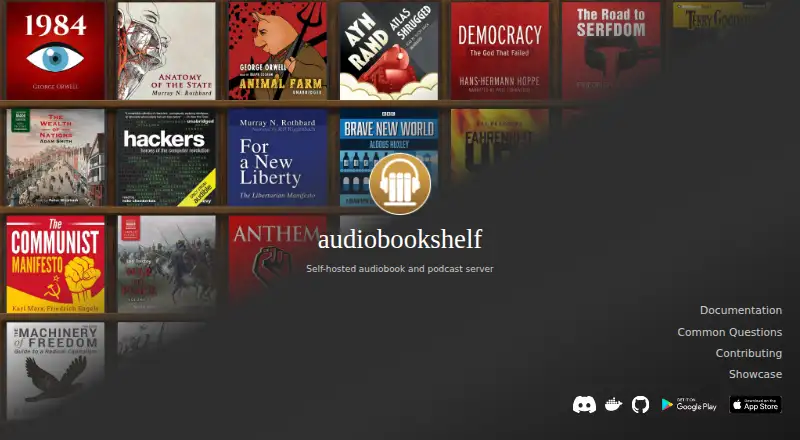
What Audiobookshelf is
Audiobookshelf is a free, open-source server for managing audiobooks and podcasts on a system you host yourself. It supports multiple users with custom permissions and keeps playback progress in sync across their devices. Beta apps for Android and iOS support offline listening, alongside web access and listed Linux and Windows platforms. For audiobooks, users can find metadata and cover art, edit or look up chapters, embed metadata, and combine audio files into an M4B. Podcast tools include finding shows, automatic episode downloads, and open RSS feeds. Basic ebook support covers EPUB, PDF, CBR, and CBZ, with an ereader and an option to send books to a device such as Kindle. Docker is the recommended installation method; Linux, Windows, and Podman options are also documented. Scheduled backups cover the database and metadata-directory cover images, not media files or covers stored with library items. Remote access is not built in: users need to configure a VPN or reverse proxy, and the server serves unencrypted HTTP.
Who it suits
Audiobookshelf suits people who want to host and manage audiobook and podcast libraries for multiple users. It may also suit readers who want basic ebook support alongside audio.
What it does well
- Free and open source.
- Syncs each user's playback progress across devices.
- Beta Android and iOS apps support offline listening.
- Includes chapter tools and M4B merging.
- Supports several ebook formats and an ereader.
What to know first
- Remote access requires a user-configured VPN or reverse proxy.
- The server serves unencrypted HTTP.
- Scheduled backups exclude media files and some covers.
- Mobile apps are beta.
Limits
Scheduled backups include the database and metadata-directory cover images, but not media files or covers stored with library items. Remote access is not built in, and the server uses unencrypted HTTP.
Plans
| Plan | Billed and limits | Price |
|---|---|---|
| Audiobookshelf self-hosted server | Self-hosted audiobook and podcast server; no paid plans or price listed on the official pages opened | Free |
As audiobookshelf.org lists them, read 4 Oct 2026. The maker's own page has the final word.
Getting started
- Open the Audiobookshelf website and consult its installation documentation.
- Install the server using Docker, the recommended method, or a documented Linux, Windows, or Podman option.
- Use the web interface to manage the hosted library and user permissions.
- Install a beta Android or iOS app for offline listening, if desired.
- Configure your own VPN or reverse proxy if you need remote access.
Overview
Audiobookshelf is a free, open-source server for listeners who want to manage their own audiobook and podcast library. It is a strong fit for people comfortable maintaining a self-hosted service; listeners seeking a ready-made streaming app should look elsewhere.
Its appeal is the combination of multi-user playback sync and practical library tools. The trade-off is real operational responsibility: remote access must be arranged separately, and scheduled backups do not cover all library media.
Key features
Multiple accounts can have custom permissions, and each user’s playback progress follows them across devices. That makes a single server useful for households without forcing everyone to share one listening position. Metadata and cover art can be found through several providers and applied to the library, reducing manual catalog work.
Audiobook tools include chapter lookup and editing, metadata embedding, and merging audio files into an M4B. Podcast discovery, automatic episode downloads, and open RSS feeds make the server useful beyond a fixed audiobook collection. Basic ebook support handles EPUB, PDF, CBR, and CBZ, with an ereader and an option to send books to a device such as Kindle; it is a welcome extra, but not a substitute for a dedicated ebook platform.
The beta Android and iOS apps support offline listening, which helps when away from the server. Backups are narrower than the word may suggest: scheduled copies include the database and cover images in the metadata directory, but not media files or covers stored with library items. Those files need a separate backup plan.
Docker is the recommended installation route, with Linux, Windows, and Podman options also documented. There is no built-in remote access: users must configure a VPN or reverse proxy, and the server serves unencrypted HTTP. That flexibility suits technically capable owners, but adds setup and security work that a hosted service avoids. Community clients are not maintained or security-tested by the project, and outdated API endpoints can cause issues.
Pricing
The self-hosted server costs nothing. The free, open-source plan includes the audiobook and podcast server, so it is the natural choice for anyone willing to host and maintain it. There are no paid plans or published paid prices; no subscription tier or seat cap is stated.
Platforms
Audiobookshelf supports Android, iOS, Linux, Windows, web, API, and self-hosted use. Its mobile apps are beta, and offline listening is supported on Android and iOS. Docker is the recommended installation method; Linux, Windows, and Podman installations are also documented.
Who it's for
Choose Audiobookshelf if you want control over a personal or household audiobook and podcast server, value separate user progress, and can handle installation and remote-access configuration. It is less suitable if you want a service that works remotely without network setup, or expect scheduled backups to protect the media files themselves.
Pros and cons
- Pro: Multiple users get custom permissions and individual progress sync, making a shared library more practical.
- Pro: Chapter tools, metadata embedding, M4B merging, podcast downloads, and RSS feeds cover useful library-management jobs in one server.
- Pro: Beta mobile apps support offline listening, and basic ebook formats broaden its usefulness.
- Con: Remote access requires a user-configured VPN or reverse proxy, while the server uses unencrypted HTTP.
- Con: Scheduled backups omit media files and some covers, so the library needs additional backup coverage.
- Con: Community clients may be outdated and are not maintained or security-tested by the project.
Alternatives
Audiobook Apps is a useful directory for comparing more audiobook choices. Pick Playary instead if you want a free app spanning songs, podcasts, movies, audiobooks, and TV shows, with an ad-free Premium option. Sora is a free ebooks-and-audiobooks option for readers using its student reading app.
Bookmate suits readers who want books, comics, audiobooks, and podcasts in a mobile or web service, with a seven-day free trial and offline use. Hoopla is an option for people with a valid card from a participating public library; title availability depends on that library’s catalog. Libby is another free library-borrowing app, requiring a library card and depending on the library’s collection.
Google Play Books Auto-narrated Audiobooks is for publishers who own an EPUB offered on Google Play and want to create, publish, and download auto-narrated audiobooks at no charge for a limited time. BorrowBox is another free audiobook app. Kobo Books is worth considering for a subscription-based audiobook catalog: Kobo Plus Listen is $7.99 a month after a 14-day free trial, plus applicable taxes, though not every Kobo audiobook is included.
Verdict
Audiobookshelf is the right pick for technically comfortable listeners who want a free, flexible home server for audiobooks and podcasts, especially when several people need separate synced progress. Choose it for control and library tools; look elsewhere if you want remote access and complete media backups handled without extra configuration.
Verdict
Audiobookshelf combines self-hosted audiobook and podcast management with multi-user progress sync, metadata tools, and basic ebook support. Account for the need to arrange remote access yourself and the limits of scheduled backups.
Questions
Does Audiobookshelf cost anything?
The self-hosted server is free, and the project describes it as open source. No paid plans or price are listed on the official pages opened.
Which platforms are available?
Listed platforms are Android, iOS, Linux, self-hosted, web, Windows, and API. The Android and iOS apps are beta and support offline listening.
How can I install Audiobookshelf?
Docker is the recommended method. Documentation also lists Linux, Windows, and Podman installation options.
Can I access my server remotely?
Audiobookshelf does not provide built-in remote access. Users must configure their own VPN or reverse proxy; the server serves unencrypted HTTP.
Who maintains Audiobookshelf?
The project FAQ says it began as a passion project by advplyr, who remains its main maintainer and contributor.
What do scheduled backups include?
They include the database and cover images in the metadata directory. They do not include media files or covers stored with library items.
Facts from Audiobookshelf's own pages
- Audiobook tools
- The server includes a chapter editor and lookup, metadata embedding, and a tool to merge audio files into one M4B. · audiobookshelf.org, 4 Oct 2026
- Backups
- The server supports scheduled backups, which include its database and metadata-directory cover images but not media files or covers stored with library items. · audiobookshelf.org, 4 Oct 2026
- Ebooks
- Basic ebook support covers EPUB, PDF, CBR, and CBZ, with an ereader and an option to send books to a device such as Kindle. · audiobookshelf.org, 4 Oct 2026
- Installation
- Docker is the recommended installation method; official documentation also lists Linux, Windows, and Podman installation options. · audiobookshelf.org, 4 Oct 2026
- Listening
- Its beta Android and iOS apps support offline listening. · audiobookshelf.org, 4 Oct 2026
- Metadata
- Users can look up and apply metadata and cover art from several providers. · audiobookshelf.org, 4 Oct 2026
- Podcasts and RSS
- Users can find podcasts, automatically download episodes, and access open RSS feeds for podcasts and audiobooks. · audiobookshelf.org, 4 Oct 2026
- Remote access
- Audiobookshelf does not provide built-in remote access; users must configure their own VPN or reverse proxy, and the server serves unencrypted HTTP. · audiobookshelf.org, 4 Oct 2026
- Security reporting
- The project asks users to report security issues through GitHub private vulnerability reporting, with email or private Discord message as alternatives; response times vary. · audiobookshelf.org, 4 Oct 2026
- Support
- The project directs users to its Discord community and GitHub repository for help. · audiobookshelf.org, 4 Oct 2026
- Third-party clients
- Community client apps are not maintained or security-tested by the Audiobookshelf team, and some may use outdated API endpoints that cause problems. · audiobookshelf.org, 4 Oct 2026
- Users and sync
- The server supports multiple users with custom permissions and keeps each user’s playback progress synced across devices. · audiobookshelf.org, 4 Oct 2026
- What it does
- Audiobookshelf is an open-source, self-hosted media server for audiobooks and podcasts. · audiobookshelf.org, 4 Oct 2026
- Who maintains it
- The project FAQ says it began as a passion project by advplyr, who remains its main maintainer and contributor. · audiobookshelf.org, 4 Oct 2026
Where Audiobookshelf stands on Freedom251
- Audiobook Apps#2 of 32