Freedom251 › Video Streaming Services
Hoopla
What Hoopla is
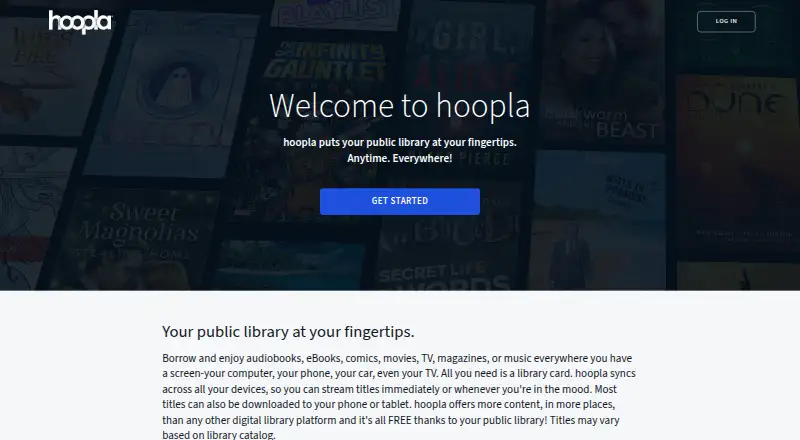
Hoopla is a digital service through which participating public libraries offer patrons audiobooks, ebooks, comics, movies, television, magazines, and music. Patron access is free, but requires a valid card from a participating library and an email address; available titles depend on the library catalog. Patrons can stream content or download most titles to a phone or tablet for offline access. Hoopla describes borrowing as immediate, while lending periods vary by format and provider agreement. A BingePass uses one borrow for seven-day access to a collection or platform. Kids Mode filters titles intended for adults from search and browsing, including history, favorites, and My hoopla. Hoopla is available on Android, iOS, and web. Supported TV options include Fire TV, Roku, Apple TV, Samsung TV, and Chromecast; audio is also supported through Apple CarPlay and Android Auto. Libraries can integrate catalog records through an API feed or MARC records delivered by SFTP. API integration requires a license, an electronic key, and a signed agreement.
Who it suits
Hoopla is for patrons of participating public libraries who want digital media through library borrowing. Libraries can use its catalog integrations, subject to licensing and agreement requirements for API access.
What it does well
- Offers seven-day BingePass access with one borrow.
- Most titles can be downloaded to phones or tablets.
- Kids Mode filters adult-intended titles.
- Supports Android, iOS, and web.
What to know first
- Requires a valid card from a participating library.
- Available titles vary by library catalog.
- Lending periods vary by format and provider agreement.
- API catalog integration requires a license and signed agreement.
Limits
Patron access requires a valid card from a participating public library and an email address, and available titles vary by library catalog. Lending periods depend on format and provider agreement.
Plans
| Plan | Billed and limits | Price |
|---|---|---|
| Patron access | Requires a valid card from a participating public library and an email address · available titles may vary by library catalog | Free |
As hoopladigital.com lists them, read 29 Sept 2026. The maker's own page has the final word.
Getting started
- Get a valid card from a participating public library.
- Provide an email address for patron access.
- Open Hoopla on Android, iOS, or the web.
- Browse your library's available titles and borrow content.
- Stream a title or download most titles to a phone or tablet for offline access.
Hoopla is a library-linked service for borrowing digital books, audiobooks, comics, films, television, magazines, and music. It suits patrons who want several media formats, streaming and downloads without a subscription bill. The catch is eligibility: you need a card from a participating public library, and that library determines much of the catalog.
Overview
Hoopla works as an extension of a public library rather than as a standalone storefront. Patron access costs nothing, but requires a valid card from a participating library and an email address. Once signed in, users borrow titles from their library’s collection. Catalogs differ between libraries, so the service is strongest for people whose local system participates and carries the material they want.
Hoopla says instant titles can be borrowed without artificial availability constraints. That removes a common waiting-list frustration, although lending periods still vary by format and provider agreement. The company is headquartered in Holland, Ohio, United States.
Key features
Multiple media formats
The catalog spans audiobooks, ebooks, comics, movies, television, magazines, and music. That breadth makes Hoopla useful for households that move between reading, listening and watching, not just for audiobook users. Content can be streamed, while most titles can be downloaded to a phone or tablet. Offline listening is supported, but downloads are not DRM-free, so borrowed files are not yours to keep or freely transfer.
BingePass
A BingePass uses one borrow for seven days of access to a collection or platform. It is a practical option when you want sustained access to a grouped service for a week, rather than borrowing individual items one at a time.
Kids Mode
Kids Mode removes adult-intended titles from search and browsing, and also filters history, favorites and My hoopla. Families can therefore give children a narrower discovery environment, though the feature does not change what a library owns.
TV and car playback
Supported television devices include Fire TV, Roku, Apple TV, Samsung TV and Chromecast. Audio also works through Apple CarPlay and Android Auto, extending borrowed listening beyond a phone’s speakers.
Library integration and support
Libraries can import catalog records through an API feed or MARC records delivered by SFTP. API integration requires a license, a unique electronic key and an API License Agreement, so these tools target library operators rather than individual patrons. Hoopla has no direct support phone number; users are directed to its contact form and help page. Its privacy notice says personal information is used to protect service security and integrity, with privacy questions handled at [email protected].
Pricing
| Plan | Price | What it includes |
|---|---|---|
| Patron access | free | Library borrowing through a participating public library; valid library card and email required |
There is no paid tier or published free trial. The trade-off for the zero price is access control: your library must participate, its catalog may differ from another library’s, and lending duration varies by format and provider agreement. Hoopla does not offer family sharing, and borrowing is governed by library access rather than a personal collection you retain.
Platforms
Hoopla is available on Android, iOS and the web. Downloads support offline use on phones and tablets for most titles. Compatible TV devices include Fire TV, Roku, Apple TV, Samsung TV and Chromecast; in-car audio support covers Apple CarPlay and Android Auto.
Who it's for
Choose Hoopla if you hold a card with a participating public library and want one free service covering books, comics, audio and video. It is particularly well suited to families using Kids Mode and to commuters who need offline listening or car playback. It is a poor fit if your library does not participate, if you need DRM-free ownership, or if you require a predictable catalog independent of local library agreements.
Pros and cons
- Pro: One library service covers seven major media categories, reducing the need for separate apps.
- Pro: Instant borrowing avoids artificial availability constraints for eligible titles.
- Pro: Most titles support phone or tablet downloads, with broad TV and in-car playback options.
- Pro: Kids Mode filters adult titles across discovery and personal activity areas.
- Con: A participating library card and email are mandatory, so access is unavailable to people outside the program.
- Con: Catalogs and lending periods vary by library, format and provider agreement.
- Con: Downloads are not DRM-free, and there is no family-sharing feature.
- Con: Support is limited to web contact channels rather than a phone line.
Alternatives
Libby is another free library app for Android, iOS and the web; pick it when your library’s Libby collection is the better match, since borrowing depends on that library’s catalog and card.
Playary suits users seeking a free, multi-platform service for songs, podcasts, movies, audiobooks and TV shows, with a Premium option advertised as ad-free.
LibriVox is preferable for free public-domain audiobooks whose recordings may be used for any purpose.
Audiobookshelf is the alternative for people who want a self-hosted audiobook and podcast server.
Sora is a free OverDrive student reading app for ebooks and audiobooks.
Bookmate fits readers wanting a seven-day free trial with books, comics, audiobooks, podcasts and offline use.
BookPlayer is a freemium audiobook player with core playback features free and a separately priced Pro subscription.
Loyal Books focuses on public-domain audiobooks and ebooks, alongside best sellers.
Verdict
Hoopla is the right choice for public-library patrons who want broad digital-media access at no direct cost, especially with offline playback and Kids Mode. Look elsewhere if you lack a participating library card, need permanent DRM-free files, or want a catalog and borrowing policy that does not vary by local library.
Verdict
Hoopla provides a broad digital-media catalog through participating libraries, with streaming and offline access for most titles. Access depends on library participation and the titles in its catalog.
Questions
Does Hoopla cost anything for patrons?
Patron access is free. It requires a valid card from a participating public library and an email address.
What can I borrow?
Hoopla offers audiobooks, ebooks, comics, movies, television, magazines, and music. Available titles may vary by library catalog.
Which platforms support Hoopla?
Hoopla is available on Android, iOS, and the web. Supported TV options include Fire TV, Roku, Apple TV, Samsung TV, and Chromecast.
Can I use Hoopla offline?
Most titles can be downloaded to a phone or tablet, and content can also be streamed.
Can libraries integrate Hoopla catalog records?
Yes. Libraries can use an API feed or MARC records delivered through SFTP. API integration requires a license, a unique electronic key, and a signed agreement.
How can I contact Hoopla support?
Hoopla directs users to its contact form and help page and says it has no direct support phone number.
Facts from Hoopla's own pages
- API access
- Library API integration requires a license and a unique electronic key, and libraries must sign an API License Agreement. · developer.hoopladigital.com, 29 Sept 2026
- BingePass
- A BingePass provides seven-day access to a collection or platform with one borrow. · developer.hoopladigital.com, 29 Sept 2026
- Borrowing limits
- Instant titles use a pay-per-use library purchase model, and the lending period varies by format and provider agreement. · developer.hoopladigital.com, 29 Sept 2026
- Headquarters
- Holland, Ohio, United States · hoopladigital.com, 23 Sept 2026
- Instant borrowing
- Hoopla says patrons can borrow content immediately, without artificial availability constraints. · hoopladigital.com, 29 Sept 2026
- Intended users
- Hoopla is built for public libraries and their patrons, and its digital service is offered through participating libraries. · hoopladigital.com, 29 Sept 2026
- Kids Mode
- Kids Mode filters titles intended for adults out of search results and browsing, including history, favorites, and My hoopla. · hoopladigital.com, 29 Sept 2026
- Library catalog integrations
- Libraries can integrate Hoopla catalog records using an API feed or MARC records delivered through SFTP. · developer.hoopladigital.com, 29 Sept 2026
- Media formats
- The service offers audiobooks, ebooks, comics, movies, television, magazines, and music. · hoopladigital.com, 29 Sept 2026
- Offline access
- Most titles can be downloaded to a phone or tablet, and content can also be streamed. · hoopladigital.com, 29 Sept 2026
- Purpose
- Hoopla is a digital service that lets public libraries offer patrons digital video, music, audiobooks, ebooks, and comics. · hoopladigital.com, 29 Sept 2026
- Security and privacy
- Hoopla's privacy notice says it uses personal information to protect the security and integrity of its services and provides a privacy contact at [email protected]. · hoopladigital.com, 29 Sept 2026
- Support
- Hoopla says it has no direct support phone number and directs users to its contact form and help page. · hoopladigital.com, 29 Sept 2026
- TV and car support
- Supported TV options include Fire TV, Roku, Apple TV, Samsung TV, and Chromecast; audio is also supported through Apple CarPlay and Android Auto. · theloop.hoopladigital.com, 29 Sept 2026
Where Hoopla stands on Freedom251
- Video Streaming Services#1 of 63
- Free Movie Streaming Services#2 of 25
- Audiobook Apps#9 of 32