Freedom251 › Audio Visualizer Software
Solmi Audio Visualizer
What Solmi Audio Visualizer is
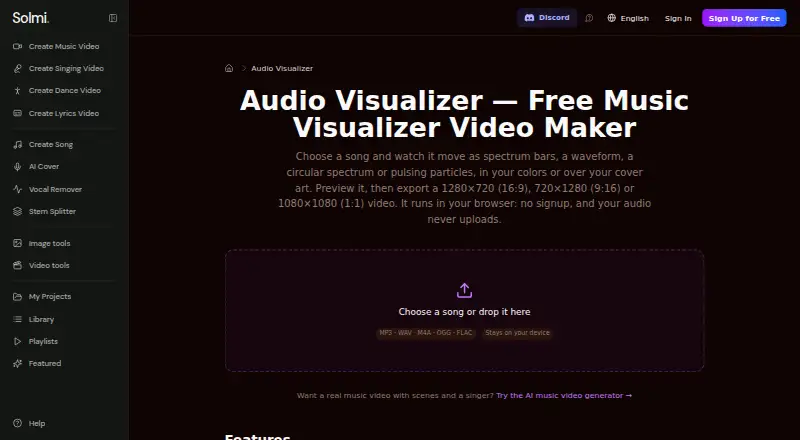
Solmi Audio Visualizer turns a song’s frequencies and waveform into a reactive video in a web browser. Visual options include spectrum bars, a waveform, circular spectrum, and pulsing particles. Users can select among six color palettes or set a custom color, add a background image, and include title and artist text. Export sizes are 1280×720, 720×1280, and 1080×1080 at 30 frames per second.
The free plan costs nothing, requires no signup, and has no watermark. Export is MP4 when the browser supports recording it; otherwise, the file is WebM. The song and any added image remain on the user’s device and are not uploaded to Solmi. Recording takes place in real time while the song plays, so a three-minute track takes about three minutes to export. Users can preview with play and pause and cancel an export at any time. It makes a video of the whole song, not a Spotify Canvas loop, and draws reactive shapes rather than scenes or singers.
Who it suits
This web tool suits people who want to make a full-song audio-reactive video with selectable styles, colors, and text. Its free plan may suit users who need a browser-based export without signup or a watermark.
What it does well
- Four visual styles are available.
- Supports custom colors and optional background images.
- Song and added image stay on the user’s device.
- Preview and cancel controls are available.
- Free plan requires no signup and has no watermark.
What to know first
- Recording takes as long as the song plays.
- Exports at 30 frames per second in three listed sizes.
- TikTok and Instagram require MP4 or WebM conversion.
- It does not make Spotify Canvas loops.
Limits
The free plan has no signup requirement or watermark. Export recording happens in real time, and the available file format depends on browser support: MP4 where supported, otherwise WebM.
Plans
| Plan | Billed and limits | Price |
|---|---|---|
| Free | No signup · no watermark · browser-based · MP4 or WebM export · 3 sizes at 30 fps | Free |
As solmi.ai lists them, read 7 Oct 2026. The maker's own page has the final word.
Getting started
- Open the Solmi Audio Visualizer website.
- Add a song and optionally a background image, title, or artist text.
- Choose a visual style, color, and video size.
- Preview playback with play and pause.
- Export the video; use MP4 or convert WebM before posting to TikTok or Instagram.
Verdict
Solmi offers straightforward visual treatments and device-side processing for full-song exports. Allow real-time export duration, and check the file format required by the platform where you plan to post.
Questions
How much does Solmi Audio Visualizer cost?
The Free plan costs nothing. Paid plans start at 9.99 /mo.
Is there a free plan or free trial?
There is a free plan, and the listed plan requires no signup and has no watermark. There is no free trial.
What platforms does it support?
It is available on the web.
What formats can it export?
It exports MP4 when the browser supports recording it; otherwise, it exports WebM.
Does it make Spotify Canvas videos?
No. It exports the whole song rather than a 3–8 second vertical Spotify Canvas loop.
Does Solmi upload my song or image?
The song and any added image stay on your device and are never uploaded to Solmi.
Facts from Solmi Audio Visualizer's own pages
- Customization
- Includes six color palettes or a custom color, optional background image, title, and artist text. · solmi.ai, 7 Oct 2026
- Export control
- Users can preview with play and pause before export and can cancel an export at any time. · solmi.ai, 7 Oct 2026
- Export formats
- Exports MP4 where the browser supports recording it; otherwise it exports WebM. · solmi.ai, 7 Oct 2026
- Export time
- Recording happens in real time while the song plays, so a three-minute song takes about three minutes to export. · solmi.ai, 7 Oct 2026
- Privacy
- The song and any added image stay on the user’s device and are never uploaded to Solmi. · solmi.ai, 7 Oct 2026
- Purpose
- Turns a song’s frequencies and waveform into an audio-reactive video. · solmi.ai, 7 Oct 2026
- Scope
- It draws audio-reactive shapes and does not create scenes or singers; the page points to Solmi’s separate AI music video generator for those capabilities. · solmi.ai, 7 Oct 2026
- Social formats
- The page recommends 9:16 for Shorts, TikTok, and Reels; 1:1 for Instagram feed; and 16:9 for regular YouTube videos. · solmi.ai, 7 Oct 2026
- Spotify Canvas
- This visualizer exports the whole song and does not make Spotify Canvas, described as a 3–8 second vertical loop. · solmi.ai, 7 Oct 2026
- Support
- Solmi lists [email protected] for questions or data requests. · solmi.ai, 7 Oct 2026
- TikTok and Instagram limit
- For TikTok and Instagram, the page says to export MP4 or convert a WebM file to MP4 before posting. · solmi.ai, 7 Oct 2026
- Video sizes
- Exports 1280×720, 720×1280, or 1080×1080 video at 30 frames per second. · solmi.ai, 7 Oct 2026
- Visual styles
- Offers spectrum bars, waveform, circular spectrum, and pulsing particles. · solmi.ai, 7 Oct 2026
Where Solmi Audio Visualizer stands on Freedom251
- Audio Visualizer Software#20 of 35