Freedom251 › File Manager Software
Solid Explorer
What Solid Explorer is
Solid Explorer is an Android file manager for handling files on a device, in cloud services, and across network storage. Its dual-pane layout shows two folders side by side, allowing files to be dragged between panels. Connections include Google Drive, OneDrive, Dropbox, Box, NextCloud, SugarSync, MediaFire, Yandex, and Mega; Mega requires a paid add-on. Network access supports FTP, SFTP, SMB/CIFS, and WebDAV. The app creates and extracts ZIP, 7ZIP, RAR, and TAR archives, and can batch-rename files and search indexed content. A storage analyzer identifies duplicate, large, and junk files. Other tools include file collections, media features, an FTP server, and a web server for browser-based sharing on the same network. AES-256 encryption can be protected with a password or fingerprint. Root Explorer browses system files on rooted devices. All features are free for two weeks; pricing is freemium with a free plan and trial.
Who it suits
It suits Android users managing local, cloud, and network files. Rooted-device users, people needing archive or storage-analysis tools, and those sharing files over a local network may also find it useful.
What it does well
- Dual-pane browsing supports drag-and-drop transfers
- Connects to major cloud and network storage
- Creates and extracts several archive formats
- Storage analyzer finds duplicate, large, and junk files
- AES-256 encryption supports password or fingerprint protection
What to know first
- Mega access requires a paid add-on
- Available on Android only
- Anonymous usage-data collection must be disabled in settings
Plans
| Plan | Billed and limits | Price |
|---|---|---|
| Free trial | All features for 2 weeks | Free |
As neatbytes.com lists them, read 11 Oct 2026. The maker's own page has the final word.
Verdict
Solid Explorer combines two-pane file handling with broad cloud, network, archive, and storage tools on Android. Its two-week full-feature trial and free plan allow evaluation, while Mega access has an extra add-on requirement.
Facts from Solid Explorer's own pages
- Archives
- It can create and extract ZIP, 7ZIP, RAR, and TAR archives. · play.google.com, 11 Oct 2026
- Archive support
- Yes · neatbytes.com, 21 Sept 2026
- Batch rename
- Yes · neatbytes.com, 21 Sept 2026
- Cloud and network storage
- It supports cloud storage providers including Google Drive, OneDrive, Dropbox, Box, and SugarSync, and network protocols including FTP, SFTP, SMB/CIFS, and WebDAV. · play.google.com, 11 Oct 2026
- Cloud storage
- The listing names Google Drive, OneDrive, Dropbox, Box, NextCloud, SugarSync, MediaFire, Yandex, and Mega, with Mega requiring a paid add-on. · play.google.com, 11 Oct 2026
- Company
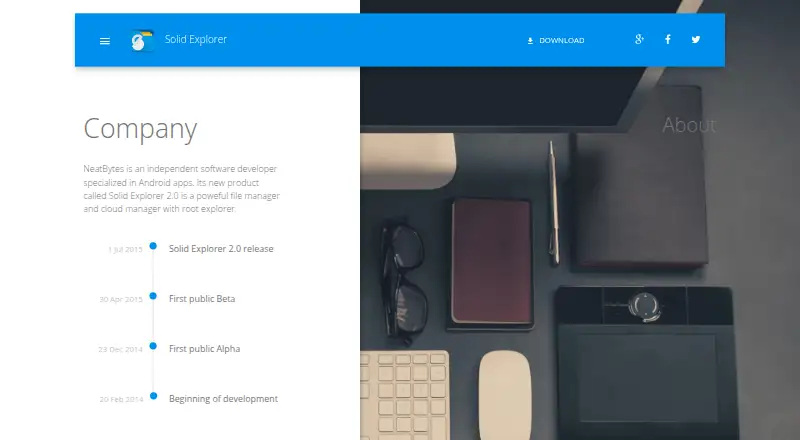
- NeatBytes describes itself as an independent software developer specializing in Android apps. · neatbytes.com, 11 Oct 2026
- Dual pane
- Its dual-pane layout lets users manage two folders side by side and drag files between panels. · play.google.com, 11 Oct 2026
- Encryption
- The listing says users can encrypt files with AES-256 and protect them with a password or fingerprint. · play.google.com, 11 Oct 2026
- File sharing
- A built-in web server lets users share files with devices on their network through a web browser. · play.google.com, 11 Oct 2026
- Free plan
- Yes · neatbytes.com, 21 Sept 2026
- Headquarters
- Warsaw, Poland · neatbytes.com, 28 Sept 2026
- Maker
- NeatBytes describes itself as an independent software developer specializing in Android apps. · neatbytes.com, 11 Oct 2026
- Mega add-on
- The Google Play listing marks Mega as requiring a paid add-on. · play.google.com, 11 Oct 2026
- Network access
- It supports FTP, SFTP, SMB/CIFS, and WebDAV for accessing network storage and servers. · play.google.com, 11 Oct 2026
- Opt-out
- The privacy policy says users can turn off anonymous usage data collection in Solid Explorer settings, which stops transfers to its partners. · neatbytes.com, 11 Oct 2026
- Other tools
- The listing includes indexed search, batch rename, a storage analyzer, file collections, built-in media tools, and an FTP server. · play.google.com, 11 Oct 2026
- Platform
- The maker describes NeatBytes as an Android-app developer, and its Solid Explorer page links to Google Play for download. · neatbytes.com, 11 Oct 2026
- Supported platforms
- Android · neatbytes.com, 21 Sept 2026
- Privacy data
- The maker's Android privacy policy says the app may collect device identifiers, app usage data, and crash logs, and says anonymous data collection can be turned off in settings. · neatbytes.com, 11 Oct 2026
- Privacy disclosure
- The app privacy policy says automatically collected data can include device identifiers, device and operating-system information, app usage, and crash logs. · neatbytes.com, 11 Oct 2026
- Purpose
- Solid Explorer is a file manager for files on a device, in the cloud, and across a network. · play.google.com, 11 Oct 2026
- Root access
- Its root explorer can browse system files on rooted devices. · play.google.com, 11 Oct 2026
- Storage tools
- The app includes a storage analyzer to find duplicate, large, and junk files. · play.google.com, 11 Oct 2026
- Support
- The Google Play listing gives [email protected] as the support email. · play.google.com, 11 Oct 2026
Where Solid Explorer stands on Freedom251
- File Manager Software#33 of 100