Freedom251 › File Manager Software
QSpace
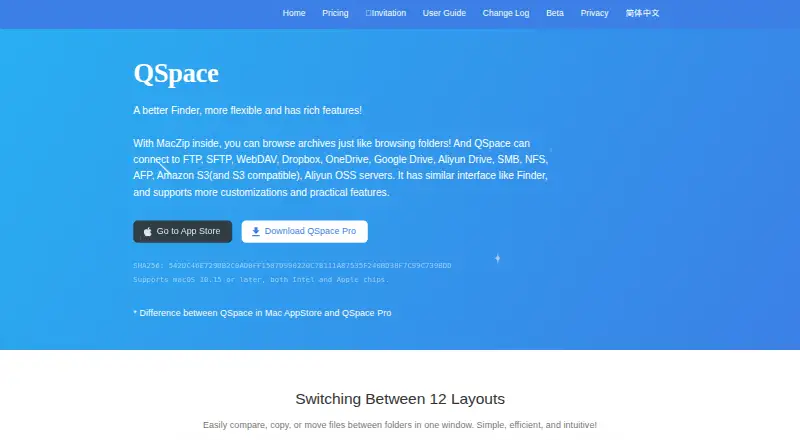
What QSpace is
QSpace is a macOS file manager that presents files in a flexible multi-pane workspace. Its 12 layouts support comparing folders and copying or moving files between them, while dual-pane browsing and tabs provide different ways to organize open locations. Each window can serve as a workspace that users reopen to resume where they left off. Search can filter the current pane by keywords or search globally through the Spotlight index. QSpace also supports batch renaming, archives, and cloud storage access. Users can customize toolbars, context menus, hotkeys, sidebar groups, colors, and icons. The Server Connections extension supports more than 20 server types and cloud services, including FTP, SFTP, WebDAV, Dropbox, OneDrive, and Amazon S3. QSpace supports macOS 10.15 or later on Intel and Apple chips. The listed plans include QSpace MAS and QSpace Pro, plus separately named extensions. Enhanced Archiver is shown as free; Stash Shelf, Server Connections, and Advanced Batch Rename are each listed at $0.99, paid once. A free plan and 30-day trial are listed, while the QSpace MAS plan is described as having no trials and no refunds. QSpace Pro allows one account on at most two devices at the same time.
Who it suits
QSpace suits macOS users who manage files across folders and want configurable panes, tabs, and reusable workspaces. It can also suit users who need batch renaming, archive handling, or connections to supported servers and cloud services through the relevant extension.
What it does well
- Offers 12 layouts for comparing and moving or copying files.
- Windows can be reopened as saved workspaces.
- Supports keyword filtering and Spotlight-based global search.
- Toolbars, menus, hotkeys, and visual elements are customizable.
- Server Connections covers more than 20 server and cloud types.
What to know first
- Supports macOS only, with macOS 10.15 or later required.
- The MAS plan has no trials or refunds.
- QSpace Pro limits one account to two devices at once.
Limits
The QSpace MAS plan is described as having no trials and no refunds. One QSpace Pro account can be used on at most two devices at the same time. The listed extension prices are $0.99, paid once for Stash Shelf, Server Connections, and Advanced Batch Rename; Enhanced Archiver is free.
Plans
| Plan | Billed and limits | Price |
|---|---|---|
| Stash Shelf extension | — | On request |
| Advanced Batch Rename extension | — | On request |
| Server Connections extension | — | On request |
| Enhanced Archiver extension | Shown as Free | Free |
| Enhanced Archiver | Free · Extension | Free |
| Stash Shelf | Extension purchase | $0.99, paid once |
| Server Connections | Extension purchase | $0.99, paid once |
| Advanced Batch Rename | Extension purchase | $0.99, paid once |
The first 8 of 10 plans, as qspace.awehunt.com lists them, read 24 Sept 2026. The maker's own page has the final word. Every plan
Getting started
- Visit the QSpace website and review the available plans and extensions.
- Confirm that your Mac runs macOS 10.15 or later on Intel or Apple chips.
- Choose a QSpace plan; the MAS plan is described as having no trials and no refunds.
- Add any needed extensions, such as Enhanced Archiver or Server Connections.
- Use the free plan or 30-day trial if applicable to the option you choose.
Verdict
Choose QSpace if you use a supported Mac and want configurable file browsing with multi-pane layouts and resumable workspaces. Check the plan and extension terms first if you need a trial, refunds, or simultaneous use on more devices.
Questions
What does QSpace cost?
The Enhanced Archiver extension is listed as free. Stash Shelf, Server Connections, and Advanced Batch Rename are each $0.99, paid once; prices for the QSpace MAS and Pro plans are not provided here.
Is there a free plan or trial?
A free plan and a 30-day trial are listed. The QSpace MAS plan is described as having no trials.
Which platforms does QSpace support?
QSpace supports macOS 10.15 or later on Intel and Apple chips.
What does QSpace Pro allow?
One QSpace Pro account can be used on at most two devices at the same time.
Which cloud services can it connect to?
The Server Connections extension includes Dropbox, OneDrive, and Amazon S3, as well as FTP, SFTP, WebDAV, and more than 20 server types and cloud services.
What are the MAS plan's terms?
QSpace MAS is described as having no trials and no refunds.
Facts from QSpace's own pages
- Archive support
- Enhanced Archiver can browse archives as folders and extract more than 20 archive types, including RAR, ZIP, 7z, TAR, GZ, and BZ2. · qspace.awehunt.com, 7 Oct 2026
- Batch rename
- Yes · qspace.awehunt.com, 24 Sept 2026
- Cloud storage access
- Yes · qspace.awehunt.com, 24 Sept 2026
- Customization
- QSpace supports custom toolbars, context menus, hotkeys, sidebar groups, colors, and icons. · qspace.awehunt.com, 7 Oct 2026
- Dual-pane view
- Yes · qspace.awehunt.com, 24 Sept 2026
- Free plan
- No · qspace.awehunt.com, 24 Sept 2026
- Latest listed release
- The changelog lists QSpace 7.0.2 and Beta 7.0.2.001 dated 2026-10-02. · qspace.awehunt.com, 7 Oct 2026
- Layouts
- Its multi-pane interface offers 12 layouts for comparing, copying, or moving files between folders. · qspace.awehunt.com, 7 Oct 2026
- Supported platforms
- macos · qspace.awehunt.com, 24 Sept 2026
- Privacy
- The privacy policy says QSpace collects app and device details including version, account email, macOS version, language, IP address, user ID, and device ID, and says collected information is used for QSpace functions and is not shared with third parties. · qspace.awehunt.com, 7 Oct 2026
- Product
- QSpace describes itself as a more flexible Finder with rich features. · qspace.awehunt.com, 7 Oct 2026
- Remote connections
- Server Connections supports more than 20 server types and cloud services, including FTP, SFTP, WebDAV, Dropbox, OneDrive, and Amazon S3. · qspace.awehunt.com, 7 Oct 2026
- Search
- Users can filter files in a pane by keywords or search globally with the Spotlight index. · qspace.awehunt.com, 7 Oct 2026
- Support
- The privacy policy provides [email protected] for privacy questions. · qspace.awehunt.com, 7 Oct 2026
- System requirement
- The maker says QSpace supports macOS 10.15 or later on Intel and Apple chips. · qspace.awehunt.com, 7 Oct 2026
- Tabbed interface
- Yes · qspace.awehunt.com, 24 Sept 2026
- Workspaces
- Each window can act as a self-contained workspace that users can reopen to resume where they left off. · qspace.awehunt.com, 7 Oct 2026
Where QSpace stands on Freedom251
- File Manager Software#35 of 100