Freedom251 › Log Management Software
SolarWinds Log Analyzer
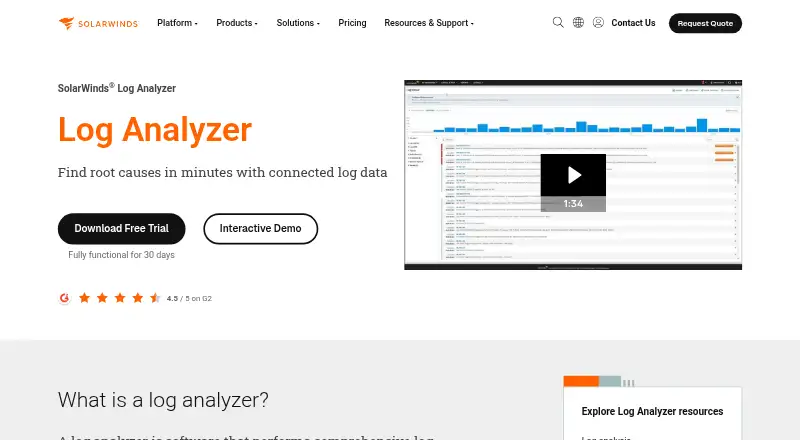
What SolarWinds Log Analyzer is
SolarWinds Log Analyzer is a paid, self-hosted tool for collecting, searching, and correlating logs and event data across hybrid IT infrastructure. It accepts syslog, SNMP traps, Windows events, and VMware events from on-premises and cloud-connected sources. Filters narrow records by type, node, IP address, vendor, tag, or time range without complex queries. Live mode streams logs and refreshes event data every 10 seconds, while color-coded tags help organize events in the Log Viewer. Structured parsing, log pipelines, and archive export support ongoing log operations. PerfStack places log events beside network and server performance metrics on one timeline. Alerts can use email, ServiceNow, SolarWinds Service Desk, or external scripts. Windows collection works through the Observability Self-Hosted agent plugin or an event forwarder. Security features include a whitelist, ready-made rules, and custom rules. Plans start at $8 a month billed annually, with a 30-day trial and no free plan.
Who it suits
It suits IT operations teams managing hybrid infrastructure that need centralized log collection, filtering, correlation, and alerting. Self-hosted deployment supports installations behind a firewall or in AWS, Microsoft Azure, or GCP.
What it does well
- Collects syslog, SNMP, Windows, and VMware events
- Filters logs without complex queries
- Streams live events with 10-second refreshes
- Correlates logs with performance metrics
- Supports custom alerts and security rules
What to know first
- No free plan
- Self-hosted deployment is required
- Windows collection needs an agent or forwarder
- Starting price requires annual billing
Plans
| Plan | Billed and limits | Price |
|---|---|---|
| Essentials | Multi-year contracts billed annually · Network performance monitoring · Server and application management · Log monitoring and analysis · IP address monitoring and management · User and device tracking · VoIP and network quality assurance | $8 a month |
| Advanced | Multi-year contracts billed annually · Everything in Essentials · ML-powered anomaly-based alerting · Security vulnerability dashboard · Flow monitoring and analysis · Virtualization monitoring and management · Server configuration management | $14 a month |
| Premier | Multi-year contracts billed annually · Everything in Advanced · Storage performance monitoring · Web performance monitoring · Incident Response user licenses · SolarWinds Observability SaaS Network and Infrastructure license · Value-based licensing | $17.50 a month |
| SolarWinds Observability Self-Hosted (includes Log Analyzer) | Multi-year contract billed annually · Per node · Volume discounts available | $8 a month |
As solarwinds.com lists them, read 23 Sept 2026. The maker's own page has the final word.
Verdict
SolarWinds Log Analyzer combines broad event collection with filtering, live viewing, performance correlation, and alert routing. Its paid, self-hosted model and annual billing make deployment and budget planning important considerations.
Facts from SolarWinds Log Analyzer's own pages
- Alerts and integrations
- Custom alerts can be routed through email, ServiceNow, or SolarWinds Service Desk, and can trigger external scripts. · solarwinds.com, 9 Oct 2026
- Archive export
- Yes · solarwinds.com, 23 Sept 2026
- Deployment options
- self-hosted · solarwinds.com, 23 Sept 2026
- Deployment and security
- Observability Self-Hosted can be deployed behind a firewall or self-hosted in AWS, Microsoft Azure, or GCP. · solarwinds.com, 9 Oct 2026
- Event tagging
- Users can apply color-coded tags to events and filter tagged events in the Log Viewer. · solarwinds.com, 9 Oct 2026
- Founded
- 1999 · solarwinds.com, 19 Oct 2026
- Free plan
- No · solarwinds.com, 23 Sept 2026
- Headquarters
- Austin, Texas, USA · solarwinds.com, 19 Oct 2026
- Intended users
- SolarWinds describes Log Analyzer as part of Observability Self-Hosted for IT operations teams managing hybrid infrastructure. · solarwinds.com, 9 Oct 2026
- Live mode
- Live mode streams logs and refreshes event data every 10 seconds. · solarwinds.com, 9 Oct 2026
- Live log tailing
- Yes · solarwinds.com, 23 Sept 2026
- Log pipelines
- Yes · solarwinds.com, 23 Sept 2026
- Log sources
- It collects syslog, SNMP traps, Windows events, and VMware events from hybrid on-premises and cloud-connected sources. · solarwinds.com, 9 Oct 2026
- Performance correlation
- PerfStack displays log events alongside network and server performance metrics on a single timeline. · solarwinds.com, 9 Oct 2026
- Purpose
- Log Analyzer collects, searches, and correlates log and event data across IT infrastructure to help teams identify root causes and resolve issues. · solarwinds.com, 9 Oct 2026
- Search and filtering
- Built-in controls filter logs by type, node, IP address, vendor, tag, and time range without requiring complex queries. · solarwinds.com, 9 Oct 2026
- Security event rules
- A preconfigured security event whitelist captures common security events, and users can enable out-of-the-box rules or create custom rules. · solarwinds.com, 9 Oct 2026
- Paid from
- 8 · solarwinds.com, 23 Sept 2026
- Structured log parsing
- Yes · solarwinds.com, 23 Sept 2026
- Support
- SolarWinds offers technical support, documentation, training, and a user community with over 200,000 registered members. · solarwinds.com, 9 Oct 2026
- Windows event alternative
- SolarWinds Event Log Forwarder for Windows can convert Windows events to syslogs if the agent is not deployed. · solarwinds.com, 9 Oct 2026
- Windows event collection
- Windows event collection uses a Log Analyzer agent plugin with the Observability Self-Hosted agent, with filtering by log type, event source, and severity. · solarwinds.com, 9 Oct 2026
Where SolarWinds Log Analyzer stands on Freedom251
- Log Management Software#72 of 111