Freedom251 › Passport Photo Maker Software

Snapport
What Snapport is
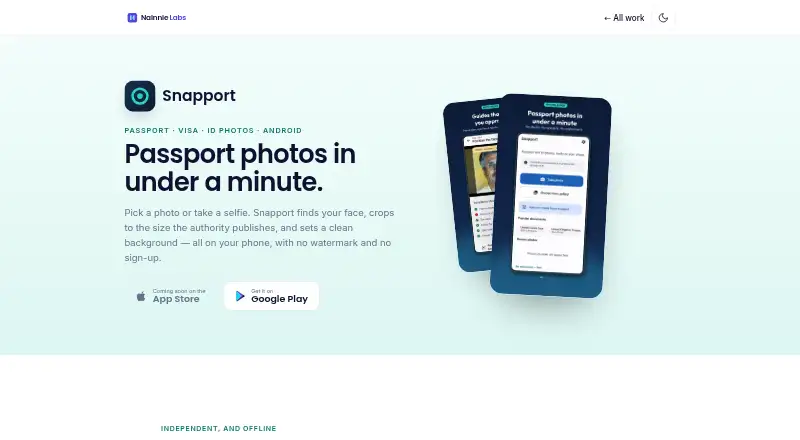
Snapport is an Android app for preparing passport, visa and ID photos on a phone. It detects a face, crops the image to a selected document size and sets a clean background. Its listed sizes cover the US, UK, Schengen countries, Canada, Pakistan, India, UAE, Saudi Arabia, Australia, China, Japan and Bangladesh, with custom sizes also available. The app checks head size, eye line, face direction, open eyes and image resolution, and offers automatic crop positioning.
Background choices are white, off-white, light blue, grey and red; the app highlights the colour required for the selected document. Users can adjust brightness, contrast and saturation, while Snapport says it does not smooth skin or reshape facial features. Export options create sheets of 4, 6 or 8 copies on 4×6 photo paper or A4, with cut lines and 300 DPI output. Images can also be compressed under 240 KB, 100 KB or 50 KB. Face detection, cropping, background replacement and print-sheet generation run on the device, and the maker says photos are never uploaded. The free version is ad-supported, has no watermark and needs no sign-up. The maker cautions that it cannot guarantee photo acceptance; the issuing authority decides whether an image meets its requirements.
Who it suits
Snapport suits people preparing passport, visa or ID photos who want document-size cropping, background choices and print sheets from an Android phone. It can also suit people who need to compress an image to one of the listed file-size thresholds.
What it does well
- Lists document sizes across 12 countries or regions, plus custom sizes.
- Checks head size, eye line, face direction, open eyes and resolution.
- Offers five background colours and highlights the selected document's requirement.
- Creates print sheets with 4, 6 or 8 copies.
- Core photo processing runs on the device.
- The free version has no watermark or sign-up.
What to know first
- Available on Android; the App Store release is coming soon.
- The free version is ad-supported.
- The maker cannot guarantee that an authority will accept a photo.
Limits
The free version is ad-supported. Snapport says it cannot guarantee acceptance, submit, process or file applications; the issuing authority decides whether a photo meets its requirements.
Plans
| Plan | Billed and limits | Price |
|---|---|---|
| Free | Ads support the free version · no watermark · no sign-up | Free |
| Remove Ads | One-time purchase; price not stated · Removes ads | On request |
As nainnielabs.com lists them, read 8 Oct 2026. The maker's own page has the final word.
Getting started
- Install Snapport from Google Play on Android.
- Open the app without signing up to use the free version.
- Choose a listed document size or set a custom size.
- Adjust the crop, background, brightness, contrast or saturation as needed.
- Export a print sheet or compress the image to a listed size threshold.
Verdict
Choose Snapport if you want to prepare passport, visa or ID photos on Android and create a printable sheet without uploading the photo for core processing. Look elsewhere if you need a guaranteed accepted photo or an available iOS app; acceptance is decided by the issuing authority, and the App Store release is described as coming soon.
Questions
Is Snapport free?
Yes. The Free plan costs nothing and is supported by ads; it has no watermark and requires no sign-up.
What platforms can I use it on?
Snapport is available on Android through Google Play. Its product page says an App Store release is coming soon.
Does Snapport upload photos?
The maker says face detection, cropping, background replacement and print-sheet generation run on the device, and photos are never uploaded. The Android privacy policy says recent photos remain in the app's private device storage until deleted in the app or the app is uninstalled.
Can Snapport guarantee that a photo will be accepted?
No. It says it cannot guarantee acceptance, and the issuing authority decides whether a photo meets its requirements.
What services are identified in the privacy policy?
The Android privacy policy identifies Google AdMob for advertising and Google Play Billing for in-app purchases such as Remove Ads.
Facts from Snapport's own pages
- Availability
- Snapport is available on Google Play for Android; the product page says its App Store release is coming soon. · nainnielabs.com, 8 Oct 2026
- Backgrounds
- Background options are white, off-white, light blue, grey and red, with the required colour highlighted for the document. · nainnielabs.com, 8 Oct 2026
- Compliance guides
- The app checks head size, eye line, face direction, open eyes and image resolution, and offers automatic positioning for the crop. · nainnielabs.com, 8 Oct 2026
- Document sizes
- It lists photo sizes for the US, UK, Schengen countries, Canada, Pakistan, India, UAE, Saudi Arabia, Australia, China, Japan and Bangladesh, plus custom sizes. · nainnielabs.com, 8 Oct 2026
- Headquarters
- Havelian, Abbottabad, Pakistan · nainnielabs.com, 28 Sept 2026
- Integrations
- The Android privacy policy identifies Google AdMob for advertising and Google Play Billing for in-app purchases such as Remove Ads. · nainnielabs.com, 8 Oct 2026
- Intended users
- The app is for people preparing passport, visa and ID photos, including print sheets for home printing or photo shops. · nainnielabs.com, 8 Oct 2026
- Limits
- Snapport says it cannot guarantee acceptance of a photo and does not submit, process or file applications; the issuing authority decides whether a photo meets its requirements. · nainnielabs.com, 8 Oct 2026
- Offline processing
- Face detection, cropping, background replacement and print-sheet generation run on the device, and the maker says photos are never uploaded. · nainnielabs.com, 8 Oct 2026
- On-device storage
- The Android privacy policy says recent photos are kept in the app’s private device storage until deleted in the app or the app is uninstalled. · nainnielabs.com, 8 Oct 2026
- Photo adjustments
- Adjustments include brightness, contrast and saturation; the app says it does not smooth skin or reshape facial features. · nainnielabs.com, 8 Oct 2026
- Print and export
- Users can export 4, 6 or 8 copies on 4×6 photo paper or A4 with cut lines, at 300 DPI, and compress images under 240 KB, 100 KB or 50 KB. · nainnielabs.com, 8 Oct 2026
- Privacy details
- The Android privacy policy says Google AdMob may process device details, advertising ID, IP address and coarse location, and ad interaction and diagnostics data to serve and measure ads. · nainnielabs.com, 8 Oct 2026
- Support
- The maker lists [email protected] for questions and support. · nainnielabs.com, 8 Oct 2026
- What it does
- Snapport prepares passport, visa and ID photos by detecting a face, cropping to published document sizes and setting a clean background on the phone. · nainnielabs.com, 8 Oct 2026
Where Snapport stands on Freedom251
- Passport Photo Maker Software#19 of 29