Smultron
What Smultron is
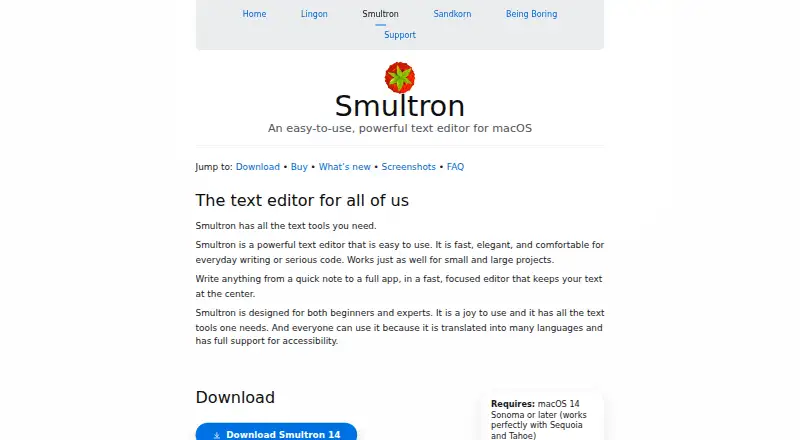
Smultron is a macOS text editor for everyday writing and programming, intended for beginners and experienced users. Smultron 14 includes a sidebar, inspector, bookmarks, notes, syntax support, advanced find, column editing, and document comparison, with support for large files. Syntax coloring covers languages such as Python, JavaScript, Swift, HTML, and Markdown. Built-in tools include plist editing, text extraction from images, language analysis, focus mode, file browsing, snippets, previews, and commands. With Continuity enabled, Continuity Camera can scan text from an iPhone or iPad photo. Version 14 lists 29 languages and supports accessibility. The downloadable demo provides all functionality except saving until a license is purchased. Smultron is sold from $9.99; the listed plan is $9.99 a month, described as a pay-once purchase usable forever. Vendor-store purchases have a 14-day refund guarantee, excluding Mac App Store purchases. The maker says its apps do not request or collect user information.
Who it suits
It suits Mac users who write text or code and want syntax, large-file handling, columns, and document tools. Beginners and experienced editors are both named audiences.
What it does well
- Handles large files
- Column editing
- Broad syntax support
- Image text extraction
- 29 listed languages
What to know first
- macOS only
- No command-line utility
- Demo cannot save documents
- No free plan
Plans
| Plan | Billed and limits | Price |
|---|---|---|
| Smultron 14 | Pay once; use it forever · macOS 14 Sonoma or later · Demo cannot save documents until licensed | $9.99, paid once |
As peterborgapps.com lists them, read 11 Oct 2026. The maker's own page has the final word.
Verdict
Smultron 14 combines writing and coding features with image-text, search, and document tools. Consider the demo’s save restriction, edition sandboxing, and lack of a command-line utility before buying.
Facts from Smultron's own pages
- Accessibility and languages
- The maker says Smultron supports accessibility and is translated into many languages; the page lists 29 languages for version 14. · peterborgapps.com, 11 Oct 2026
- Code languages
- The editor provides syntax coloring and support for a broad list of programming and markup languages, including Python, JavaScript, Swift, HTML, and Markdown. · peterborgapps.com, 11 Oct 2026
- Column editing
- Yes · peterborgapps.com, 23 Sept 2026
- Editor features
- Smultron 14 includes a sidebar, inspector, bookmarks, notes, syntax support, advanced find, columns, and document comparison. · peterborgapps.com, 11 Oct 2026
- Free plan
- No · peterborgapps.com, 23 Sept 2026
- Free tryout
- The downloadable demo includes all functionality except saving documents until a license is purchased. · peterborgapps.com, 11 Oct 2026
- Integrations
- Smultron can use Continuity Camera to take an iPhone or iPad photo for text scanning, when Continuity is enabled. · peterborgapps.com, 11 Oct 2026
- Large-file handling
- Yes · peterborgapps.com, 23 Sept 2026
- Notable limit
- The maker says there is no command-line utility for Smultron, though macOS standard commands can open files in the app. · peterborgapps.com, 11 Oct 2026
- Privacy
- The maker says its apps do not request or collect user information and do not send information from the apps. · peterborgapps.com, 11 Oct 2026
- Product
- Smultron is a text editor for everyday writing and code, intended for beginners and experts. · peterborgapps.com, 11 Oct 2026
- Refund
- Purchases from the maker’s store have a 14-day refund guarantee; the maker says this does not apply to Mac App Store purchases. · peterborgapps.com, 11 Oct 2026
- Sandboxing
- The Mac App Store edition is sandboxed, while the maker-store version of Smultron 14 is not sandboxed. · peterborgapps.com, 11 Oct 2026
- Support
- The maker offers support by email at [email protected]. · peterborgapps.com, 11 Oct 2026
- Supported platforms
- macOS · peterborgapps.com, 23 Sept 2026
- Tools
- Built-in tools include plist editing, text extraction from images, language analysis, focus mode, file browsing, snippets, previews, and commands. · peterborgapps.com, 11 Oct 2026
Where Smultron stands on Freedom251
- Text Editors#79 of 82